

12IP-PRACTICAL MODEL QUESTIONS (23-24)
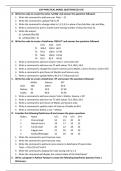
A. Write the code to create the series ‘serObj’ and answer the questions followed.
1. Write the command to add one row: ‘May’ – 31
2. Write the command to update Feb to 29
3. Write the command to change index to 1,2,3,4,5 in place of Jan,Feb,Mar, Apr and May.
4. Write a command to print a month name having number of days less than 31.
5. Write the output:
a) print(serObj<30)
b) print(serObj + 3)
B. Write the code to create a DataFrame ‘RESULT’ and answer the questions followed.
Col1 Col2 Col3
T1 100.0 100.0 60.0
T2 95.8 100.0 57.48
T3 NaN 100.0 53.58
T4 82.0 85.4 49.20
1. Write a command to add one column Total = col1+col2+col3
2. Write a command to add one row T5 with values 75.6, 98.6, 56.0
3. Write a command to change the column names Col1 to Maths, Col2 to Science, Col3 to SST.
4. Write a command to print Score of Months and Science only.
5. Write a command to update NaN to 85.0 in T3 Row and Col1
C. Write the code to create a DataFrame ‘df’ and answer the questions followed.
Maths Science SST
Amit 100 100.0 60.0
Mohan 95 50.0 57.48
Sudha 85 90.0 53.58
1. Write a command to add one column Total = Maths+ Science + SST
2. Write a command to add one row T5 with values 75.6, 98.6, 56.0
3. Write a command to print Score of Maths and Science only.
4. Write a command to update marks of Science of Sudha to 85.0
5. Write a command to delete a row – Mohan
D. Consider the following DataFrame df and answer the given questions
Rollno Name UT1 UT2 UT3 UT4
1 Prerna Singh 24 24 20 22
2 Manish Arora 18 17 19 22
3 Tanish Goel 20 22 18 24
4 Falguni Jain 22 20 24 20
5 Kanika Bhatnagar 15 20 18 22
1. Write the command to print top two rows.
2. Write the command to print last two rows.
3. Write the command to add one more column in dataframe df name total.
Total = UT1+UT2+UT3+UT4
4. Write the command to display the rows having roll no is 4
5. Write the command will display the column labels of the DataFrame?
E. Write a program in Python Pandas to create the following DataFrame batsman from a
Dictionary:
A. Write the code to create the series ‘serObj’ and answer the questions followed.
1. Write the command to add one row: ‘May’ – 31
2. Write the command to update Feb to 29
3. Write the command to change index to 1,2,3,4,5 in place of Jan,Feb,Mar, Apr and May.
4. Write a command to print a month name having number of days less than 31.
5. Write the output:
a) print(serObj<30)
b) print(serObj + 3)
B. Write the code to create a DataFrame ‘RESULT’ and answer the questions followed.
Col1 Col2 Col3
T1 100.0 100.0 60.0
T2 95.8 100.0 57.48
T3 NaN 100.0 53.58
T4 82.0 85.4 49.20
1. Write a command to add one column Total = col1+col2+col3
2. Write a command to add one row T5 with values 75.6, 98.6, 56.0
3. Write a command to change the column names Col1 to Maths, Col2 to Science, Col3 to SST.
4. Write a command to print Score of Months and Science only.
5. Write a command to update NaN to 85.0 in T3 Row and Col1
C. Write the code to create a DataFrame ‘df’ and answer the questions followed.
Maths Science SST
Amit 100 100.0 60.0
Mohan 95 50.0 57.48
Sudha 85 90.0 53.58
1. Write a command to add one column Total = Maths+ Science + SST
2. Write a command to add one row T5 with values 75.6, 98.6, 56.0
3. Write a command to print Score of Maths and Science only.
4. Write a command to update marks of Science of Sudha to 85.0
5. Write a command to delete a row – Mohan
D. Consider the following DataFrame df and answer the given questions
Rollno Name UT1 UT2 UT3 UT4
1 Prerna Singh 24 24 20 22
2 Manish Arora 18 17 19 22
3 Tanish Goel 20 22 18 24
4 Falguni Jain 22 20 24 20
5 Kanika Bhatnagar 15 20 18 22
1. Write the command to print top two rows.
2. Write the command to print last two rows.
3. Write the command to add one more column in dataframe df name total.
Total = UT1+UT2+UT3+UT4
4. Write the command to display the rows having roll no is 4
5. Write the command will display the column labels of the DataFrame?
E. Write a program in Python Pandas to create the following DataFrame batsman from a
Dictionary:


