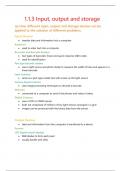
1.1.3 Input, output and storage
(a) How different input, output and storage devices can be
applied to the solution of different problems.
Input Devices
• transfer data and information into a computer
Keyboard
• used to enter text into a computer
Barcodes and Barcode Readers
• two types of barcodes: linear and quick response (QR) codes
• used for identification
Pen-type barcode readers
• uses a light source and photo diode to measure the width of lines and spaces in a
linear barcode
Laser scanners
• same as a pen-type reader but with a laser as the light source
Camera-based scanners
• uses image processing techniques to decode a barcode
Webcam
• connected to a computer to send it the photos and videos it takes
Digital Cameras
• uses a CCD or CMOS sensor
• both are comprised of millions of tiny light sensors arranged in a grid
• images can be produced with the binary data from the sensor
Output Devices
• data and information from the computer is transferred to a device
Screens
LCD (liquid crystal display)
• RGB diodes to form each pixel
• usually backlit with LEDs
, OLED (organic LED)
• doesn't need backlighting
Speakers
• portable devices usually have a basic inbuilt speaker
• outputs sound
Printers
Laser printer
• high quality, high speed printing
• uses powdered ink caller toner
Inkjet printer
• sprays dots of ink onto paper
Dot matrix printers
• print head is a matrix of pins which strike the surface of paper through an inked
ribbon
Projectors
• projects content from a computer onto a screen
(b) The uses of magnetic, flash and optical storage devices.
Use of secondary storage
• computers need a substantial amount of non-volatile memory to permanently
store data
• not directly accessible to the processor
• slower access speeds than primary storage
Magnetic
• represents binary information (0s and 1s) using two magnetic states
• polarised: all the magnetic poles align and can be read by a read/write head
• unpolarised: magnetic poles are randomly scattered producing a different reading
on a read/write head
Hard disk drives (HDD)
• uses platters coated in magnetic material
• disk is divided into concentric circle tracks
(a) How different input, output and storage devices can be
applied to the solution of different problems.
Input Devices
• transfer data and information into a computer
Keyboard
• used to enter text into a computer
Barcodes and Barcode Readers
• two types of barcodes: linear and quick response (QR) codes
• used for identification
Pen-type barcode readers
• uses a light source and photo diode to measure the width of lines and spaces in a
linear barcode
Laser scanners
• same as a pen-type reader but with a laser as the light source
Camera-based scanners
• uses image processing techniques to decode a barcode
Webcam
• connected to a computer to send it the photos and videos it takes
Digital Cameras
• uses a CCD or CMOS sensor
• both are comprised of millions of tiny light sensors arranged in a grid
• images can be produced with the binary data from the sensor
Output Devices
• data and information from the computer is transferred to a device
Screens
LCD (liquid crystal display)
• RGB diodes to form each pixel
• usually backlit with LEDs
, OLED (organic LED)
• doesn't need backlighting
Speakers
• portable devices usually have a basic inbuilt speaker
• outputs sound
Printers
Laser printer
• high quality, high speed printing
• uses powdered ink caller toner
Inkjet printer
• sprays dots of ink onto paper
Dot matrix printers
• print head is a matrix of pins which strike the surface of paper through an inked
ribbon
Projectors
• projects content from a computer onto a screen
(b) The uses of magnetic, flash and optical storage devices.
Use of secondary storage
• computers need a substantial amount of non-volatile memory to permanently
store data
• not directly accessible to the processor
• slower access speeds than primary storage
Magnetic
• represents binary information (0s and 1s) using two magnetic states
• polarised: all the magnetic poles align and can be read by a read/write head
• unpolarised: magnetic poles are randomly scattered producing a different reading
on a read/write head
Hard disk drives (HDD)
• uses platters coated in magnetic material
• disk is divided into concentric circle tracks