Smartsheet Formulas Basics exam 2024
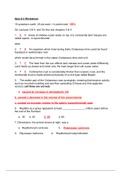
Smartsheet Formulas Basics exam 2024 Which function can you use to add up numerical values? - correct answer =SUM() Tricia has a task sheet where she is tracking both % Complete and Status. Which function can she use to change the symbol in the Status column based on the value in the % Complete column? - correct answer =IF() Jennifer is building a sheet to calculate commissions for her sales team. They earn a fixed percentage of each sale they make. She has entered the commission rate in a cell on her sheet. Which formula can Jennifer copy and paste into each row to correctly calculate her team's commissions? - correct answer =SUM([Opportunity Value]@row * [Commission Rate]$1) What symbols must you use when referencing another sheet? - correct answer {} Braces How do you reference the red ball in a symbol column in a formula? - correct answer "Red" Reginald is managing requests for his IT team using a sheet with a form. Employees can request the completion date in the "Date Need By" column. The team member assigned to the work enters a date in the "Estimated Completion Date" column. He wrote a formula to show if requests are on track. The formula will display On Time or the number of days late. The formula displays an error, #UNPARSEABLE. Reginald's formula: =IF(([Estimated Completion Date] - [Date Need By]1) = 0, On Time, ([Estimated Completion Date]1 - [Date Need By]1)) Which section of the formula does Reginald need to correct? - correct answer The value if true - Reginald needs to correct the section where he is trying to display the text "On Time" without putting it inside quotation marks. The correct formula should be: =IF(([Estimated Completion Date]1 - [Date Need By]1) <= 0, "On Time", ([Estimated Completion Date]1 - [Date Need By]1) & "days late") Yoko created a report to show collaborators on her project their assigned tasks. They have told her that many tasks from d
Written for
- Institution
- Smartsheet Formulas Basics
- Course
- Smartsheet Formulas Basics
Document information
- Uploaded on
- April 14, 2024
- Number of pages
- 3
- Written in
- 2023/2024
- Type
- Exam (elaborations)
- Contains
- Questions & answers
Subjects
-
smartsheet formulas basics exam 2024