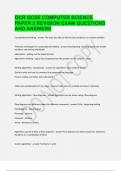
OCR GCSE COMPUTER SCIENCE PAPER 2 REVISION EXAM QUESTIONS AND ANSWERS.
Computational thinking The steps you take to find rhe best solution to a complex problem Three key techniques for computational thinking Decomposing - breaking down into smaller problems and solving individually Abstraction - picking out the important bits Algorithmic thinking - logical way of getting from the problem to the solution - steps Brainpower Read More Previous Play Next Rewind 10 seconds Move forward 10 seconds Unmute 0:04 / 0:15 Full screen Writing algorithms - pseudocode An algorithm's steps without syntax Quick to write and can be converted into programming language Person reading can follow and understand it Make sure pseudocode isn't too vague Make sure it's readable and easy to interpret Writing algorithms - flow diagrams Algorithms can be shown using a flow diagram Flow diagrams use different shapes for different commands Circle - beginning/ending Parallelogram - input/output Rectangle - process Diamond - decision Arrow - direction to follow Algorithms can be written as flow diagrams Flow diagrams can show sequences, selections, iterations or a combination of them Search algorithms Find items in a list Binary search Looks for items in an ordered list 1) Find middle term 2) Compare Quicker than linear with larger sets of numbers Linear search Can be used on items in an unordered list Goes along list and checks each number of its correct Less efficient than binary with longer list Bubble sort Compared pairs of items 1) look at first 2 items - swap if unordered 2) move onto next pair (2 and 3) 3) repeat step 2 down the list - a pass 4) repeat until there are no swaps in a pass Each pass will have one less swap than the one before it Merge sort Splits the list and then merges it back together 1) split the list in half (smaller lists are called sub lists) 2) keep repeating step 1 until all the lists only contain 1 item 3) merge sub list so that each sub list has twice as many as before - sort the items into right order 4) repeat step 3 until all the sub lists are merged together Insertion sort Orders the items as it goes 1) look at second item in list 2) compare it to all items before it 3) repeat step 2 for the rest of the numbers until the last number in the list has been inserted into the correct place Programming language has 5 main data types Integer (int) - whole numbers only Real or float (real) - numbers with a decimal part Boolean (bool) - only one of two values - usually TRUE or FALSE Character (char) - single letter, number, symbol String (string) - represents text, collection of characters Casting is used to change the data type Casting is functions that let you manually convert between data types Can be done using the int(), float(), bool(), strl() commands The basic arithmetic operators are straightforward Arithmetic orders take 2 values and perform a maths function on them Addition: + Subtraction: - Multiplication * Division: / Exponentiation: ^ or ** Quotient: DIV (20 DIV 3 = 6) Remainder: MOD or % Assessment and comparison operators == equal to <> or != is not equal to < less than > greater than <= less than or equal to >= greater than or equal to Data values can be constants or variables Name of constant/variable is linked to a memory location that stores the data value The size of the memory location depends on the data type A constant is assigned a data value at design time - can't be changed - error if try to change Variables can change value - more useful than constants Constants/variables need to be declared before you can use them (start of program) Strings Written inside quotation marks a load of words Programs let you manipulate strings in a variety of ways = changes all characters in string x to UPPER CASE = CHANGES ALL CHARACTERS IN STRING X TO lower case h = returns the number of characters in string x x[i] = extracts the character in position i from string x String(a,b) = extracts a string starting at position a with length b from string x
Written for
- Institution
- OCR GCSE COMPUTER SCIENCE
- Course
- OCR GCSE COMPUTER SCIENCE
Document information
- Uploaded on
- December 28, 2023
- Number of pages
- 6
- Written in
- 2023/2024
- Type
- Exam (elaborations)
- Contains
- Unknown
Subjects
-
ocr gcse computer science paper 2

Document also available in package deal