InDesign Certification Practice Questions And Answers Already Graded A+
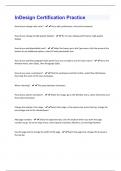
How do you change ruler units? - Go to edit, preferences, units and increments How do you change to high quality display? - Go to view, display performance, high quality display How do you add placeholder text? - Select the frame, go to the Type menu, click the arrow at the bottom to see additional options, select fill with placeholder text How do you add the paragraph styles panel if you are not able to use the Type menu? - Go to the Window menu, then Styles, then Paragraph Styles How do you save a workspace? - Click the workspace switcher button, select New Workspace, then type the name of the new workspace What is kerning? - The space between characters. How do you add an animation? - Select the image, go to the Window menu, select Interactive and then select Animation Change the opacity of an image - Select the image, in the options bar across the top, change the percentage next to the checkerboard Add page numbers - Select the type/text tool, click the location where you want the page numbers to go. Go to the Type menu, Insert special characters, Markers, Current Page Number Use the page tool to change the width of the page -Select the page tool, change the W value in the top barExport a print pdf - Go to the File menu, Export, Choose print pdf, press Save, select appropriate options, Click Save Make a paragraph style based on another paragraph style - Double click word on page to apply it to Open paragraph panel by clicking button on right Click new paragraph style Double click and type the name they want Double click again to open options Change based on Change center alignment Press ok Import (place) text into frame on page 4 (not page 4 in pages panel) - Select frame File - place - select document Add table of contents - Go to layout - table of contents Change title, style and add other styles by clicking them in the right box and clicking the add button What are glyphs for? - Currency and trademarks
Written for
- Institution
- InDesign Certification
- Course
- InDesign Certification
Document information
- Uploaded on
- November 1, 2023
- Number of pages
- 4
- Written in
- 2023/2024
- Type
- Exam (elaborations)
- Contains
- Questions & answers
Subjects

Also available in package deal