2.5 SPSS
Session 1: transformations & percentile ranks
➔ Calculating scale scores of test:
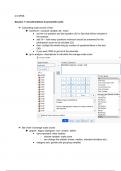
◆ transform– compute variable–all– mean
● put the 1st question and last question (Q1 to Qn) that will be included in
the analysis
● add .N— how many questions minimum should be answered for the
participant's score to be included (22)
● then, multiply the whole thing by number of questions/items in the test
(30)
● if you want, RND to get rid of the decimals
◆ go to analyze– descriptives to calculate the average scale score
➔ Bar chart of average scale scores
◆ graphs– legacy dialogues– bar– simple– define
● bars represent: other statistic
○ choose variable: scale score
○ can change the statistic (mean, median, standard deviation etc.)
● category axis: gender (the grouping variable)
,➔ calculate z-scores
◆ analyze— descriptives— click “save standardized values as variables”
➔ calculating mean difference between 2 groups as t-value
◆ analyze— compare means— independent samples t-test
● choose test variable (z score of scale scores)
● choose grouping variable (this is the 2 groups we will compare; gender) &
define groups
, ● look at the Levene’s test for which t-value to use:
○ Levene’s test is significant= equal variance not assumed
○ Levene’s test is not significant= equal variance assumed
○ t-value= 2.65
➔ calculating probability of scoring below a certain score (assuming normal distribution)
◆ transform— compute variable— CDF.NORMAL
● put in (variable, mean, standard deviation)
● we can use the z_scores of scale values because its mean and
standardized deviation is known (1,0)
● find your desired value and look at the associated p_value
Session 1: transformations & percentile ranks
➔ Calculating scale scores of test:
◆ transform– compute variable–all– mean
● put the 1st question and last question (Q1 to Qn) that will be included in
the analysis
● add .N— how many questions minimum should be answered for the
participant's score to be included (22)
● then, multiply the whole thing by number of questions/items in the test
(30)
● if you want, RND to get rid of the decimals
◆ go to analyze– descriptives to calculate the average scale score
➔ Bar chart of average scale scores
◆ graphs– legacy dialogues– bar– simple– define
● bars represent: other statistic
○ choose variable: scale score
○ can change the statistic (mean, median, standard deviation etc.)
● category axis: gender (the grouping variable)
,➔ calculate z-scores
◆ analyze— descriptives— click “save standardized values as variables”
➔ calculating mean difference between 2 groups as t-value
◆ analyze— compare means— independent samples t-test
● choose test variable (z score of scale scores)
● choose grouping variable (this is the 2 groups we will compare; gender) &
define groups
, ● look at the Levene’s test for which t-value to use:
○ Levene’s test is significant= equal variance not assumed
○ Levene’s test is not significant= equal variance assumed
○ t-value= 2.65
➔ calculating probability of scoring below a certain score (assuming normal distribution)
◆ transform— compute variable— CDF.NORMAL
● put in (variable, mean, standard deviation)
● we can use the z_scores of scale values because its mean and
standardized deviation is known (1,0)
● find your desired value and look at the associated p_value