Basic UNIX Commands Independent Assignment | completed
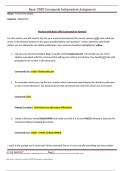
Practice with Basic UNIX Commands in Terminal For this section, you will need to log into your terminal and execute the correct answers AND write what you wrote in the terminal window in the space provided below each question1 . Unless otherwise specifically stated, you are allowed to use relative pathnames. Your answers should be highlighted in yellow. 1. Log into your terminal window. Begin a log file named . You should use one of the options associated with this command that will log your actions in real time. You should NOT exit until prompted to do so later in this document. Command Line: script -f 2. To remember where your log file was created, which command would display the absolute pathname to your current directory? You should execute that command now and note where you are located. Command: pwd Output (Location): /afs/ 3. Create a directory named BasicUNIXIA and make sure that it is in your MyE115 directory. Execute this command without changing directories. Command Line: mkdir ~/MyE115/BasicU
Written for
- Institution
-
North Carolina State University
- Course
-
E 115
Document information
- Uploaded on
- August 25, 2023
- Number of pages
- 3
- Written in
- 2023/2024
- Type
- Exam (elaborations)
- Contains
- Questions & answers
Subjects
-
basic unix commands independent assignment

Also available in package deal