3D Models Guide
Medieval-Style Bed
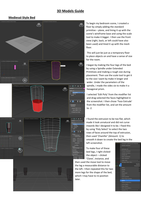
To begin my bedroom scene, I created a
floor by simply adding the standard
primitive – plane, and lining it up with the
scene’s wireframe base and using the scale
tool to make it bigger. I then use the front
view (right, back, or left could have also
been used) and lined it up with the mesh
floor.
This will just be just as a temporary floor
to place objects on and have a sense of size
for the room.
I began by making the four legs of the bed
by using a Spindle under Extended
Primitives and making a rough size during
placement. Then use the scale tool to get it
to the size I want by make it longer and
wider. Under the parameters of the
spindle, I made the sides six to make it a
hexagonal prism.
I selected ‘Edit Poly’ from the modifier list
and drag-selected the faces highlighted in
the screenshot. I then chose ‘Face Extrude’
from the modifier list, and set the amount
to -2.
I found the extrusion to be too flat, which
made it look unnatural and did not curve
inwards like I designed it to be. I fixed this
by using ‘Poly Select’ to select the two
rows of faces around the top of extrusion,
then used ‘Chamfer’ (Amount: 1) to
smooth it down to create the bed leg in the
left screenshot.
To make four of these
bed legs, I right clicked
the object – clicked
‘Clone’, instance, and
then used the move tool to move
the leg a measurable distance to
the left. I then repeated this for two
more legs for the shape of the bed,
which I may have to re-position
later.
, I made a box from standard primitives and made it fit over
the top of the bed legs how I wanted it, I then increased the
segments/faces to be able to add more detail.
Chamfer was used again to smooth the edges of the box by
just 1 for amount.
I selected a top view of the box, used ‘Poly Select’ modifier to
highlight the top and bottom faces. Then used ‘Face Extrude’
by -8.0 Amount to push sides inwards for a thin layer to
create a bed frame; I realised the legs would not be attached
to anything once I done this, and deselected the outer layer
of faces on the bottom of the bed frame.
I made another box slightly
smaller than the bed frame,
to fit in the frame as the
mattress.
I used ‘Chamfer’ once again
by 2.0 amount to make it
rounded.
Next, I will be making the
bedpost for my canopy bed; I used a box to make a cuboid
column then made it 10x10x15 segments (LxWxH).
I used ‘Edit Poly’ to select the bottom row’s segments, I
then used ‘Face Extrude’to extend the base outwards.
I used ‘Poly select’ for the top of extrusion and row above
it by ctrl highlighting. To get the sloped edge, I used
chamfer (Amount: 1).
Medieval-Style Bed
To begin my bedroom scene, I created a
floor by simply adding the standard
primitive – plane, and lining it up with the
scene’s wireframe base and using the scale
tool to make it bigger. I then use the front
view (right, back, or left could have also
been used) and lined it up with the mesh
floor.
This will just be just as a temporary floor
to place objects on and have a sense of size
for the room.
I began by making the four legs of the bed
by using a Spindle under Extended
Primitives and making a rough size during
placement. Then use the scale tool to get it
to the size I want by make it longer and
wider. Under the parameters of the
spindle, I made the sides six to make it a
hexagonal prism.
I selected ‘Edit Poly’ from the modifier list
and drag-selected the faces highlighted in
the screenshot. I then chose ‘Face Extrude’
from the modifier list, and set the amount
to -2.
I found the extrusion to be too flat, which
made it look unnatural and did not curve
inwards like I designed it to be. I fixed this
by using ‘Poly Select’ to select the two
rows of faces around the top of extrusion,
then used ‘Chamfer’ (Amount: 1) to
smooth it down to create the bed leg in the
left screenshot.
To make four of these
bed legs, I right clicked
the object – clicked
‘Clone’, instance, and
then used the move tool to move
the leg a measurable distance to
the left. I then repeated this for two
more legs for the shape of the bed,
which I may have to re-position
later.
, I made a box from standard primitives and made it fit over
the top of the bed legs how I wanted it, I then increased the
segments/faces to be able to add more detail.
Chamfer was used again to smooth the edges of the box by
just 1 for amount.
I selected a top view of the box, used ‘Poly Select’ modifier to
highlight the top and bottom faces. Then used ‘Face Extrude’
by -8.0 Amount to push sides inwards for a thin layer to
create a bed frame; I realised the legs would not be attached
to anything once I done this, and deselected the outer layer
of faces on the bottom of the bed frame.
I made another box slightly
smaller than the bed frame,
to fit in the frame as the
mattress.
I used ‘Chamfer’ once again
by 2.0 amount to make it
rounded.
Next, I will be making the
bedpost for my canopy bed; I used a box to make a cuboid
column then made it 10x10x15 segments (LxWxH).
I used ‘Edit Poly’ to select the bottom row’s segments, I
then used ‘Face Extrude’to extend the base outwards.
I used ‘Poly select’ for the top of extrusion and row above
it by ctrl highlighting. To get the sloped edge, I used
chamfer (Amount: 1).