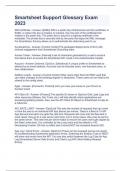
Smartsheet Support Glossary Exam 2023
509 Certificate - Answer- [SAML] 509 is a public key infrastructure and the certificate, in SAML, is where this key is located. In practice, the only part of the certificate that matters is the public key. The public key is bound to a signing certificate in the metadata. The private key is securely held by the party that signs the XML message. For Smartsheet, this key allows us to authenticate the data being sent to us. Accelerator(s) - Answer- [Control Center] Pre-packaged deployments of SCC with minimal engagement from Smartsheet Consulting team. Access Token - Answer- [Internal] a set of characters generated by a user's account that allows them to access the Smartsheet API. Used in the Authentication header Account - Answer- [Internal, OpsCon, Salesforce] A unique profile in Smartsheet as defined by an email address. Accounts can be licensed users, non-licensed users, or free collaborators. Addition Leads - Answer- [Control Center] Other users other than the PMO Lead that can make changes to the existing program or blueprints. These users do not need to be shared to the config sheet. Agile - Answer- [Connector, Product] Let's you view your issue on your Scrum or Kanban board. API Client ID - Answer- [Product] The specific ID shown in OpsCon Grid Load Logs and other resources (Kibana, Dev Tools, etc.) will help identify which applications are accessing/updating sheets. Also, see the API Client ID Report in Smartsheet to help as a reference. API_RATE_LIMIT - Answer- [OpsCon] This sets the number of requests that can come in from the user to an individual API App Server per minute. There is a fleet of 10 API App Servers and each one gets this rate limit. Requests will come into the fleet and in most cases, they go to a new server each time, but in some cases, they may be sent to the same server. This rate limit per server helps to ensure the users won't get clipped by the Rate Limits early. It is controlled by the Long value and the default is 100. Decreasing it below 100 has no effect and it should NOT be increased beyond 200. App Log / Client Errors - Answer- [OpsCon] These can be reviewed just as one would for troubleshooting Smartsheet application errors. Switching the Session Type to REST will show only errors from the API. You can also switch between the Log Type for App Log (Smartsheet Server Side Errors) and Client Log (API Client Making Request Errors). APP_DEVELOPER - Answer- [OpsCon] Determines if a user has the Developer Tools enabled on their account. This is only necessary if someone will be creating third party apps and will be implementing an OAuth flow. This is controlled by the Boolean value at either true or false. Default is false. Application Programming Interface (API) - Answer- [Product] The mechanism by which someone interacts with data programmatically instead of via a mouse and keyboard. Approval Column - Answer- [Control Center] Column on the Intake sheet that marks the project as approved and ready for SCC to provision. The Blueprint settings on the Config sheet state which column this is and what the value needs to be in order to be seen in SCC. Approval Value - Answer- [Control Center] The value in the Approval Column that will allow the project to be available in SCC to be provisioned. Assertion - Answer- [Product] XML version of the work being done to authenticate between SP and IdP; Contains packets of information that supply one or more statements made by a SAML authority Assertion Consumer Service URL (ACS) - Answer- [Product] the endpoint on our side that the customers IdP will send information to. For Smartsheet, the ACS url is Assignee - Answer- [Connector, Product] The person to whom the issue is currently assigned. Attribute (Claim) - Answer- [Product] Specific set of data within the XML (metadata or assertion) that is being asked for (such as email address, persistent ID, or given name) Smartsheet requires only two claims: the PersistentID (also known as NameID) and the Email Address. Read more on them here. Attributes - Answer- [Product] The parts of the JSON object that label the pieces of data being returned or sent in the body. Ex: In this object { "name" : "Mary" } the name is the attribute with Mary being the value Authentication Configuration (in OpsCon) - Answer- [OpsCon, Product] This is a section found in the Organization's OpsCon page. Clicking this will take you into the organization's settings for authentication (logging in). In the part of this page with the same name, all login options will be shown and have a red X or a green checkmark. Checkmarks are enabled login options and red Xs are the options that will not be available to users Authorization (Auth) - Answer- [OpsCon, Product] a process by which verification is done to ensure that someone is whom they claim to be Auto Approval - Answer- [Control Center] Also called "auto provisioning." In the UI, it's called "Automation." Auto Approval is managed in the SCC-Admin Permissions Database. This tool sets up a rule that when a row on the Intake Sheet meets the criteria of the rule, the project is automatically provisioned. Auto-Provisioned Domain - Answer- [OpsCon] "A setting that enables a domain (e.g. ) to automatically associate new user accounts who sign up for Smartsheet or existing accounts who create their first sheet, to be automatically added as a licensed user to their multi-user plan *NOTE: it is possible for a multi-user plan to designate multiple domains for this behavior. The designation of domain licensing is an action that we, not the customer, activate" Binding Methodterm-22 - Answer- [SAML] Smartsheet supports both HTTP-POST and HTTP-Redirect binding methods. It is up to the customer how they configure their IdP. Blueprint - Answer- [Control Center] Also called the project templates, this is a folder that contains all sheets, reports, and dashboards to be copied. The blueprint will often be created and set up by our Consulting team and contains a number of cell links. These sheets and their Sheet IDs must be located under the Fields section of the Program Config sheet. Boards - Answer- [Connector] A board displays issues from one or more projects, giving you a flexible way of viewing, managing and reporting on work in progress. Smartsheet links to Projects, not Boards. Body - Answer- The collection of data that is being received or passed in an API request Bonus sheets - Answer- a number of sheets granted to a customer for free above and beyond what their plan provides Bonus users - Answer- a number of user licenses granted to a customer for free above and beyond what their plan provides Bug - Answer- [Connector] A problem that impairs or prevents the functions of the product. Cache and Cookies - Answer- information the browser keeps; clearing these can eliminate old login information and resolve login errors Calender Date Picker - Answer- The icon that appears in a Date cell that allows a user to select a date from a calendar Cancel - Answer- [Internal] When a User account switches to Free or closes the account
Geschreven voor
- Instelling
- Smartsheet
- Vak
- Smartsheet
Documentinformatie
- Geüpload op
- 20 juni 2023
- Aantal pagina's
- 16
- Geschreven in
- 2022/2023
- Type
- Tentamen (uitwerkingen)
- Bevat
- Vragen en antwoorden
Onderwerpen
-
smartsheet support glossary exam 2023

Ook beschikbaar in voordeelbundel