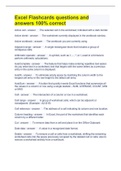
Excel Flashcards questions and answers 100% correct
Excel Flashcards questions and answers 100% correct Active cell The selected cell in the worksheet; indicated with a dark border. Active sheet The worksheet currently displayed in the workbook window. Active workbook The workbook you are currently using. Adjacent range A single rectangular block that includes a group of contiguous cells. Arithmetic operator A symbol, such as +, - , *, or /, used in a formula to perform arithmetic calculations. AutoComplete The feature that helps make entering repetitive text easier. As you enter text in a worksheet, text that begins with the same letters as a previous entry in the same column is displayed. Autofit To eliminate empty space by matching the column width to the longest cell entry or the row height to the tallest cell entry. AutoSum A button that quickly inserts Excel functions that summarize all the values in a column or row using a single statistic - SUM, AVERAGE, COUNT, MIN or MAX Cell The intersection of a column or row in a worksheet. Cell range A group of worksheet cells, which can be adjacent or nonadjacent. (Example - A2:G19) Cell reference The address of a cell indicating its column and row location. Column heading In Excel, the part of the worksheet that identifies each column by a different letter. Cut To remove data from a cell and place it on the Office Clipboard. Date data A value in a recognized date format. Delete To remove a cell or cells from a worksheet, shifting the remaining worksheet cells into the space previously occupied by the deleted cell or cells; also to remove a worksheet entirely from a workbook. Drag and drop To move an item (either text or a graphic) by selecting it and dragging it with the mouse. Editing mode A mode in which you can edit part of an entry rather than the entire contents of a cell. Find The command to locate specific letters and numbers in a workbook. Formula A mathematical expression that calculates a value; all Excel formulas always begin with an equal sign (=) followed by an expression that describes the calculation to be done. Formula bar The bar located above the workbook window in which the contents of a cell are displayed. Formula view Excel view in which cell formulas are displayed rather than the values returned by the formulas. Function A predefined formula that performs calculations using specific values called arguments. Landscape orientation A type of page orientation in which the page is wider than it is tall, so that text spans the widest part of the page. Microsoft Excel 2007 A spreadsheet program you use to display, organize, and analyze numerical data. Name box The box located on the far left of the Formula bar in which the cell reference to the active cell is also displayed. Nonadjacent range Cell range that is comprised of two or more separate adjacent ranges. Normal view The view that renders the workbook and worksheets for the computer screen. Number data A numerical value that can be used in a mathematical calculation. Operator A mathematical symbol that you use to combine values and then return a single value. Order of precedence A set of predefined rules that Excel follows to unambiguously calculate a formula by determining which operator is applied first, which operator is applied second and so forth. Page break preview In Excel, a view that displays the worksheet as it is divided up into pages. Anything outside of the print area is grayed out. Page layout view In Excel, a view that shows how the worksheet will be laid out on the pages sent to the printer. Pixel A colored dot that, when combined with other pixels, forms a picture or graphics display; stands for picture element. Planning analysis sheet A worksheet that includes questions to help you define the purpose and objective of a workbook. Point The unit used to measure the size of the characters in a font. Portrait orientation A type of page orientation in which the page is taller than it is wide (like a typical business letter.) Range A group of worksheet cells, which can be adjacent or nonadjacent. (AKA a cell range) Range reference Identification of a cell range using the upper-left and lower-right corners of the rectangular selection of cells. Replace The command to overwrite letters and numbers in a workbook with another entry. Row heading In Excel, the part of a worksheet that identifies each row by a different number. Scale (n) The range of values that spans along an axis. Scale (v) To change the size of a graphic to make it fit into a document. Sheet tab The area at the bottom of a worksheet that identifies the worksheet; clicking a sheet tab makes the worksheet active. Spelling checker A feature that check the words in a document against the program's built-in dictionary and helps you avoid typographical errors. Spreadsheet A tool used in business for budgeting, inventory management, and decision making fir analyzing and reporting information. Text data A combination of letter, numbers and some symbols. Text string Two or more text characters. Time data A value in a recognized time format. Truncate To cut off, or hide, the part of an entry that does not fit in a cell. What-if analysis An approach using an electronic spreadsheet in which you change one or more of the values in the worksheet and then examine the recalculated values to determine the effect of the change. Workbook The file in which Excel stores an electronic spreadsheet. Workbook window Window in which a workbook is displayed; also called worksheet window. Worksheet Each workbook is made up of individual worksheets, or sheets, containing formulas, functions, values, text, and graphics. Accent A variation on an Excel theme color. Automatic color A color option that uses the Windows default text and background color values. Banded rows In an Excel table, rows of alternating colors that make data easier to read. Border A line that prints along the side of a table cell or around the outside of selected text. Conditional format A setting that applies formatting only when a cell's value meets a specified condition. Custom color A color you specify as a mixture of red, blue, and green color values, which makes available 16.7 million custom colors - more colors than the human eye can distinguish. Data bar A horizontal bar added to the background of a cell whose length reflects the cell's value. Excel table A range of data you can treat as a distinct object in a worksheet. Font A set of characters that uses the same typeface, style, and size. Font size Determined by point size, which is a unit of measurement equal approximately to 1/72 of an inch.
Geschreven voor
- Instelling
- Excel
- Vak
- Excel
Documentinformatie
- Geüpload op
- 21 april 2023
- Aantal pagina's
- 12
- Geschreven in
- 2022/2023
- Type
- Tentamen (uitwerkingen)
- Bevat
- Vragen en antwoorden
Onderwerpen
-
excel flashcards questions and answers 100 correct
-
active cell the selected cell in the worksheet indicated with a dark border
-
autocomplete the feature that helps make entering repetitive text easi

Ook beschikbaar in voordeelbundel