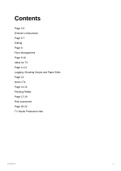
Contents
Page 2-5
Director’s Instructions
Page 6-7
Editing
Page 8
Floor Management
Page 9-10
Ideas for TV
Page 11-12
Logging, Shooting Scripts and Paper Edits
Page 13
News VTs
Page 14-16
Pitching Pitfalls
Page 17-19
Risk assesment
Page 20-22
TV Studio Production Intro
Contents 1
, DIRECTOR’S INSTRUCTIONS
Starting the Show
“Stand by to record”
When the VT Recordist hears this command, they need to switch on the
recording light in the gallery and reply “Standing by” in a clear voice.
“Roll to Record”
When the VT Recordist hears this command, they need to start the programme
recording. When they can see that the recording has begun, they need to reply
in a clear voice: “Recording”,
“Coming to Presenter / VT in
10, 9...5,4,3,2,1”
Once recording has begun, the director usually counts in the presenter or
opening VT. The next command depends on what happens next.
“Cue presenter”
‘Cue’ is the term we use to let the presenter know it’s time to talk. When the FM
hears this command, they should point to the presenter so they know they need
to start talking.
“Run VT”
‘Run’ or ‘Roll’ is the command the director gives to the VT operator to begin
playing a VT (a video insert).
“Cue applause”
DIRECTOR’S INSTRUCTIONS 1
, Besides presenters, directors use the ‘cue’ command to cue applause or other
actions on the studio floor or in the gallery (‘cue lights’). In this case, when the FM
hears this command, they would begin the applause, which the audience would
follow.
Directing Cameras and Vision Mixer
“Coming to camera 1…and cut”
When the vision mixer hears the command “coming to,” they should preview the
camera in question. When they hear “cut”, they should cut the camera to the
programme monitor. When a camera operator hears the command “coming to” they
should steady their camera as the director is about to take their shot.
“Coming to camera 1…and mix”
“Mix” is the command used when the director wants to dissolve, or mix, between
two shots, rather than cutting.
”Pan left, pan right” “Tilt up, tilt down”
Commands to move the camera on its axis.
“Track in” “Track out”
Commands to move the camera and pedestal towards or away from a subject.
“Zoom in” “Zoom out”
Command to magnify or dimmish the subject.
“Crab right” “Crab left”
Command to move the camera right or left on its pedestal.
“Elevate” “Depress”
DIRECTOR’S INSTRUCTIONS 2
Page 2-5
Director’s Instructions
Page 6-7
Editing
Page 8
Floor Management
Page 9-10
Ideas for TV
Page 11-12
Logging, Shooting Scripts and Paper Edits
Page 13
News VTs
Page 14-16
Pitching Pitfalls
Page 17-19
Risk assesment
Page 20-22
TV Studio Production Intro
Contents 1
, DIRECTOR’S INSTRUCTIONS
Starting the Show
“Stand by to record”
When the VT Recordist hears this command, they need to switch on the
recording light in the gallery and reply “Standing by” in a clear voice.
“Roll to Record”
When the VT Recordist hears this command, they need to start the programme
recording. When they can see that the recording has begun, they need to reply
in a clear voice: “Recording”,
“Coming to Presenter / VT in
10, 9...5,4,3,2,1”
Once recording has begun, the director usually counts in the presenter or
opening VT. The next command depends on what happens next.
“Cue presenter”
‘Cue’ is the term we use to let the presenter know it’s time to talk. When the FM
hears this command, they should point to the presenter so they know they need
to start talking.
“Run VT”
‘Run’ or ‘Roll’ is the command the director gives to the VT operator to begin
playing a VT (a video insert).
“Cue applause”
DIRECTOR’S INSTRUCTIONS 1
, Besides presenters, directors use the ‘cue’ command to cue applause or other
actions on the studio floor or in the gallery (‘cue lights’). In this case, when the FM
hears this command, they would begin the applause, which the audience would
follow.
Directing Cameras and Vision Mixer
“Coming to camera 1…and cut”
When the vision mixer hears the command “coming to,” they should preview the
camera in question. When they hear “cut”, they should cut the camera to the
programme monitor. When a camera operator hears the command “coming to” they
should steady their camera as the director is about to take their shot.
“Coming to camera 1…and mix”
“Mix” is the command used when the director wants to dissolve, or mix, between
two shots, rather than cutting.
”Pan left, pan right” “Tilt up, tilt down”
Commands to move the camera on its axis.
“Track in” “Track out”
Commands to move the camera and pedestal towards or away from a subject.
“Zoom in” “Zoom out”
Command to magnify or dimmish the subject.
“Crab right” “Crab left”
Command to move the camera right or left on its pedestal.
“Elevate” “Depress”
DIRECTOR’S INSTRUCTIONS 2