100% satisfaction guarantee Immediately available after payment Both online and in PDF No strings attached 4.2 TrustPilot
logo-home
Other

Excel Data Set Creation Assignment

Rating
-
Sold
-
Pages
2
Uploaded on
24-12-2021
Written in
2021/2022

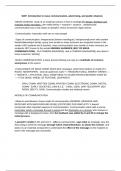
Create a new Microsoft Excel database in which you will be able to enter the following variables: Subject identification (ID) number Age Sex Height Year in college Name each variable in the datafile. All data to be manipulated (everything except the participant ID number) must be entered as numeric values. Create data for forty hypothetical students who are undergraduates in college, making sure you have five males and five females in each year (freshman, sophomore, junior, and senior): Subject ID number (You will be required to provide this yourself. For example, subject 1 is P1; subject 2 is P2, and so forth. This should be entered as alphanumeric in your database since it is not a variable we will use in any of our data analyses). Age: Be sure to get variability in your data. Not all students in any given year are of the same age. Be realistic with your data. Sex: Assign a number for each of Male and Female and provide clarification as to what each number refers to as demonstrated in your lectures. Height (convert to inches; 5 feet 3 inches = [12 * 5] + 3 = 63). Enter the number 63, not the formula. Year in college (freshman, sophomore, junior, or senior). Assign a number for each year and provide clarification as to what each number refers to as demonstrated in your lectures. Enter the complete dataset into the Microsoft Excel worksheet

Show more Read less
Institution
Course


Whoops! We can’t load your doc right now. Try again or contact support.

Written for

Institution
Course

Document information

Uploaded on
December 24, 2021
Number of pages
2
Written in
2021/2022
Type
Other
Person
Unknown

Subjects

Content preview

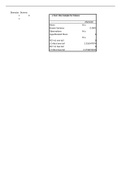
Subject ID Number Age Sex Height Year in College Codebook:
P1 28 1 63 3
P2 20 1 65 2
Sex:
P3 22 0 69 3
P4 22 1 59 4
P5 36 1 56 4
P6 21 1 55 2 Years in
P7 24 1 52 3 College:
P8 36 1 67 2
P9 37 0 69 2
P10 37 0 60 2 Height in inches
P11 28 0 61 3
P12 37 1 50 3 Subject Identification
P13 39 0 68 4 Number from P1 to P40
P14 28 0 50 1
P15 30 1 69 3 Age in Years
P16 27 0 48 2
P17 37 1 68 4
P18 20 0 63 2
P19 20 0 72 2
P20 28 1 51 1
P21 39 0 49 1
P22 25 1 71 3
P23 35 0 49 3
P24 25 0 72 3
P25 38 0 50 3
P26 25 0 49 4
P27 31 1 49 1
P28 33 1 62 1
P29 38 0 66 1
P30 20 0 49 4
P31 40 0 67 1
P32 35 1 64 2
P33 32 0 49 4
P34 34 1 56 2
P35 23 0 55 1
P36 26 1 56 1
P37 22 0 72 4
P38 38 1 48 4
P39 40 1 66 4
P40 38 1 60 1

Get to know the seller

Seller avatar
Reputation scores are based on the amount of documents a seller has sold for a fee and the reviews they have received for those documents. There are three levels: Bronze, Silver and Gold. The better the reputation, the more your can rely on the quality of the sellers work.
AcademicAssignments University of Phoenix
Follow You need to be logged in order to follow users or courses
Sold
629
Member since
6 year
Number of followers
453
Documents
1068
Last sold
5 days ago

Help in all Courses Dq's, Assignments and MCQs, Midterm & Final Exams Experience: 15 Years in the online teaching field.

3.8

86 reviews

5
42
4
16
3
12
2
5
1
11

Recently viewed by you

Why students choose Stuvia

Created by fellow students, verified by reviews

Quality you can trust: written by students who passed their tests and reviewed by others who've used these notes.

Didn't get what you expected? Choose another document

No worries! You can instantly pick a different document that better fits what you're looking for.

Pay as you like, start learning right away

No subscription, no commitments. Pay the way you're used to via credit card and download your PDF document instantly.

Student with book image

“Bought, downloaded, and aced it. It really can be that simple.”

Alisha Student

Frequently asked questions