

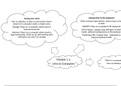
Saving your work Introduction to the keyboard
File: A collection of data or information that is Most common input device, used to type in tex
stored on a computer under a single name. or data
Storage: Place on a computer where work is QWERTY refers to a standard 'full' keyboard
kept permanently. Touch typing - typing using all fingers on both
Memory: Place on a computer where work is hands, without looking down at the keyboard
kept temporarily, while we are still working with Practising with a Typing Tutor - important to
and before we save it to storage improve keyboard skills
Module 1.1: *What is a compute
Intro to Computers *Intro to Windows
, *Information processing cycle: Computers receive input, process it and then
produce some form of output. Often the output needs to be stored for use at a
later stage. Communication with other computers is also important
*Data and information
Data is unprocessed items. This can include text, numbers, images, audio and video
Information is the result of the processing of data and should be useful and
meaningful
*Desktop computers have separate parts (components) that need
to be connected to each other
*Two critical components: hardware and software
Hardware refers to the physical parts of a computer that we can What is
touch and see - the mouse, the screen, the keyboard, a printer, compute
etc.
Software refers to specific instructions or programs we need to
give to the computer so that it will do something useful for us
*Electronic (because it needs electricity to work)
*Multi-purpose (can be programmed to perform different tasks)
*Some are mobile (laptops, tablets and smartphones)
*A smartphone is also a 'computer
File: A collection of data or information that is Most common input device, used to type in tex
stored on a computer under a single name. or data
Storage: Place on a computer where work is QWERTY refers to a standard 'full' keyboard
kept permanently. Touch typing - typing using all fingers on both
Memory: Place on a computer where work is hands, without looking down at the keyboard
kept temporarily, while we are still working with Practising with a Typing Tutor - important to
and before we save it to storage improve keyboard skills
Module 1.1: *What is a compute
Intro to Computers *Intro to Windows
, *Information processing cycle: Computers receive input, process it and then
produce some form of output. Often the output needs to be stored for use at a
later stage. Communication with other computers is also important
*Data and information
Data is unprocessed items. This can include text, numbers, images, audio and video
Information is the result of the processing of data and should be useful and
meaningful
*Desktop computers have separate parts (components) that need
to be connected to each other
*Two critical components: hardware and software
Hardware refers to the physical parts of a computer that we can What is
touch and see - the mouse, the screen, the keyboard, a printer, compute
etc.
Software refers to specific instructions or programs we need to
give to the computer so that it will do something useful for us
*Electronic (because it needs electricity to work)
*Multi-purpose (can be programmed to perform different tasks)
*Some are mobile (laptops, tablets and smartphones)
*A smartphone is also a 'computer


