

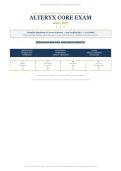
ALTERYX CORE EXAM • 2026/2027 EDITION • DESIGNER CORE CERTIFICATION
▬▬▬▬▬▬▬▬▬▬▬▬▬▬▬▬▬▬▬▬▬▬▬▬▬▬▬▬▬▬▬▬▬▬▬▬▬▬▬▬
ALTERYX CORE EXAM
◆ ◆ ◆
Complete Questions & Correct Answers • 200 Verified Q&A • A+ Graded
DESIGNER CORE CERTIFICATION SYLLABUS • TOOL FUNCTIONALITY • WORKFLOW CONFIGURATION
200 QUESTIONS 4 DOMAINS SATA INCLUDED A+ GRADED
CERTIFICATION EXAM FORMAT ACCESS
Designer Core 80 Questions Alteryx Community
Certification 2 Hours • Open Book On-Demand
I II III IV
Designer Input, Output Blend & Parse Transform
Foundations & Preparation Data Data & Reporting
13% 36% 26% 25%
13% 36% 26% 25%
Alteryx Designer Core Certification • Alteryx Documentation • 2026-2027 Syllabus
ACTUAL ALTERYX EXAM FORMAT • VERIFIED CORRECT ANSWERS • EVIDENCE-BASED RATIONALES
Alteryx Core Exam | 2026/2027 Edition | 200 Questions | DOCX Format | No Repeated Questions | Complete Exam Preparation • Page 1
, ALTERYX CORE EXAM • 2026/2027 EDITION • DESIGNER CORE CERTIFICATION
CONTENTS
Your roadmap through 200 verified Alteryx Designer Core questions.
1 How to Use This Bank & Answer Format Legend .................................................................................................................... 3
2 Exam Overview — Core Syllabus & Blueprint (2026/2027) ................................................................................................. 3
3 Core Content Areas At-a-Glance .................................................................................................................................................. 4
4 What’s New for 2026/2027............................................................................................................................................................ 4
5 Practice Questions — 200 Verified Q&A .....................................................................................................................................5
Domain I — Designer Foundations & Optimization (Q1–Q26) ...........................................................................................................5
Domain II — Input, Output & Data Preparation (Q27–Q98) ............................................................................................................. 9
Domain III — Blend & Parse Data (Q99–Q150) ................................................................................................................................. 19
Domain IV — Transform Data & Reporting (Q151–Q200) ................................................................................................................27
6 Quick-Check Answer Key ..............................................................................................................................................................35
7 Tool Quick-Reference Tables ....................................................................................................................................................... 37
8 References & Study Resources ................................................................................................................................................... 38
HOW TO USE THIS BANK • ANSWER FORMAT LEGEND
• Questions are in bold black. Read each stem carefully — Alteryx tests exact tool configuration.
• Options A–D are in regular black. Distractors are plausible — eliminate by tool anchor / output knowledge.
• Correct answers are in bold lime green. Marked immediately after options for rapid self-check.
• Rationales are in italic deep teal with no background shading. Each explains why the correct answer is documentation-compliant and
why others fail. SATA = select all that apply.
EXAMPLE →
Q. Which output anchor of the Join tool contains records that matched on the join key(s) from both inputs?
A. L — Left Unjoined
B. J — Joined
C. R — Right Unjoined
D. Output has only one anchor
Correct Answer: B. J — Joined
Rationale: Join has three outputs: L (left only), J (matched both), R (right only). The J anchor is the inner-join result. L/R hold unjoined. Options
A/C/D misstate the anchor semantics per Alteryx documentation.
EXAM OVERVIEW — CORE SYLLABUS & BLUEPRINT
Alteryx Designer Core Certification (2026/2027 cycle): 80 mixed-format questions (multiple-choice, multiple-response/SATA, matching, practical
application), 2-hour limit, open-book / not proctored, on-demand via Alteryx Community. Free exam; requires Community profile + Designer license
(Base/Designer). Partial credit on SATA/matching per current policy. Core blueprint unchanged; AMP Engine is now default.
EXAM BLUEPRINT (OFFICIAL PREP GUIDE) LOGISTICS & SCORING
I. General Designer Knowledge & Optimization — 13%
Search/Help, Community, One-Tool Examples; canvas navigation; native file
• Format: ~80 Qs; multiple-choice (single answer), SATA (multiple-response),
matching, hands-on practical (configure tools per dataset).
types (.yxmd workflow, .yxmc macro, .yxwz packaged workflow, .yxdb database);
sharing/exporting; optimization via Select early, limiting Browse, caching, • Time: 2 hours; open-book/open-Alteryx; not proctored; on-demand; results
disabling containers, AMP Engine; documentation with Comment/Tool immediate.
Container.
II. Inputting/Outputting & Preparation — 36%
• Scoring: Pass is scaled; undocumented cut ~70-80% equivalent;
SATA/matching give partial credit — answer every option.
Input Data/Text Input/Browse/Output Data; data types & sizes; Data Cleansing;
Formula (conditional, datetime, string); Select/Select • Access: Alteryx Community account + Designer (Base/Designer).
Records/Sort/Filter/Unique/Sample. Viewer/Starter insufficient for practical items.
III. Blend Data and Parse — 26% • Practical tip: Keep Alteryx Help → Sample Workflows and One-Tool
Union/Join/Append Fields; Find Replace; DateTime parse/format; Text to Examples open during exam; search tool name + ‘Tool Mastery’.
Columns; troubleshooting duplications/type mismatches/misaligned fields.
IV. Transform Data — 25% • Retake: If failed, retry after 7 days (policy fluctuates; check Community
Certification page).
Summarize (GroupBy + aggregations); Transpose / CrossTab and when to use
together; aggregation methods. • Syllabus tools: Browse, Input Data, Output Data, Text Input, Data Cleansing,
Filter, Formula, Sample, Select, Select Records, Sort, Unique, Append Fields,
Find Replace, Join, Union, DateTime, Text to Columns, Count Records, Cross
Tab, Summarize, Transpose, Comment, Tool Container.
Tip: This bank mirrors real exam weighting — spend 36% of study
time on Input/Output & Preparation.
CORE CONTENT AREAS AT-A-GLANCE
I — DESIGNER FOUNDATIONS II — INPUT, OUTPUT & III — BLEND & PARSE DATA IV — TRANSFORM &
Alteryx Core Exam | 2026/2027 Edition | 200 Questions | DOCX Format | No Repeated Questions | Complete Exam Preparation • Page 2
, ALTERYX CORE EXAM • 2026/2027 EDITION • DESIGNER CORE CERTIFICATION
Canvas, workflow config, runtime, AMP PREPARATION Join, Union, Append Fields, Find REPORTING
Engine, file types Input Data, Output, Text/Browse, Replace, Text to Columns Cross Tab, Transpose, Summarize,
26 Qs • 13% Select, Filter, Formula, Sort 52 Qs • 26% Count Records, Sample
72 Qs • 36% 50 Qs • 25%
✦ UPDATES FOR 2026/2027 — WHAT’S NEW
• Reflects current Alteryx Designer Core certification syllabus & 2026-2027 prep guide blueprint (13/36/26/25) with AMP Engine as default runtime.
• Updated tool functionality and workflow configuration standards — including Workflow Configuration → Runtime, Canvas, and Memory settings.
• Enhanced coverage of data preparation and blending techniques — Data Cleansing, Select, Join vs Union vs Append Fields nuances and troubleshooting.
• Includes Select All That Apply (SATA) question formats — partial-credit strategy: select every correct option, no penalty for extra incorrect beyond lost
credit.
KEY FEATURES • ✓ Actual Alteryx exam format & question style • ✓ 200 verified correct answers with evidence-based rationales • ✓ Complete Designer Core syllabus
coverage • ✓ Updated 2026/2027 cycle content • ✓ 100% unique — no repeats
PRACTICE QUESTIONS — 200 QUESTIONS
DOMAIN I — DESIGNER FOUNDATIONS & OPTIMIZATION • QUESTIONS 1–26 • 13%
Workflow configuration, canvas navigation, AMP Engine, file types, Comment/Tool Container, help & optimization.
Q1. Which Alteryx Designer file type is the XML-based workflow definition you edit on the canvas?
A. .yxmd
B. .yxdb
C. .yxwz
D. .yxmc
Correct Answer: A. .yxmd
Rationale: .yxmd is the workflow (XML) file. .yxdb is the Alteryx database, .yxwz is the packaged workflow (zip with dependencies), .yxmc is a macro.
Saving a workflow creates/updates the .yxmd.
Q2. Where do you enable/disable the AMP Engine for a workflow in Designer 2026/2027?
A. Workflow Configuration → Runtime → Engine Compatibility / Use AMP Engine checkbox
B. Options → User Settings → Canvas → AMP
C. Tool Palette → Favorites
D. Browse tool configuration
Correct Answer: A. Workflow Configuration → Runtime → Engine Compatibility / Use AMP Engine checkbox
Rationale: Workflow Configuration (Ctrl+Alt+D) → Runtime pane controls AMP Engine enablement, memory limit, and engine compatibility.
Canvas/User Settings control UI, not engine. AMP is now default in current Designer versions.
Q3. Which documentation tools are part of the Core exam's Documentation category?
A. Comment and Tool Container
B. Render and Layout
C. Interactive Chart and Map
D. Download and Upload
Correct Answer: A. Comment and Tool Container
Rationale: Core syllabus Documentation = Comment (text box on canvas) and Tool Container (collapsible box to organize/disable tools).
Render/Layout are Reporting, Download/Upload are Connectors — not Core Documentation.
Q4. What is the FASTEST way to locate a tool by name on a large canvas?
A. Right-click canvas → Insert → search tool name, or press Ctrl+F and type, or use the tool palette search bar
B. Scroll manually through all categories
C. Close and reopen Designer
D. Use the Browse tool
Correct Answer: A. Right-click canvas → Insert → search tool name, or press Ctrl+F and type, or use the tool palette search
bar
Rationale: Alteryx provides tool palette search, right-click Insert search, and Find (Ctrl+F) for tools/containers. These are the documented navigation
aids for search and resources.
Q5. Which is a native Alteryx packaged workflow that bundles the workflow AND its dependencies for sharing?
A. .yxwz
B. .csv
C. .xlsx
D. .yxdb
Alteryx Core Exam | 2026/2027 Edition | 200 Questions | DOCX Format | No Repeated Questions | Complete Exam Preparation • Page 3
, ALTERYX CORE EXAM • 2026/2027 EDITION • DESIGNER CORE CERTIFICATION
Correct Answer: B. .csv
Rationale: .yxwz (Alteryx Packaged Workflow) is a zip containing .yxmd plus data/macros. Share/export workflows via Workflow → Export
Workflow. .csv/.xlsx are data files, .yxdb is an Alteryx database file, not a package.
Q6. SATA — Which of the following are valid methods to optimize workflow performance? (Select all that apply) —
SATA — Select All That Apply
A. Add a Select tool immediately after Input to remove unnecessary fields and limit data size
B. Place multiple Browse tools every few tools to speed execution
C. Disable Tool Containers/bypass branches not needed for current run
D. Use Cache and Run Workflow on upstream blocks
Correct Answers: A. Add a Select tool immediately after Input to remove unnecessary fields and limit data size; C. Disable
Tool Containers/bypass branches not needed for current run; D. Use Cache and Run Workflow on upstream blocks (SATA)
Rationale: Correct are A, C, D (SATA — this question has three correct selections: A, C, D). A reduces row/column width early (best practice). C avoids
executing irrelevant branches. D caches results. B is incorrect: Browse tools add overhead and slow runs — limit to debugging and disable/remove for
production.
Q7. What does the Tool Container's ‘Disable Container’ option do?
A. Deletes all tools inside permanently
B. Prevents tools inside from executing, graying them out; they are skipped on run
C. Converts tools to macros
D. Publishes the workflow to Gallery
Correct Answer: B. Prevents tools inside from executing, graying them out; they are skipped on run
Rationale: Disable Container is an optimization/collaboration feature — it bypasses execution of enclosed tools (grayed). It does not delete or convert;
re-enabling restores them. Used to test branches or speed runs.
Q8. Which canvas feature helps visually align and space tools uniformly?
A. Grid and Snap to Grid + Alignment shortcuts (Ctrl+Shift+H/V, align/distribute)
B. Output Data tool
C. Filter tool
D. Data Cleansing
Correct Answer: A. Grid and Snap to Grid + Alignment shortcuts (Ctrl+Shift+H/V, align/distribute)
Rationale: Canvas Configuration → Grid/Snap to Grid plus right-click Align/Distribute and Arrange tools aids layout. Other tools are data
preparation, not canvas organization.
Q9. Where are One-Tool Examples and community help accessed from within Designer?
A. Help → Sample Workflows → One Tool Example for any tool or via Alteryx Community (community.alteryx.com)
B. Only via Google search
C. Output Data configuration
D. Windows File Explorer
Correct Answer: A. Help → Sample Workflows → One Tool Example for any tool or via Alteryx Community
(community.alteryx.com)
Rationale: Help menu → Sample Workflows → One Tool Example opens per-tool examples; Alteryx Community, Help documentation, and Support
Cases are the official resources cited in exam objective I.1.
Q10. Which workflow configuration setting limits how much memory a workflow may use before spooling to disk?
A. Workflow Configuration → Runtime → Memory Limit
B. Select tool → Annotation
C. Browse tool → Profile
D. Interface Designer
Correct Answer: A. Workflow Configuration → Runtime → Memory Limit
Rationale: Runtime → Memory Limit controls RAM before disk spool. Optimizing via Select early, reducing string sizes, and using AMP reduces
memory pressure. Select/Browse annotations don't control memory.
Q11. What is the primary purpose of the Comment tool?
A. To add formatted text boxes, shapes, and documentation on the canvas without affecting data flow
B. To filter records
C. To join data
D. To output data
Correct Answer: A. To add formatted text boxes, shapes, and documentation on the canvas without affecting data flow
Rationale: Comment adds canvas documentation (text, colors, borders, images) and has no inputs/outputs. It does not transform data. Distinguish
from Tool Container (which does organize data flow) and Browse (data view).
Q12. Which statement about the AMP Engine is TRUE for 2026/2027?
A. AMP is now the default engine, enabling better in-memory processing and handling larger datasets compared to Original Engine
B. AMP is deprecated
C. AMP only works for macros
D. AMP requires no workflow configuration
Alteryx Core Exam | 2026/2027 Edition | 200 Questions | DOCX Format | No Repeated Questions | Complete Exam Preparation • Page 4
▬▬▬▬▬▬▬▬▬▬▬▬▬▬▬▬▬▬▬▬▬▬▬▬▬▬▬▬▬▬▬▬▬▬▬▬▬▬▬▬
ALTERYX CORE EXAM
◆ ◆ ◆
Complete Questions & Correct Answers • 200 Verified Q&A • A+ Graded
DESIGNER CORE CERTIFICATION SYLLABUS • TOOL FUNCTIONALITY • WORKFLOW CONFIGURATION
200 QUESTIONS 4 DOMAINS SATA INCLUDED A+ GRADED
CERTIFICATION EXAM FORMAT ACCESS
Designer Core 80 Questions Alteryx Community
Certification 2 Hours • Open Book On-Demand
I II III IV
Designer Input, Output Blend & Parse Transform
Foundations & Preparation Data Data & Reporting
13% 36% 26% 25%
13% 36% 26% 25%
Alteryx Designer Core Certification • Alteryx Documentation • 2026-2027 Syllabus
ACTUAL ALTERYX EXAM FORMAT • VERIFIED CORRECT ANSWERS • EVIDENCE-BASED RATIONALES
Alteryx Core Exam | 2026/2027 Edition | 200 Questions | DOCX Format | No Repeated Questions | Complete Exam Preparation • Page 1
, ALTERYX CORE EXAM • 2026/2027 EDITION • DESIGNER CORE CERTIFICATION
CONTENTS
Your roadmap through 200 verified Alteryx Designer Core questions.
1 How to Use This Bank & Answer Format Legend .................................................................................................................... 3
2 Exam Overview — Core Syllabus & Blueprint (2026/2027) ................................................................................................. 3
3 Core Content Areas At-a-Glance .................................................................................................................................................. 4
4 What’s New for 2026/2027............................................................................................................................................................ 4
5 Practice Questions — 200 Verified Q&A .....................................................................................................................................5
Domain I — Designer Foundations & Optimization (Q1–Q26) ...........................................................................................................5
Domain II — Input, Output & Data Preparation (Q27–Q98) ............................................................................................................. 9
Domain III — Blend & Parse Data (Q99–Q150) ................................................................................................................................. 19
Domain IV — Transform Data & Reporting (Q151–Q200) ................................................................................................................27
6 Quick-Check Answer Key ..............................................................................................................................................................35
7 Tool Quick-Reference Tables ....................................................................................................................................................... 37
8 References & Study Resources ................................................................................................................................................... 38
HOW TO USE THIS BANK • ANSWER FORMAT LEGEND
• Questions are in bold black. Read each stem carefully — Alteryx tests exact tool configuration.
• Options A–D are in regular black. Distractors are plausible — eliminate by tool anchor / output knowledge.
• Correct answers are in bold lime green. Marked immediately after options for rapid self-check.
• Rationales are in italic deep teal with no background shading. Each explains why the correct answer is documentation-compliant and
why others fail. SATA = select all that apply.
EXAMPLE →
Q. Which output anchor of the Join tool contains records that matched on the join key(s) from both inputs?
A. L — Left Unjoined
B. J — Joined
C. R — Right Unjoined
D. Output has only one anchor
Correct Answer: B. J — Joined
Rationale: Join has three outputs: L (left only), J (matched both), R (right only). The J anchor is the inner-join result. L/R hold unjoined. Options
A/C/D misstate the anchor semantics per Alteryx documentation.
EXAM OVERVIEW — CORE SYLLABUS & BLUEPRINT
Alteryx Designer Core Certification (2026/2027 cycle): 80 mixed-format questions (multiple-choice, multiple-response/SATA, matching, practical
application), 2-hour limit, open-book / not proctored, on-demand via Alteryx Community. Free exam; requires Community profile + Designer license
(Base/Designer). Partial credit on SATA/matching per current policy. Core blueprint unchanged; AMP Engine is now default.
EXAM BLUEPRINT (OFFICIAL PREP GUIDE) LOGISTICS & SCORING
I. General Designer Knowledge & Optimization — 13%
Search/Help, Community, One-Tool Examples; canvas navigation; native file
• Format: ~80 Qs; multiple-choice (single answer), SATA (multiple-response),
matching, hands-on practical (configure tools per dataset).
types (.yxmd workflow, .yxmc macro, .yxwz packaged workflow, .yxdb database);
sharing/exporting; optimization via Select early, limiting Browse, caching, • Time: 2 hours; open-book/open-Alteryx; not proctored; on-demand; results
disabling containers, AMP Engine; documentation with Comment/Tool immediate.
Container.
II. Inputting/Outputting & Preparation — 36%
• Scoring: Pass is scaled; undocumented cut ~70-80% equivalent;
SATA/matching give partial credit — answer every option.
Input Data/Text Input/Browse/Output Data; data types & sizes; Data Cleansing;
Formula (conditional, datetime, string); Select/Select • Access: Alteryx Community account + Designer (Base/Designer).
Records/Sort/Filter/Unique/Sample. Viewer/Starter insufficient for practical items.
III. Blend Data and Parse — 26% • Practical tip: Keep Alteryx Help → Sample Workflows and One-Tool
Union/Join/Append Fields; Find Replace; DateTime parse/format; Text to Examples open during exam; search tool name + ‘Tool Mastery’.
Columns; troubleshooting duplications/type mismatches/misaligned fields.
IV. Transform Data — 25% • Retake: If failed, retry after 7 days (policy fluctuates; check Community
Certification page).
Summarize (GroupBy + aggregations); Transpose / CrossTab and when to use
together; aggregation methods. • Syllabus tools: Browse, Input Data, Output Data, Text Input, Data Cleansing,
Filter, Formula, Sample, Select, Select Records, Sort, Unique, Append Fields,
Find Replace, Join, Union, DateTime, Text to Columns, Count Records, Cross
Tab, Summarize, Transpose, Comment, Tool Container.
Tip: This bank mirrors real exam weighting — spend 36% of study
time on Input/Output & Preparation.
CORE CONTENT AREAS AT-A-GLANCE
I — DESIGNER FOUNDATIONS II — INPUT, OUTPUT & III — BLEND & PARSE DATA IV — TRANSFORM &
Alteryx Core Exam | 2026/2027 Edition | 200 Questions | DOCX Format | No Repeated Questions | Complete Exam Preparation • Page 2
, ALTERYX CORE EXAM • 2026/2027 EDITION • DESIGNER CORE CERTIFICATION
Canvas, workflow config, runtime, AMP PREPARATION Join, Union, Append Fields, Find REPORTING
Engine, file types Input Data, Output, Text/Browse, Replace, Text to Columns Cross Tab, Transpose, Summarize,
26 Qs • 13% Select, Filter, Formula, Sort 52 Qs • 26% Count Records, Sample
72 Qs • 36% 50 Qs • 25%
✦ UPDATES FOR 2026/2027 — WHAT’S NEW
• Reflects current Alteryx Designer Core certification syllabus & 2026-2027 prep guide blueprint (13/36/26/25) with AMP Engine as default runtime.
• Updated tool functionality and workflow configuration standards — including Workflow Configuration → Runtime, Canvas, and Memory settings.
• Enhanced coverage of data preparation and blending techniques — Data Cleansing, Select, Join vs Union vs Append Fields nuances and troubleshooting.
• Includes Select All That Apply (SATA) question formats — partial-credit strategy: select every correct option, no penalty for extra incorrect beyond lost
credit.
KEY FEATURES • ✓ Actual Alteryx exam format & question style • ✓ 200 verified correct answers with evidence-based rationales • ✓ Complete Designer Core syllabus
coverage • ✓ Updated 2026/2027 cycle content • ✓ 100% unique — no repeats
PRACTICE QUESTIONS — 200 QUESTIONS
DOMAIN I — DESIGNER FOUNDATIONS & OPTIMIZATION • QUESTIONS 1–26 • 13%
Workflow configuration, canvas navigation, AMP Engine, file types, Comment/Tool Container, help & optimization.
Q1. Which Alteryx Designer file type is the XML-based workflow definition you edit on the canvas?
A. .yxmd
B. .yxdb
C. .yxwz
D. .yxmc
Correct Answer: A. .yxmd
Rationale: .yxmd is the workflow (XML) file. .yxdb is the Alteryx database, .yxwz is the packaged workflow (zip with dependencies), .yxmc is a macro.
Saving a workflow creates/updates the .yxmd.
Q2. Where do you enable/disable the AMP Engine for a workflow in Designer 2026/2027?
A. Workflow Configuration → Runtime → Engine Compatibility / Use AMP Engine checkbox
B. Options → User Settings → Canvas → AMP
C. Tool Palette → Favorites
D. Browse tool configuration
Correct Answer: A. Workflow Configuration → Runtime → Engine Compatibility / Use AMP Engine checkbox
Rationale: Workflow Configuration (Ctrl+Alt+D) → Runtime pane controls AMP Engine enablement, memory limit, and engine compatibility.
Canvas/User Settings control UI, not engine. AMP is now default in current Designer versions.
Q3. Which documentation tools are part of the Core exam's Documentation category?
A. Comment and Tool Container
B. Render and Layout
C. Interactive Chart and Map
D. Download and Upload
Correct Answer: A. Comment and Tool Container
Rationale: Core syllabus Documentation = Comment (text box on canvas) and Tool Container (collapsible box to organize/disable tools).
Render/Layout are Reporting, Download/Upload are Connectors — not Core Documentation.
Q4. What is the FASTEST way to locate a tool by name on a large canvas?
A. Right-click canvas → Insert → search tool name, or press Ctrl+F and type, or use the tool palette search bar
B. Scroll manually through all categories
C. Close and reopen Designer
D. Use the Browse tool
Correct Answer: A. Right-click canvas → Insert → search tool name, or press Ctrl+F and type, or use the tool palette search
bar
Rationale: Alteryx provides tool palette search, right-click Insert search, and Find (Ctrl+F) for tools/containers. These are the documented navigation
aids for search and resources.
Q5. Which is a native Alteryx packaged workflow that bundles the workflow AND its dependencies for sharing?
A. .yxwz
B. .csv
C. .xlsx
D. .yxdb
Alteryx Core Exam | 2026/2027 Edition | 200 Questions | DOCX Format | No Repeated Questions | Complete Exam Preparation • Page 3
, ALTERYX CORE EXAM • 2026/2027 EDITION • DESIGNER CORE CERTIFICATION
Correct Answer: B. .csv
Rationale: .yxwz (Alteryx Packaged Workflow) is a zip containing .yxmd plus data/macros. Share/export workflows via Workflow → Export
Workflow. .csv/.xlsx are data files, .yxdb is an Alteryx database file, not a package.
Q6. SATA — Which of the following are valid methods to optimize workflow performance? (Select all that apply) —
SATA — Select All That Apply
A. Add a Select tool immediately after Input to remove unnecessary fields and limit data size
B. Place multiple Browse tools every few tools to speed execution
C. Disable Tool Containers/bypass branches not needed for current run
D. Use Cache and Run Workflow on upstream blocks
Correct Answers: A. Add a Select tool immediately after Input to remove unnecessary fields and limit data size; C. Disable
Tool Containers/bypass branches not needed for current run; D. Use Cache and Run Workflow on upstream blocks (SATA)
Rationale: Correct are A, C, D (SATA — this question has three correct selections: A, C, D). A reduces row/column width early (best practice). C avoids
executing irrelevant branches. D caches results. B is incorrect: Browse tools add overhead and slow runs — limit to debugging and disable/remove for
production.
Q7. What does the Tool Container's ‘Disable Container’ option do?
A. Deletes all tools inside permanently
B. Prevents tools inside from executing, graying them out; they are skipped on run
C. Converts tools to macros
D. Publishes the workflow to Gallery
Correct Answer: B. Prevents tools inside from executing, graying them out; they are skipped on run
Rationale: Disable Container is an optimization/collaboration feature — it bypasses execution of enclosed tools (grayed). It does not delete or convert;
re-enabling restores them. Used to test branches or speed runs.
Q8. Which canvas feature helps visually align and space tools uniformly?
A. Grid and Snap to Grid + Alignment shortcuts (Ctrl+Shift+H/V, align/distribute)
B. Output Data tool
C. Filter tool
D. Data Cleansing
Correct Answer: A. Grid and Snap to Grid + Alignment shortcuts (Ctrl+Shift+H/V, align/distribute)
Rationale: Canvas Configuration → Grid/Snap to Grid plus right-click Align/Distribute and Arrange tools aids layout. Other tools are data
preparation, not canvas organization.
Q9. Where are One-Tool Examples and community help accessed from within Designer?
A. Help → Sample Workflows → One Tool Example for any tool or via Alteryx Community (community.alteryx.com)
B. Only via Google search
C. Output Data configuration
D. Windows File Explorer
Correct Answer: A. Help → Sample Workflows → One Tool Example for any tool or via Alteryx Community
(community.alteryx.com)
Rationale: Help menu → Sample Workflows → One Tool Example opens per-tool examples; Alteryx Community, Help documentation, and Support
Cases are the official resources cited in exam objective I.1.
Q10. Which workflow configuration setting limits how much memory a workflow may use before spooling to disk?
A. Workflow Configuration → Runtime → Memory Limit
B. Select tool → Annotation
C. Browse tool → Profile
D. Interface Designer
Correct Answer: A. Workflow Configuration → Runtime → Memory Limit
Rationale: Runtime → Memory Limit controls RAM before disk spool. Optimizing via Select early, reducing string sizes, and using AMP reduces
memory pressure. Select/Browse annotations don't control memory.
Q11. What is the primary purpose of the Comment tool?
A. To add formatted text boxes, shapes, and documentation on the canvas without affecting data flow
B. To filter records
C. To join data
D. To output data
Correct Answer: A. To add formatted text boxes, shapes, and documentation on the canvas without affecting data flow
Rationale: Comment adds canvas documentation (text, colors, borders, images) and has no inputs/outputs. It does not transform data. Distinguish
from Tool Container (which does organize data flow) and Browse (data view).
Q12. Which statement about the AMP Engine is TRUE for 2026/2027?
A. AMP is now the default engine, enabling better in-memory processing and handling larger datasets compared to Original Engine
B. AMP is deprecated
C. AMP only works for macros
D. AMP requires no workflow configuration
Alteryx Core Exam | 2026/2027 Edition | 200 Questions | DOCX Format | No Repeated Questions | Complete Exam Preparation • Page 4


