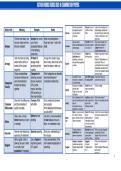
ACTION WORDS/VERBS USED IN EXAMINATION PAPERS
1
, SYSTEM TECHNOLOGIES & IMPLICATIONS
1. COMPUTERS IN OUR EVERYDAY LIVES
1. COMPUTERS IN OUR EVERYDAY LIVES 2. TYPES OF COMPUTER SYSTEMS 3. USER CATEGORIES
This section explains the main reasons why we use computers. This section defines the different categories of computers. This section defines who uses computers and what they need.
1.1 EFFICIENCY 2.1 Factors for Comparing Computers Personal (PC) User:
This means computers help us do things faster, with less effort, and at a When comparing any computer (from a phone to a server), we look at these factors: Who: A single person using a computer for a variety of tasks.
lower cost. = The server provides shared resources such as files, e-mail and internet facilities or Tasks: Basic tasks like email, web browsing, social networking,
How/Why: printers to network users. banking, and entertainment.
Time-saving: Computers work much faster than humans. SOHO User (Small Office / Home Office):
Work: They reduce labor by handling mentally intensive or repetitive 1. Power (Capacity): How powerful it is (e.g., CPU speed, amount of RAM). Who: Someone who runs a small business from a home or single
tasks and can perform tasks that are dangerous for people. 2. Type of Usage: What it is designed to be used for. office.
Resources: They save money and resources. (Example: Monitoring and 3. Size (Mobility): How big it is and if you can carry it. Tasks: Needs an entry-level computer for administrative functions,
limiting carbon emissions to make the air cleaner) . 4. Software: What operating system (OS) it uses. This is the platform (e.g., Windows, plus business-specific tasks like managing databases (for
1.2 ACCURACY macOS, Linux). customers, suppliers, inventory), electronic document filing, and
Computers can perform tasks with 100% accuracy, over and over again, 5. Price: How much it costs. planning.
without errors. 2.2 Non-Portable Computers Power User:
How/Why (The Condition): This is only true if two things are correct: Computers that are large in size and are not intended to be moved around. Who: A user who needs computers with much higher specifications.
a. Application Programs: The software must be correct and up-to-date. Advantages: They are generally more powerful than portable computers. Examples: Architects, photographers, engineers, and professional
b. Data: The data given to the computer must be high quality. Key Types: gamers.
Key Term: GIGO (Garbage In, Garbage Out) Desktop Computer: A standard computer with a separate system unit, screen, mouse, Tasks: They need high-end hardware (fastest CPU, most storage) to
This is a core concept in computing. It means that if you give a computer and keyboard. use the advanced features of their specialized software.
inaccurate inputs (garbage in), you will always get inaccurate outputs All-in-One Unit: A type of desktop where the system unit and screen are combined into Mobile User:
(garbage out). one piece. Who: A person who needs to be transported and use technology
1.3 RELIABILITY Server: A powerful computer that is not used by a person directly. Its purpose is to while "on the move".
We can rely on computers to do tasks accurately without getting tired, provide resources and services (like file storage or website access) to all the other Devices: Laptops, tablets, and smartphones.
bored, or complaining. computers on a network. Enterprise User:
How/Why: Analysis (Cost): A desktop computer costs less if it has lower specifications (a slower Who: An employee in a large company that has hundreds or
They help us record and use data efficiently, allowing a lot of work to be processor, less RAM, and smaller storage) . thousands of employees across the country or world. They are part
done with little effort. 2.3 Portable Computers of a large "enterprise network".
Key Term: Data Validation: This is a technique used to aid reliability. It Computers that are easy to transport and take up less space.
helps ensure that data is accurate when it is entered (e.g., a form Design: They have an "all-in-one" design that includes the screen, keyboard, a pointing
checking that a phone number only contains numbers). device (like a touchpad), and a battery so it can be used without an external power source . 4. CONVERGENCE
1.4 COMMUNICATION Disadvantage: They are more difficult to repair or upgrade. This is the important trend where separate technologies and features,
Computers virtually eliminate the restrictions of time and distance in 2.4 Other Key Computer Terms which used to require different devices, are combined into a single,
communication. Entry-Level Computer: multipurpose device .
How/Why: The cheapest computer to buy in its range. It has fairly low hardware specifications. How it Works: A smartphone is the best example. It combines a cell
We can communicate and share information in many different ways Analysis: Specifications change over time. A top-level computer from today will be phone, a camera, a music player, a GPS, and an internet browser all into
worldwide. considered an entry-level system in a few years. one device.
They save on communication costs (e.g., using email instead of "Always On" Concept: Key Convergent Devices:
international post). This is the main difference between smartphones/tablets and laptops. Smartphones Smartphone: A cell phone that includes an operating system (like
They allow for social interaction on a global scale through social and tablets are designed to be "always on" and "always connected." When you are not Android or iOS) and has the ability to install and run other
networking. using them, they are in a power-saving 'standby' mode, not fully turned off. applications ("apps").
Analysis (Old vs. Now): In the "old days," communication was slow, which POS (Point of Sale): Phablet: A key example of convergence. It is a smartphone with a
meant business was slow. Now, the global range and speed of This is not a single computer, but a set of technologies used in a shop to speed up the very large screen (larger than 5 inches), blending the features of a
computers have reduced these delays. sales process (e.g., a barcode scanner, a digital cash register). phone and a tablet.
Tablet: A portable computer with a touch/pen-sensitive screen. It is
similar to a smartphone but with a larger screen.
5. SPECIFICATIONS Limitations: Tablets usually cannot make cellular phone calls.
The technical details (like CPU speed, RAM amount, storage size) that describe a Advantage: They often have a longer battery life than
computer's components and performance. smartphones.
Analysis of the Table (Key Differences): Hybrid Computer (or 'Switchable'):
Processing (CPU) & RAM (Memory): A computer that can be used as either a laptop or a tablet.
Home/SOHO/Mobile Users: Need entry-level to mid-range CPUs and 4-8 GB How it Works: It has a reversible or removable screen and a
of RAM. standard keyboard.
Power Users: Need top-of-the-line, high-end CPUs and 8-16 GB (or more) of
RAM.
Input (Giving the computer data):
Most users need a keyboard and mouse.
Mobile users add touchpads and touchscreens.
Power users may add specialized input like joysticks or high-definition
scanners.
Output (Getting information from the computer):
Most users need a screen, speakers, and a printer.
Power users need high-definition screens and printers.
Disabled Users:
This category is about adaptive hardware. The specifications depend on the
person's specific needs.
Examples: Special keyboards, large-print screens, or braille printers. 2
, COMPUTER SPECIFICATIONS
3.Storage
1. Classification
a) What is the capacity of this device’s permanent storage?
a) What type of device is this?
Answer: 1TB (listed as "1TB 7200rpm SATA Hard Disk Drive").
Answer: Desktop PC (indicated by "Tower Desktop PC" and specs like
b) What type of permanent storage does this device use? List the advantages &
HDD, graphics card, and ports; no mention of battery or touchpad for
disadvantages of this type.
laptop/tablet).
Answer: HDD (Hard Disk Drive). Advantages: Cheaper per GB, longer lifespan.
2.Memory
Disadvantages: Slower data transfer, more noise/heat, vulnerable to impact.
a) How much primary memory does the device have?
c) What is the operational speed / read/write speed of the permanent storage?
Answer: 8GB (listed as "8GB DDR4-2666MHz Memory").
Answer: 7200rpm (revolutions per minute, as listed).
b) What type of primary memory is it?
d) What type of removable storage would you be able to use with this device?
Answer: DDR4 (specified as "DDR4-2666MHz").
Answer: USB flash drives, external hard drives, DVDs/CDs (via USB ports and DVD RW
4.Central Processing Unit drive).
a) Who is the manufacturer of this device’s processor? Is the e) Would you be able to read a SD-card’s data with this device? Motivate.
model indicated? Answer: No, no SD card reader listed; use USB adapter or connect camera via USB.
Answer: Intel; model is Core i5-9400F (explicitly listed).
b) What is the speed of this device’s processor? 5.Graphics
Answer: 2.9GHz (base speed; up to 4.1GHz turbo). a) Is there any indication of this device’s graphic processing capabilities?
c) How much cache memory does this processor have? Answer: Yes, NVIDIA GeForce GT710 Graphic Card with 2GB RAM.
Answer: 9MB (listed as "9MB Cache"). b) Is the graphics processing capability integrated (on board) or dedicated?
d) How many cores does this processor have? Answer: Dedicated (separate graphics card listed).
Answer: 6 cores (listed as "Six Core Processor").
6.Monitor/screen
7.Connectivity a) Does the package include a screen?
a) What ports does this device have? Offer commentary on the Answer: No, but optional 34" LG monitor available.
compatibility of these ports. b) What is the size of this device’s screen?
Answer: HDMI, VGA, DVI-D, USB 2.0/3.1, RJ45 LAN, audio ports, PS2, Answer: 34" (optional monitor size).
Kensington lock. HDMI/DisplayPort best for modern compatibility; c) What is the screen’s resolution?
VGA/DVI outdated. Answer: 2560x1080 (WFHD for optional monitor).
b) Does this device have WiFi capabilities? Motivate. d) What is the screen’s aspect ratio?
Answer: Yes, 802.11 a/b/g/n/ac (wireless standards listed). Answer: 21:9 (ultra-wide for optional monitor).
c) Does this device have Bluetooth? What would you use it for? e) Does the screen have any other features that makes it stand out from others?
Answer: Yes, Bluetooth V4.1; for connecting wireless peripherals like mice, Answer: IPS panel, anti-glare, 75Hz refresh rate, 5ms response time (optional monitor
keyboards, speakers. features).
8.Pointing devices
10.Software
a) Is there a type of pointing device included with the
a) Does the package include system software (an operating system/antivirus)? If so,
Key (Color-Coded by Topic)
device/package? If so, which type?
which operating system?
🖥️ Classification (Q1)
Answer: No, not listed (desktops often require separate purchase).
Answer: Yes, Windows 10 Home 64bit (includes built-in antivirus).
🧠 Memory (Q2)
b) What is this type of pointing device’s advantages & disadvantages?
b) Does the package include any application software? If so, what is the name and type
💾 Storage (Q3)
Answer: N/A (no pointing device included).
of software?
⚙️ CPU (Q4) 9.Security Answer: No, not listed.
🎮 Graphics (Q5) a) Is there any indication that this device can be secured using
📺 Monitor/Screen (Q6) biometric security?
11.General
🔌 Connectivity (Q7) Answer: No, no webcam, microphone, or fingerprint reader listed.
a) Evaluate the upgrade options for this device?
🖱️ Pointing Devices (Q8) Answer: High upgradability; add more RAM, SSD via M.2 slot, or better graphics card.
🔒 Security (Q9) b) Suggest which type of user this device would suite the best.
3
💿 Software (Q10) Answer: SOHO or entry-level power user (balanced specs for office/home tasks, not
🔧 General/Upgrade (Q11) high-end gaming).
1
, SYSTEM TECHNOLOGIES & IMPLICATIONS
1. COMPUTERS IN OUR EVERYDAY LIVES
1. COMPUTERS IN OUR EVERYDAY LIVES 2. TYPES OF COMPUTER SYSTEMS 3. USER CATEGORIES
This section explains the main reasons why we use computers. This section defines the different categories of computers. This section defines who uses computers and what they need.
1.1 EFFICIENCY 2.1 Factors for Comparing Computers Personal (PC) User:
This means computers help us do things faster, with less effort, and at a When comparing any computer (from a phone to a server), we look at these factors: Who: A single person using a computer for a variety of tasks.
lower cost. = The server provides shared resources such as files, e-mail and internet facilities or Tasks: Basic tasks like email, web browsing, social networking,
How/Why: printers to network users. banking, and entertainment.
Time-saving: Computers work much faster than humans. SOHO User (Small Office / Home Office):
Work: They reduce labor by handling mentally intensive or repetitive 1. Power (Capacity): How powerful it is (e.g., CPU speed, amount of RAM). Who: Someone who runs a small business from a home or single
tasks and can perform tasks that are dangerous for people. 2. Type of Usage: What it is designed to be used for. office.
Resources: They save money and resources. (Example: Monitoring and 3. Size (Mobility): How big it is and if you can carry it. Tasks: Needs an entry-level computer for administrative functions,
limiting carbon emissions to make the air cleaner) . 4. Software: What operating system (OS) it uses. This is the platform (e.g., Windows, plus business-specific tasks like managing databases (for
1.2 ACCURACY macOS, Linux). customers, suppliers, inventory), electronic document filing, and
Computers can perform tasks with 100% accuracy, over and over again, 5. Price: How much it costs. planning.
without errors. 2.2 Non-Portable Computers Power User:
How/Why (The Condition): This is only true if two things are correct: Computers that are large in size and are not intended to be moved around. Who: A user who needs computers with much higher specifications.
a. Application Programs: The software must be correct and up-to-date. Advantages: They are generally more powerful than portable computers. Examples: Architects, photographers, engineers, and professional
b. Data: The data given to the computer must be high quality. Key Types: gamers.
Key Term: GIGO (Garbage In, Garbage Out) Desktop Computer: A standard computer with a separate system unit, screen, mouse, Tasks: They need high-end hardware (fastest CPU, most storage) to
This is a core concept in computing. It means that if you give a computer and keyboard. use the advanced features of their specialized software.
inaccurate inputs (garbage in), you will always get inaccurate outputs All-in-One Unit: A type of desktop where the system unit and screen are combined into Mobile User:
(garbage out). one piece. Who: A person who needs to be transported and use technology
1.3 RELIABILITY Server: A powerful computer that is not used by a person directly. Its purpose is to while "on the move".
We can rely on computers to do tasks accurately without getting tired, provide resources and services (like file storage or website access) to all the other Devices: Laptops, tablets, and smartphones.
bored, or complaining. computers on a network. Enterprise User:
How/Why: Analysis (Cost): A desktop computer costs less if it has lower specifications (a slower Who: An employee in a large company that has hundreds or
They help us record and use data efficiently, allowing a lot of work to be processor, less RAM, and smaller storage) . thousands of employees across the country or world. They are part
done with little effort. 2.3 Portable Computers of a large "enterprise network".
Key Term: Data Validation: This is a technique used to aid reliability. It Computers that are easy to transport and take up less space.
helps ensure that data is accurate when it is entered (e.g., a form Design: They have an "all-in-one" design that includes the screen, keyboard, a pointing
checking that a phone number only contains numbers). device (like a touchpad), and a battery so it can be used without an external power source . 4. CONVERGENCE
1.4 COMMUNICATION Disadvantage: They are more difficult to repair or upgrade. This is the important trend where separate technologies and features,
Computers virtually eliminate the restrictions of time and distance in 2.4 Other Key Computer Terms which used to require different devices, are combined into a single,
communication. Entry-Level Computer: multipurpose device .
How/Why: The cheapest computer to buy in its range. It has fairly low hardware specifications. How it Works: A smartphone is the best example. It combines a cell
We can communicate and share information in many different ways Analysis: Specifications change over time. A top-level computer from today will be phone, a camera, a music player, a GPS, and an internet browser all into
worldwide. considered an entry-level system in a few years. one device.
They save on communication costs (e.g., using email instead of "Always On" Concept: Key Convergent Devices:
international post). This is the main difference between smartphones/tablets and laptops. Smartphones Smartphone: A cell phone that includes an operating system (like
They allow for social interaction on a global scale through social and tablets are designed to be "always on" and "always connected." When you are not Android or iOS) and has the ability to install and run other
networking. using them, they are in a power-saving 'standby' mode, not fully turned off. applications ("apps").
Analysis (Old vs. Now): In the "old days," communication was slow, which POS (Point of Sale): Phablet: A key example of convergence. It is a smartphone with a
meant business was slow. Now, the global range and speed of This is not a single computer, but a set of technologies used in a shop to speed up the very large screen (larger than 5 inches), blending the features of a
computers have reduced these delays. sales process (e.g., a barcode scanner, a digital cash register). phone and a tablet.
Tablet: A portable computer with a touch/pen-sensitive screen. It is
similar to a smartphone but with a larger screen.
5. SPECIFICATIONS Limitations: Tablets usually cannot make cellular phone calls.
The technical details (like CPU speed, RAM amount, storage size) that describe a Advantage: They often have a longer battery life than
computer's components and performance. smartphones.
Analysis of the Table (Key Differences): Hybrid Computer (or 'Switchable'):
Processing (CPU) & RAM (Memory): A computer that can be used as either a laptop or a tablet.
Home/SOHO/Mobile Users: Need entry-level to mid-range CPUs and 4-8 GB How it Works: It has a reversible or removable screen and a
of RAM. standard keyboard.
Power Users: Need top-of-the-line, high-end CPUs and 8-16 GB (or more) of
RAM.
Input (Giving the computer data):
Most users need a keyboard and mouse.
Mobile users add touchpads and touchscreens.
Power users may add specialized input like joysticks or high-definition
scanners.
Output (Getting information from the computer):
Most users need a screen, speakers, and a printer.
Power users need high-definition screens and printers.
Disabled Users:
This category is about adaptive hardware. The specifications depend on the
person's specific needs.
Examples: Special keyboards, large-print screens, or braille printers. 2
, COMPUTER SPECIFICATIONS
3.Storage
1. Classification
a) What is the capacity of this device’s permanent storage?
a) What type of device is this?
Answer: 1TB (listed as "1TB 7200rpm SATA Hard Disk Drive").
Answer: Desktop PC (indicated by "Tower Desktop PC" and specs like
b) What type of permanent storage does this device use? List the advantages &
HDD, graphics card, and ports; no mention of battery or touchpad for
disadvantages of this type.
laptop/tablet).
Answer: HDD (Hard Disk Drive). Advantages: Cheaper per GB, longer lifespan.
2.Memory
Disadvantages: Slower data transfer, more noise/heat, vulnerable to impact.
a) How much primary memory does the device have?
c) What is the operational speed / read/write speed of the permanent storage?
Answer: 8GB (listed as "8GB DDR4-2666MHz Memory").
Answer: 7200rpm (revolutions per minute, as listed).
b) What type of primary memory is it?
d) What type of removable storage would you be able to use with this device?
Answer: DDR4 (specified as "DDR4-2666MHz").
Answer: USB flash drives, external hard drives, DVDs/CDs (via USB ports and DVD RW
4.Central Processing Unit drive).
a) Who is the manufacturer of this device’s processor? Is the e) Would you be able to read a SD-card’s data with this device? Motivate.
model indicated? Answer: No, no SD card reader listed; use USB adapter or connect camera via USB.
Answer: Intel; model is Core i5-9400F (explicitly listed).
b) What is the speed of this device’s processor? 5.Graphics
Answer: 2.9GHz (base speed; up to 4.1GHz turbo). a) Is there any indication of this device’s graphic processing capabilities?
c) How much cache memory does this processor have? Answer: Yes, NVIDIA GeForce GT710 Graphic Card with 2GB RAM.
Answer: 9MB (listed as "9MB Cache"). b) Is the graphics processing capability integrated (on board) or dedicated?
d) How many cores does this processor have? Answer: Dedicated (separate graphics card listed).
Answer: 6 cores (listed as "Six Core Processor").
6.Monitor/screen
7.Connectivity a) Does the package include a screen?
a) What ports does this device have? Offer commentary on the Answer: No, but optional 34" LG monitor available.
compatibility of these ports. b) What is the size of this device’s screen?
Answer: HDMI, VGA, DVI-D, USB 2.0/3.1, RJ45 LAN, audio ports, PS2, Answer: 34" (optional monitor size).
Kensington lock. HDMI/DisplayPort best for modern compatibility; c) What is the screen’s resolution?
VGA/DVI outdated. Answer: 2560x1080 (WFHD for optional monitor).
b) Does this device have WiFi capabilities? Motivate. d) What is the screen’s aspect ratio?
Answer: Yes, 802.11 a/b/g/n/ac (wireless standards listed). Answer: 21:9 (ultra-wide for optional monitor).
c) Does this device have Bluetooth? What would you use it for? e) Does the screen have any other features that makes it stand out from others?
Answer: Yes, Bluetooth V4.1; for connecting wireless peripherals like mice, Answer: IPS panel, anti-glare, 75Hz refresh rate, 5ms response time (optional monitor
keyboards, speakers. features).
8.Pointing devices
10.Software
a) Is there a type of pointing device included with the
a) Does the package include system software (an operating system/antivirus)? If so,
Key (Color-Coded by Topic)
device/package? If so, which type?
which operating system?
🖥️ Classification (Q1)
Answer: No, not listed (desktops often require separate purchase).
Answer: Yes, Windows 10 Home 64bit (includes built-in antivirus).
🧠 Memory (Q2)
b) What is this type of pointing device’s advantages & disadvantages?
b) Does the package include any application software? If so, what is the name and type
💾 Storage (Q3)
Answer: N/A (no pointing device included).
of software?
⚙️ CPU (Q4) 9.Security Answer: No, not listed.
🎮 Graphics (Q5) a) Is there any indication that this device can be secured using
📺 Monitor/Screen (Q6) biometric security?
11.General
🔌 Connectivity (Q7) Answer: No, no webcam, microphone, or fingerprint reader listed.
a) Evaluate the upgrade options for this device?
🖱️ Pointing Devices (Q8) Answer: High upgradability; add more RAM, SSD via M.2 slot, or better graphics card.
🔒 Security (Q9) b) Suggest which type of user this device would suite the best.
3
💿 Software (Q10) Answer: SOHO or entry-level power user (balanced specs for office/home tasks, not
🔧 General/Upgrade (Q11) high-end gaming).