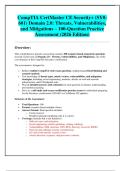
CompTIA CertMaster CE Security+ (SY0-
601) Domain 2.0: Threats, Vulnerabilities,
and Mitigations – 100-Question Practice
Assessment (2026 Edition)
Overview:
This comprehensive practice assessment contains 100 scenario-based, long-form questions
focused exclusively on Domain 2.0 – Threats, Vulnerabilities, and Mitigations, one of the
core domains of the CompTIA Security+ certification.
The assessment is designed to:
Reflect realistic CompTIA-style exam questions, emphasizing critical thinking and
scenario analysis.
Test knowledge of threat types, attack vectors, vulnerabilities, and mitigation
strategies, including social engineering, malware, attacks on web and network
infrastructure, and IoT/endpoint risks.
Provide detailed answers and rationales for each question to enhance understanding
and reinforce learning.
Serve as a self-study tool or pre-certification practice exam for individuals preparing
for the Security+ certification (SY0-601 or CertMaster CE updates).
Structure of the Assessment:
Total Questions: 100
Format: scenario-based multiple-choice
Answer Format: Each question includes:
o Correct answer
o Detailed rationale explaining why it is correct
Coverage: Includes but is not limited to:
o Malware types and mitigation
o Social engineering attacks (phishing, vishing, whaling)
o Vulnerabilities (SQL injection, XSS, RCE, directory traversal, IDOR)
o Network and endpoint security considerations
o IoT and cloud-specific security issues
o Attack detection, response, and preventive controls
,Section 1: Threat Types and Malware
Question 1:
A medium-sized company recently experienced an attack where several employees
reported that their workstations were behaving strangely. Files on the network appeared
encrypted, and a message demanded payment in cryptocurrency to restore access. The IT
team noted that the malware spread quickly to multiple systems, and some employees had
downloaded suspicious email attachments in the days prior.
Which type of malware is most likely responsible for this incident, and what is the best
immediate mitigation step to protect unaffected systems?
A) Worm; immediately disconnect affected systems from the network
B) Trojan; update antivirus software on all systems
C) Ransomware; restore from verified backups and isolate infected machines
D) Rootkit; reinstall operating systems on all machines
Answer: C) Ransomware; restore from verified backups and isolate infected machines
Rationale: 👀 ***: 👀 *** The scenario describes ransomware, as files are encrypted and a
ransom demand appears. The immediate mitigation is to isolate infected systems to
prevent spread and restore critical files from trusted backups, avoiding payment.
Question 2:
A new phishing campaign targets a company’s finance department. The emails appear to
come from the CFO, requesting urgent wire transfers. Several employees opened the email,
and a few clicked the link, entering their credentials. IT notices multiple failed logins across
the company and a sudden spike in network traffic to unknown external IPs.
Which combination of attack types is most likely occurring, and what preventive controls
could reduce the risk in the future?
A) Spear phishing and credential harvesting; implement employee security awareness
training and MFA
B) Whaling and malware injection; deploy antivirus only
C) Spam and adware; block email attachments
D) Trojan and rootkit; disconnect all computers from the network
,Answer: A) Spear phishing and credential harvesting; implement employee security
awareness training and MFA
Rationale: 👀 ***: The attack is spear phishing/whaling, targeting specific employees with
fake executive emails. Compromised credentials indicate credential harvesting. Mitigation
includes user training, phishing simulations, and multi-factor authentication.
Question 3:
An organization detects unusual outbound traffic from several employee workstations. Upon
investigation, it’s discovered that a small program is running silently in the background,
recording keystrokes and sending login credentials to an external server. The malware is
difficult to detect because it modifies system processes and hides in the OS kernel.
What type of malware is this, and which strategy is most effective for detection and
removal?
A) Rootkit; use specialized rootkit detection tools and reinstall the OS if necessary
B) Keylogger; instruct users to change passwords
C) Trojan; run antivirus software
D) Worm; patch vulnerabilities
Answer: A) Rootkit; use specialized rootkit detection tools and reinstall the OS if necessary
Rationale: 👀 ***: The malware hides in the kernel, indicating a rootkit. Rootkits are hard
to detect, so rootkit detection tools or OS reinstallation are often required.
Question 4:
During a security audit, a company notices that an old web application is still running on the
internal network. The application has not been updated for several years and contains
multiple known vulnerabilities. Penetration testers successfully exploit the system to gain
access to sensitive customer data.
Which type of vulnerability is primarily exploited here, and what is the recommended
mitigation strategy?
A) Software vulnerability; apply security patches and updates
B) Social engineering; train employees on phishing awareness
C) Misconfiguration; reset all passwords
D) Malware infection; install antivirus
, Answer: A) Software vulnerability; apply security patches and updates
Rationale: 👀 ***: Outdated applications with known vulnerabilities are common attack
vectors. The mitigation is timely patching, updating software, and applying secure
configurations.
Question 5:
A small office network experiences intermittent Denial-of-Service (DoS) attacks. IT notices
that multiple external IP addresses are sending large amounts of traffic to the web server,
causing it to slow down and become unresponsive. The company has firewalls, but they are
not configured to limit traffic rates.
Which attack is occurring, and what mitigation strategies should be implemented?
A) Distributed Denial-of-Service (DDoS); deploy rate-limiting, traffic filtering, and cloud-
based mitigation services
B) Virus; update antivirus
C) Trojan; disconnect all computers
D) Rootkit; reinstall OS
Answer: A) Distributed Denial-of-Service (DDoS); deploy rate-limiting, traffic filtering, and
cloud-based mitigation services
Rationale: 👀 ***: Multiple IPs flooding a network indicate a DDoS attack. Mitigation
involves network controls, filtering, and cloud services designed for DDoS protection.
Question 6:
Employees report receiving pop-up ads promoting fake antivirus software. After clicking
“Install,” their computers slow down, and some software stops working correctly. IT
discovers the system has installed multiple unwanted applications that monitor activity and
redirect web traffic.
What is the most likely type of malware, and which long-term mitigation strategy should
the company implement?
A) Adware; enforce endpoint protection policies and employee security awareness
B) Spyware; reinstall OS on all computers
C) Trojan; block all downloads
D) Worm; apply patches
601) Domain 2.0: Threats, Vulnerabilities,
and Mitigations – 100-Question Practice
Assessment (2026 Edition)
Overview:
This comprehensive practice assessment contains 100 scenario-based, long-form questions
focused exclusively on Domain 2.0 – Threats, Vulnerabilities, and Mitigations, one of the
core domains of the CompTIA Security+ certification.
The assessment is designed to:
Reflect realistic CompTIA-style exam questions, emphasizing critical thinking and
scenario analysis.
Test knowledge of threat types, attack vectors, vulnerabilities, and mitigation
strategies, including social engineering, malware, attacks on web and network
infrastructure, and IoT/endpoint risks.
Provide detailed answers and rationales for each question to enhance understanding
and reinforce learning.
Serve as a self-study tool or pre-certification practice exam for individuals preparing
for the Security+ certification (SY0-601 or CertMaster CE updates).
Structure of the Assessment:
Total Questions: 100
Format: scenario-based multiple-choice
Answer Format: Each question includes:
o Correct answer
o Detailed rationale explaining why it is correct
Coverage: Includes but is not limited to:
o Malware types and mitigation
o Social engineering attacks (phishing, vishing, whaling)
o Vulnerabilities (SQL injection, XSS, RCE, directory traversal, IDOR)
o Network and endpoint security considerations
o IoT and cloud-specific security issues
o Attack detection, response, and preventive controls
,Section 1: Threat Types and Malware
Question 1:
A medium-sized company recently experienced an attack where several employees
reported that their workstations were behaving strangely. Files on the network appeared
encrypted, and a message demanded payment in cryptocurrency to restore access. The IT
team noted that the malware spread quickly to multiple systems, and some employees had
downloaded suspicious email attachments in the days prior.
Which type of malware is most likely responsible for this incident, and what is the best
immediate mitigation step to protect unaffected systems?
A) Worm; immediately disconnect affected systems from the network
B) Trojan; update antivirus software on all systems
C) Ransomware; restore from verified backups and isolate infected machines
D) Rootkit; reinstall operating systems on all machines
Answer: C) Ransomware; restore from verified backups and isolate infected machines
Rationale: 👀 ***: 👀 *** The scenario describes ransomware, as files are encrypted and a
ransom demand appears. The immediate mitigation is to isolate infected systems to
prevent spread and restore critical files from trusted backups, avoiding payment.
Question 2:
A new phishing campaign targets a company’s finance department. The emails appear to
come from the CFO, requesting urgent wire transfers. Several employees opened the email,
and a few clicked the link, entering their credentials. IT notices multiple failed logins across
the company and a sudden spike in network traffic to unknown external IPs.
Which combination of attack types is most likely occurring, and what preventive controls
could reduce the risk in the future?
A) Spear phishing and credential harvesting; implement employee security awareness
training and MFA
B) Whaling and malware injection; deploy antivirus only
C) Spam and adware; block email attachments
D) Trojan and rootkit; disconnect all computers from the network
,Answer: A) Spear phishing and credential harvesting; implement employee security
awareness training and MFA
Rationale: 👀 ***: The attack is spear phishing/whaling, targeting specific employees with
fake executive emails. Compromised credentials indicate credential harvesting. Mitigation
includes user training, phishing simulations, and multi-factor authentication.
Question 3:
An organization detects unusual outbound traffic from several employee workstations. Upon
investigation, it’s discovered that a small program is running silently in the background,
recording keystrokes and sending login credentials to an external server. The malware is
difficult to detect because it modifies system processes and hides in the OS kernel.
What type of malware is this, and which strategy is most effective for detection and
removal?
A) Rootkit; use specialized rootkit detection tools and reinstall the OS if necessary
B) Keylogger; instruct users to change passwords
C) Trojan; run antivirus software
D) Worm; patch vulnerabilities
Answer: A) Rootkit; use specialized rootkit detection tools and reinstall the OS if necessary
Rationale: 👀 ***: The malware hides in the kernel, indicating a rootkit. Rootkits are hard
to detect, so rootkit detection tools or OS reinstallation are often required.
Question 4:
During a security audit, a company notices that an old web application is still running on the
internal network. The application has not been updated for several years and contains
multiple known vulnerabilities. Penetration testers successfully exploit the system to gain
access to sensitive customer data.
Which type of vulnerability is primarily exploited here, and what is the recommended
mitigation strategy?
A) Software vulnerability; apply security patches and updates
B) Social engineering; train employees on phishing awareness
C) Misconfiguration; reset all passwords
D) Malware infection; install antivirus
, Answer: A) Software vulnerability; apply security patches and updates
Rationale: 👀 ***: Outdated applications with known vulnerabilities are common attack
vectors. The mitigation is timely patching, updating software, and applying secure
configurations.
Question 5:
A small office network experiences intermittent Denial-of-Service (DoS) attacks. IT notices
that multiple external IP addresses are sending large amounts of traffic to the web server,
causing it to slow down and become unresponsive. The company has firewalls, but they are
not configured to limit traffic rates.
Which attack is occurring, and what mitigation strategies should be implemented?
A) Distributed Denial-of-Service (DDoS); deploy rate-limiting, traffic filtering, and cloud-
based mitigation services
B) Virus; update antivirus
C) Trojan; disconnect all computers
D) Rootkit; reinstall OS
Answer: A) Distributed Denial-of-Service (DDoS); deploy rate-limiting, traffic filtering, and
cloud-based mitigation services
Rationale: 👀 ***: Multiple IPs flooding a network indicate a DDoS attack. Mitigation
involves network controls, filtering, and cloud services designed for DDoS protection.
Question 6:
Employees report receiving pop-up ads promoting fake antivirus software. After clicking
“Install,” their computers slow down, and some software stops working correctly. IT
discovers the system has installed multiple unwanted applications that monitor activity and
redirect web traffic.
What is the most likely type of malware, and which long-term mitigation strategy should
the company implement?
A) Adware; enforce endpoint protection policies and employee security awareness
B) Spyware; reinstall OS on all computers
C) Trojan; block all downloads
D) Worm; apply patches