Unit 19 Digital Image Capture and Editing
PEARSON (PEARSON)
All 9 results
Sort by

-
Image processing - calculating and using convolution matrices
- Package deal • 2 items • 2025
- £5.69
- + learn more
This package includes an introduction to image processing using convolution matrices and a spreadsheet to find low pass, high pass or sharpening matrices given one of the other three types.
-
Convolution filters calculator
- Other • 12 pages • 2025
- £3.95
- + learn more
Given a (3x3 or 5x5) convolution matrix for a Low Pass, High Pass or Sharpening Matrix this spreadsheet can be used to find two of the three matrices given the other one.
-
Image processing package
- Package deal • 6 items • 2025
- £9.16
- + learn more
The package contains introductory guides to Photoshop Elements v 5.0 GNU Image Manipulation Program (GIMP) v 3.0.4 Hugin - Panorama Editor v 2021.0.0 Using convolution matrices in image processing SilverFast SE
-
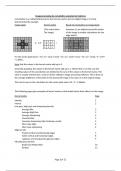
Image processing using convolution matrices
- Summary • 11 pages • 2025
- £3.95
- + learn more
This document gives an introduction to the use of convolution matrices used to process digital images. There are examples of filters that can be used in Photoshop and GIMP using 3 x 3 and 5 x 5 convolution matrices.
-
Guide to Image processing using free image processing software
- Package deal • 2 items • 2025
- £3.95
- + learn more
This package contains introductions to GIMP 3.0.4 and Hugin 2021.0.0. (two presently free pieces of image processing software) The first is image processing software and the second a panorama stitching software package. The two guides give step by step instructions on how to use these two free image processing software packages.

Get paid weekly? You can!

-
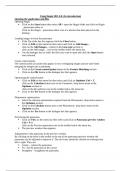
Hugin - Panorama editor (Free software) - An introduction
- Summary • 2 pages • 2025
- Free
- + learn more
This is a step by step guide to using the Hugin software package (presently a free software package) to create a panoramic image from a series of images that are stiched together using the software. It is useful for students studying image processing.
-
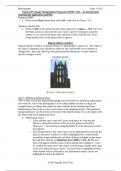
GIMP 3.0.4, Free Image Processing Software - an introductory guide
- Summary • 18 pages • 2025
- £3.95
- + learn more
An introduction to using GIMP 3.0.4 (presently a free software package) to edit digital images. It includes a full description of a digital editing workflow which includes the following stages: - Creating a Copy - Straightening and Perspective Adjustments - White Balance - Tonal Adjustments - Colour Adjustments - Retouching - Noise and Sharpness Adjustments - Crop and Save
-
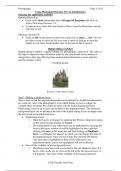
Photoshop Elements - An introduction
- Summary • 18 pages • 2023
- £3.95
- + learn more
An introduction to using Photoshop Elements version 5.0 to edit digital images. It includes a full description of a digital editing workflow which includes the following stages: - Creating a Copy - Straightening and Perspective Adjustments - White Balance - Tonal Adjustments - Colour Adjustments - Retouching - Noise and Sharpness Adjustments - Crop and Save Other tools are then describes such as the Defringing tool leading up to a description of how to use Photoshop Elements 5.0 to pro...
-
SilverFast SE - An introduction
- Summary • 1 pages • 2023
- Free
- + learn more
This document describes how to use SilverFast SE version 6.5.5r2 software in conjunction with the Plustex 7300 scanner to scan and digitize negatives using Quick Scan or Intelli Scan modes.