Unit 27 digital image capture and editing - Study guides, Revision notes & Summaries
Looking for the best study guides, study notes and summaries about Unit 27 digital image capture and editing? On this page you'll find 9 study documents about Unit 27 digital image capture and editing.
All 9 results
Sort by:

-
Package deal
Image processing - calculating and using convolution matrices
-
---2July 2025
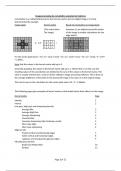
- This package includes an introduction to image processing using convolution matrices and a spreadsheet to find low pass, high pass or sharpening matrices given one of the other three types.
-
£6.19 More Info
timothyjohntyne
-
Other
Convolution filters calculator
-
--12July 20252024/2025Available in bundle
- Given a (3x3 or 5x5) convolution matrix for a 
 
Low Pass, 
High Pass or 
Sharpening Matrix 
 
this spreadsheet can be used to find two of the three matrices given the other one.
-
£4.45 More Info
timothyjohntyne
-
Package deal
Image processing package
-
---6June 2025
- The package contains introductory guides to

Photoshop Elements v 5.0
GNU Image Manipulation Program (GIMP) v 3.0.4
Hugin - Panorama Editor v 2021.0.0
Using convolution matrices in image processing
SilverFast SE
-
£9.66 More Info
timothyjohntyne
-
Summary
Image processing using convolution matrices
-
--11June 20252024/2025Available in bundle
- This document gives an introduction to the use of convolution matrices used to process digital images. There are examples of filters that can be used in Photoshop and GIMP using 3 x 3 and 5 x 5 convolution matrices.
-
£4.45 More Info
timothyjohntyne
-
Package deal
Guide to Image processing using free image processing software
-
---2May 2025
- This package contains introductions to 
GIMP 3.0.4 and 
Hugin 2021.0.0. 
(two presently free pieces of image processing software)

The first is image processing software and the second a panorama stitching software package. 

The two guides give step by step instructions on how to use these two free image processing software packages.
-
£4.45 More Info
timothyjohntyne
-
Summary
Hugin - Panorama editor (Free software) - An introduction
-
--2May 20252024/2025Available in bundle
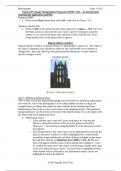
- This is a step by step guide to using the Hugin software package (presently a free software package) to create a panoramic image from a series of images that are stiched together using the software. 
It is useful for students studying image processing.
-
Free More Info
timothyjohntyne
-
Summary
GIMP 3.0.4, Free Image Processing Software - an introductory guide
-
--18May 20252024/2025Available in bundle
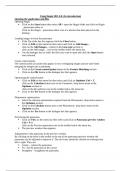
- An introduction to using GIMP 3.0.4 (presently a free software package) to edit digital images. 
It includes a full description of a digital editing workflow which includes the following stages: - 
Creating a Copy - Straightening and Perspective Adjustments - White Balance - Tonal Adjustments - Colour Adjustments - Retouching - Noise and Sharpness Adjustments - Crop and Save
-
£4.45 More Info
timothyjohntyne
-
Summary
Photoshop Elements - An introduction
-
--18February 20232022/2023Available in bundle
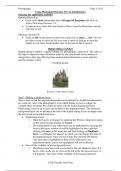
- An introduction to using Photoshop Elements version 5.0 to edit digital images. 
It includes a full description of a digital editing workflow which includes the following stages: 
- Creating a Copy 
- Straightening and Perspective Adjustments 
- White Balance 
- Tonal Adjustments 
- Colour Adjustments 
- Retouching 
- Noise and Sharpness Adjustments 
- Crop and Save 
Other tools are then describes such as the Defringing tool leading up to a description of how to use Photoshop Elements 5.0 to pro...
-
£4.45 More Info
timothyjohntyne
-
Summary
SilverFast SE - An introduction
-
--1February 20232022/2023Available in bundle
- This document describes how to use SilverFast SE version 6.5.5r2 software in conjunction with the Plustex 7300 scanner to scan and digitize negatives using Quick Scan or Intelli Scan modes.
-
Free More Info
timothyjohntyne