
1) Computational Thinking
Decomposition - the process of breaking a problem down into smaller parts to make it easier to
solve.
Abstraction - the process of removing irrelevant or unnecessary information from the problem
in order to better understand the basic parts of it
Algorithm - a sequence of logical instructions to carry out a particular task
Sub-programs - uses decomposition. A smaller part of the program that performs a specific
task.
- Procedures: carries out an action but do not return any value
- Functions: same as procedures, but they return a value after it completes its task
Benefits of subprograms:
- Break down a complex program into a number of smaller, less complicated parts that are
easier to code and debug
- Make program logic clearer
- Make it easier to maintain code, subprograms can be modified or changed without
affecting the rest of the program
- Enable code to be used as many times
- Enable code used to common tasks to be stored in libraries and reused in other
programs
- Enable a team of programmers to work together on a project at the same time - the
programmers can write and debug different subprograms, working in parallel.
Flowcharts:
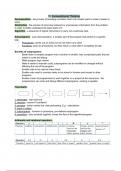
1: terminator - start and end
2: decision - yes/nor? true/false?
3: process - action carried out, data processing. E,g - calculations
4: input or output
5: subprograms - function or procedure, pre-defined subprogram
6: arrow/line - joins symbols together, shows the flow of the algorithm/program.
Arithmetic and relational operators:
,Lists:
Record - a single row or related information in a database table. Has different data types.
Array - a set of data items stored together with a single name and accessed by a program. Has
one data type.
Fitness for purpose: how well an algorithm or other code meets the needs for which it was
designed
Efficiency: managing to carry out a task whilst making the least possible use of resources
Syntax error: occurs when the rules of the programming language are not followed. E.g -
misspelt command word, incorrect punctuation, variable used before initialization.
Logic error: occurs when there’s a flaw in the design of a program, does not prevent it from
running but causes it to produce an incorrect or unexpected result.
Runtime error: occur during program execution when the processor is asked to perform an
impossible operation, which cause the program to crash. E.g - to divide by zero or open a
non-existent file.
Linear search:
- The algorithm starts at the
beginning of the list and moves
through the items one by one until it
finds the matching item, or reaches
the end of the list.
- Brute force: does not use any
specialist techniques, only raw
computing power. Try out every possibility until a solution is found or all possibilities
exhausted.
Pros and cons:
- Good for unsorted, short list that is not going to be searched very often
- The algorithm is simple
- But it uses brute force
Binary search:
- Sort into ascending order, either numerically or alphabetically
- Divide and conquer strategy
- Select the median
- Compare it with the search item
- If the search item is lower, discard the median and the higher items
- If the search item is higher, discard the median and lower items
- Recalculate the new median
- Repeat this process until the search item is found, or not found in the list.
Pros and cons:
- Good for long lists that will be searched often
, - Uses divide and conquer
- Executes quickly
- But the initial list must be sorted
- The algorithm is complex and uses recursion (a function calls itself)
Bubble sort:
- Starts at the beginning of the list dn examines the first two items
- They compare adjacent data items and order them.
- Several passes may be needed to sort the whole list
- When the algorithm reaches the end of the list the first pass has been completed. Then
continue with the second pass if necessary.
- The algorithm will continue with more passes until no swaps are made. The list will then
have been sorted into order
Pros and cons:
- Good for a list with smaller number of items
- A simple algorithm to code
- No extra stored used to make copies of the data
- But uses brute force and not good for longer lists as it uses much more time to sort
Merge sort:
- The algorithm breaks the list into two, then again into two, and so on over and over
again, until the list holds only a single value
- The items are then reassembled in the same way, but in ascending order.
- The items are compared with each other and placed in the correct order
- The leftmost item in each list are the lower items of those lists and the algorithm
compares them. The lists keeps merging, comparing, and sorting.
- The two lists are combined to make a final list in the correct order.
Pros and cons:
- Good for long lists
- Only add a little bit more execution time
- Uses divide and conquer
- But it uses additional memory for copies of lists
- The splitting phase must happen, even for very short lists
- Complex algorithm, usually involving recursion
Logical operators:
0 is FALSE. 1 is TRUE.
AND: all must be true for the overall statement to be true. 2 inputs → 1 output
OR: at least one must be true for the overall statement to be true. 2 inputs → 1 input
NOT: reverse the logical state of the other operators. E.g - num1 == 3 or num2 ==6, both must
be false for the overall statement to be true.
, Truth tables:
AND truth table:
OR truth table:
NOT truth table:
Trace tables:
2) Data
Using Binary:
- Computers use binary to represent data (numbers, text, sound, graphics) and program
instructions.
Decomposition - the process of breaking a problem down into smaller parts to make it easier to
solve.
Abstraction - the process of removing irrelevant or unnecessary information from the problem
in order to better understand the basic parts of it
Algorithm - a sequence of logical instructions to carry out a particular task
Sub-programs - uses decomposition. A smaller part of the program that performs a specific
task.
- Procedures: carries out an action but do not return any value
- Functions: same as procedures, but they return a value after it completes its task
Benefits of subprograms:
- Break down a complex program into a number of smaller, less complicated parts that are
easier to code and debug
- Make program logic clearer
- Make it easier to maintain code, subprograms can be modified or changed without
affecting the rest of the program
- Enable code to be used as many times
- Enable code used to common tasks to be stored in libraries and reused in other
programs
- Enable a team of programmers to work together on a project at the same time - the
programmers can write and debug different subprograms, working in parallel.
Flowcharts:
1: terminator - start and end
2: decision - yes/nor? true/false?
3: process - action carried out, data processing. E,g - calculations
4: input or output
5: subprograms - function or procedure, pre-defined subprogram
6: arrow/line - joins symbols together, shows the flow of the algorithm/program.
Arithmetic and relational operators:
,Lists:
Record - a single row or related information in a database table. Has different data types.
Array - a set of data items stored together with a single name and accessed by a program. Has
one data type.
Fitness for purpose: how well an algorithm or other code meets the needs for which it was
designed
Efficiency: managing to carry out a task whilst making the least possible use of resources
Syntax error: occurs when the rules of the programming language are not followed. E.g -
misspelt command word, incorrect punctuation, variable used before initialization.
Logic error: occurs when there’s a flaw in the design of a program, does not prevent it from
running but causes it to produce an incorrect or unexpected result.
Runtime error: occur during program execution when the processor is asked to perform an
impossible operation, which cause the program to crash. E.g - to divide by zero or open a
non-existent file.
Linear search:
- The algorithm starts at the
beginning of the list and moves
through the items one by one until it
finds the matching item, or reaches
the end of the list.
- Brute force: does not use any
specialist techniques, only raw
computing power. Try out every possibility until a solution is found or all possibilities
exhausted.
Pros and cons:
- Good for unsorted, short list that is not going to be searched very often
- The algorithm is simple
- But it uses brute force
Binary search:
- Sort into ascending order, either numerically or alphabetically
- Divide and conquer strategy
- Select the median
- Compare it with the search item
- If the search item is lower, discard the median and the higher items
- If the search item is higher, discard the median and lower items
- Recalculate the new median
- Repeat this process until the search item is found, or not found in the list.
Pros and cons:
- Good for long lists that will be searched often
, - Uses divide and conquer
- Executes quickly
- But the initial list must be sorted
- The algorithm is complex and uses recursion (a function calls itself)
Bubble sort:
- Starts at the beginning of the list dn examines the first two items
- They compare adjacent data items and order them.
- Several passes may be needed to sort the whole list
- When the algorithm reaches the end of the list the first pass has been completed. Then
continue with the second pass if necessary.
- The algorithm will continue with more passes until no swaps are made. The list will then
have been sorted into order
Pros and cons:
- Good for a list with smaller number of items
- A simple algorithm to code
- No extra stored used to make copies of the data
- But uses brute force and not good for longer lists as it uses much more time to sort
Merge sort:
- The algorithm breaks the list into two, then again into two, and so on over and over
again, until the list holds only a single value
- The items are then reassembled in the same way, but in ascending order.
- The items are compared with each other and placed in the correct order
- The leftmost item in each list are the lower items of those lists and the algorithm
compares them. The lists keeps merging, comparing, and sorting.
- The two lists are combined to make a final list in the correct order.
Pros and cons:
- Good for long lists
- Only add a little bit more execution time
- Uses divide and conquer
- But it uses additional memory for copies of lists
- The splitting phase must happen, even for very short lists
- Complex algorithm, usually involving recursion
Logical operators:
0 is FALSE. 1 is TRUE.
AND: all must be true for the overall statement to be true. 2 inputs → 1 output
OR: at least one must be true for the overall statement to be true. 2 inputs → 1 input
NOT: reverse the logical state of the other operators. E.g - num1 == 3 or num2 ==6, both must
be false for the overall statement to be true.
, Truth tables:
AND truth table:
OR truth table:
NOT truth table:
Trace tables:
2) Data
Using Binary:
- Computers use binary to represent data (numbers, text, sound, graphics) and program
instructions.


