Local Area Network (LAN)
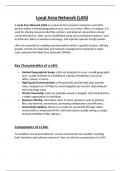
A Local Area Network (LAN) is a network that connects computers and other
devices within a limited geographical area, such as a home, office, or campus. It is
used for sharing resources like files, printers, and internet connections among
connected devices. LANs can be established using various physical mediums, such
as Ethernet cables or wireless technology, and typically operate at high speeds.
LANs are essential for enabling communication within a specific location, offering
greater control over data flow and network management compared to larger-
scale networks like Wide Area Networks (WANs).
Key Characteristics of a LAN:
Limited Geographical Scope: LANs are designed to cover a small geographic
area, usually confined to a building or a group of buildings, such as an
office, school, or home.
High-Speed Communication: LANs generally provide high data transfer
rates, ranging from 10 Mbps to several gigabits per second, depending on
the technology used.
Private Ownership: LANs are typically owned, managed, and maintained by
a single organization or individual.
Resource Sharing: LANs allow users to share resources such as printers,
files, and internet connections, promoting collaboration and efficiency.
Connectivity Options: Devices on a LAN are connected through cables
(wired LAN) or wirelessly (Wi-Fi), with each device usually having a unique
network identifier (MAC address).
Components of a LAN:
To establish a Local Area Network, several components are needed, including
both hardware and software elements. Here are the key components of a LAN:
, 1. Network Interface Cards (NICs):
o NICs are hardware devices installed in computers or other devices to
allow them to connect to a network. Each NIC has a unique MAC
address that identifies it on the network.
2. Cabling:
o Ethernet Cables: The most common type of wired connection in
LANs, including Cat5e, Cat6, and Cat7 cables. These cables carry
electrical signals between devices and network equipment.
o Fiber Optic Cables: Used for high-speed connections over longer
distances, offering faster speeds and better performance than
traditional copper cables.
3. Switches:
o Network Switches are devices used to manage the data flow within a
LAN. They operate at the Data Link Layer (Layer 2) of the OSI model
and are responsible for forwarding data to the correct device based
on MAC addresses.
o Switches are more efficient than hubs because they send data only to
the device that needs it, reducing network congestion and improving
performance.
4. Routers:
o Routers connect LANs to other networks, such as a Wide Area
Network (WAN) or the internet. They operate at the Network Layer
(Layer 3) and use IP addresses to forward data between networks.
o A router is typically used to connect the LAN to an Internet Service
Provider (ISP) and provide internet access to all connected devices.
5. Access Points (APs):
o In a wireless LAN (Wi-Fi), Access Points act as bridges between wired
and wireless networks. APs allow devices like laptops, smartphones,
and tablets to connect to the LAN without physical cables.
6. Firewalls:
o Firewalls are security devices or software that monitor and control
incoming and outgoing network traffic. They are used to protect the
LAN from unauthorized access or threats from external networks,
such as the internet.
7. Servers:
A Local Area Network (LAN) is a network that connects computers and other
devices within a limited geographical area, such as a home, office, or campus. It is
used for sharing resources like files, printers, and internet connections among
connected devices. LANs can be established using various physical mediums, such
as Ethernet cables or wireless technology, and typically operate at high speeds.
LANs are essential for enabling communication within a specific location, offering
greater control over data flow and network management compared to larger-
scale networks like Wide Area Networks (WANs).
Key Characteristics of a LAN:
Limited Geographical Scope: LANs are designed to cover a small geographic
area, usually confined to a building or a group of buildings, such as an
office, school, or home.
High-Speed Communication: LANs generally provide high data transfer
rates, ranging from 10 Mbps to several gigabits per second, depending on
the technology used.
Private Ownership: LANs are typically owned, managed, and maintained by
a single organization or individual.
Resource Sharing: LANs allow users to share resources such as printers,
files, and internet connections, promoting collaboration and efficiency.
Connectivity Options: Devices on a LAN are connected through cables
(wired LAN) or wirelessly (Wi-Fi), with each device usually having a unique
network identifier (MAC address).
Components of a LAN:
To establish a Local Area Network, several components are needed, including
both hardware and software elements. Here are the key components of a LAN:
, 1. Network Interface Cards (NICs):
o NICs are hardware devices installed in computers or other devices to
allow them to connect to a network. Each NIC has a unique MAC
address that identifies it on the network.
2. Cabling:
o Ethernet Cables: The most common type of wired connection in
LANs, including Cat5e, Cat6, and Cat7 cables. These cables carry
electrical signals between devices and network equipment.
o Fiber Optic Cables: Used for high-speed connections over longer
distances, offering faster speeds and better performance than
traditional copper cables.
3. Switches:
o Network Switches are devices used to manage the data flow within a
LAN. They operate at the Data Link Layer (Layer 2) of the OSI model
and are responsible for forwarding data to the correct device based
on MAC addresses.
o Switches are more efficient than hubs because they send data only to
the device that needs it, reducing network congestion and improving
performance.
4. Routers:
o Routers connect LANs to other networks, such as a Wide Area
Network (WAN) or the internet. They operate at the Network Layer
(Layer 3) and use IP addresses to forward data between networks.
o A router is typically used to connect the LAN to an Internet Service
Provider (ISP) and provide internet access to all connected devices.
5. Access Points (APs):
o In a wireless LAN (Wi-Fi), Access Points act as bridges between wired
and wireless networks. APs allow devices like laptops, smartphones,
and tablets to connect to the LAN without physical cables.
6. Firewalls:
o Firewalls are security devices or software that monitor and control
incoming and outgoing network traffic. They are used to protect the
LAN from unauthorized access or threats from external networks,
such as the internet.
7. Servers: