Client side customization of
webpages
Task 1 – What is CSS?
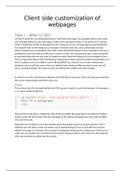
CSS which stands for Cascading Style Sheets is what styles your page. You probably want to have some
sort of design/styling on your web page to make it more pleasant to look at. CSS allows you to do that.
HTML is simply the content of the page and CSS is what we can use to change the way that things look.
For example some of the things you can change is font style, font size, colors, positioning and may
others. Another way to think about CSS is that it describes HTML elements. So for example if you have a
paragraph in your html code you will have to select it in your CSS code and then give it some properties
or essentially describe how you want to change the way it looks with thing such as text-weight or font-
style. A major advantage of CSS is that having a styled page makes it easier to understand and look at, as
well as making it more accessible to users with disabilities. By using CSS you are also meeting web
standards and you will also ensure that your website looks similar on different sized screens and will
have a consistent design. CSS makes is easier to maintain the website and make changes.
In order to use CSS it will need to be linked to the HTML file in some way. There are three ways that CSS
files can be implemented with HTML which are:
Inline
This is where the CSS is included within the HTML tag and is specific to only that element. For example in
a <p> tag it would look like this:
Here what the style does is change the color of the text within the paragraph to red and then it adds a
margin on the left side of 20px. This will only apply to this specific paragraph only and it will not affect
the rest of the code.
Doing this sort of styling for an entire website will not be practical and it is not good practice. This is
defiantly not used often as there are better way of implementing CSS but it could still have its place
within a web page. For example if you wanted to change the styling of only a single part of code such as
a title and you wouldn’t have to reference that section. However there is still a way to do this using the
other two methods by referencing the section.
webpages
Task 1 – What is CSS?
CSS which stands for Cascading Style Sheets is what styles your page. You probably want to have some
sort of design/styling on your web page to make it more pleasant to look at. CSS allows you to do that.
HTML is simply the content of the page and CSS is what we can use to change the way that things look.
For example some of the things you can change is font style, font size, colors, positioning and may
others. Another way to think about CSS is that it describes HTML elements. So for example if you have a
paragraph in your html code you will have to select it in your CSS code and then give it some properties
or essentially describe how you want to change the way it looks with thing such as text-weight or font-
style. A major advantage of CSS is that having a styled page makes it easier to understand and look at, as
well as making it more accessible to users with disabilities. By using CSS you are also meeting web
standards and you will also ensure that your website looks similar on different sized screens and will
have a consistent design. CSS makes is easier to maintain the website and make changes.
In order to use CSS it will need to be linked to the HTML file in some way. There are three ways that CSS
files can be implemented with HTML which are:
Inline
This is where the CSS is included within the HTML tag and is specific to only that element. For example in
a <p> tag it would look like this:
Here what the style does is change the color of the text within the paragraph to red and then it adds a
margin on the left side of 20px. This will only apply to this specific paragraph only and it will not affect
the rest of the code.
Doing this sort of styling for an entire website will not be practical and it is not good practice. This is
defiantly not used often as there are better way of implementing CSS but it could still have its place
within a web page. For example if you wanted to change the styling of only a single part of code such as
a title and you wouldn’t have to reference that section. However there is still a way to do this using the
other two methods by referencing the section.