Wake Tech Course 47 Quiz Questions And Answers
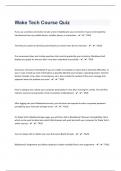
If you use a wireless connection to take a test in blackboard, your connection may be interrupted by interference from any mobile device, cordless phone, or microwave. - ️️TRUE Text that you submit on the Discussion Board can only be seen by the instructor - ️️FALSE If an assessment does not include questions that must be graded by your instructor, Blackboard will display your grade for the test after it has been submitted successfully. - ️️TRUE Email your instructor immediately if you are unable to complete an exam due to technical difficulties. In your e-mail, include as much information as possible (identify your browser, operating system, Internet Service Provider, time, date, circumstances, etc.). Also include the content of the error message that appeared when the problem occurred. - ️️TRUE Prior to taking a test, reboot your computer particularly if it has been running for a while. This will free memory resources and provide a fresh connection to Blackboard. - ️️TRUE After logging into your Blackboard account, you will never be required to enter a separate password provided by your instructor to begin a test. - ️️FALSE On Wake Tech's Blackboard login page, you will find a link to Blackboard's Browser Compatibility Chart, which can be used to determine which Web browser will work best with your computer for Wake Tech's online courses. - ️️TRUE You can always edit or delete your own Discussion Board threads. - ️️FALSE Blackboard's Assignment tool allows students to attach multiple files to one assignment. - ️️TRUE
Document information
- Uploaded on
- October 11, 2023
- Number of pages
- 6
- Written in
- 2023/2024
- Type
- Exam (elaborations)
- Contains
- Questions & answers