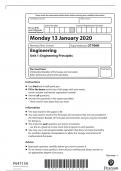
AQA
AS
COMPUTER SCIENCE
Paper 1
Tuesday 16 May 2023 Afternoon Time allowed: 1 hour 45
minutes
Materials
For this paper you must have:
a computer
a printer
appropriate software
the Electronic Answer Document
an electronic version and a hard copy of the Skeleton Program
an electronic version and a hard copy of the Preliminary Material
an electronic version of the Data Files prog1.txt, prog2.txt and
prog3.txt. You must not use a calculator.
Instructions
Type the information required on the front of your Electronic Answer Document.
Before the start of the examination make sure your Centre Number, Candidate
Name and Candidate Number are shown clearly in the footer of every page (not the
front cover) of your Electronic Answer Document.
Enter your answers into the Electronic Answer Document.
Answer all questions.
Save your work at regular intervals.
Information
The marks for questions are shown in brackets.
The maximum mark for this paper is 75.
No extra time is allowed for printing and collating.
The question paper is divided into three sections.
Advice
You are advised to allocate time to each section as follows:
Section A – 20 minutes; Section B – 25 minutes; Section C – 60 minutes.
At the end of the examination
Tie together all your printed Electronic Answer Document pages and hand them to the
Invigilator.
Warning
It may not be possible to issue a result for this paper if your details are not on every
page of your Electronic Answer Document.
1
, 2
Section A
You are advised to spend no more than 20 minutes on this section.
Enter your answers to Section A in your Electronic Answer Document. You must save
this document at regular intervals.
Question 05 in this section asks you to write program code starting from a new
program/project/file.
You are advised to save your program at regular intervals.
0 1 A security system uses a motion sensor, a keypad and an
alarm bell. The system operates as follows:
the system is initially off
when the system is switched on it goes into sensing mode
the system can be switched off at any time by entering the correct
code on the keypad
if the system detects movement while in sensing mode it goes into alert
mode
after the system has been in alert mode for 10 seconds, it enters the
alarm bell ringing mode
if an incorrect code is entered on the keypad, once the system has
been switched on, the system remains in its current mode.
Figure 1 shows a partially completed state transition diagram that
represents the operation of the security system. Three of the states are
labelled (X) to (Z) and events are labelled (A) to (I).
Figure 1
IB/G/
Jun23/7516/1
, 3
Complete Table 1 by filling in the unshaded cells with the correct labels from
Figure 1. You should write:
which labels, (X) to (Z), represent which state
which labels (A) to (I) represent which event(s).
Some of the events will be assigned more than
one label. Each label must only be used once.
Table 1
Event / State Label(s): (A) to (I), (X) to (Z)
Alarm bell ringing mode
Alert mode
Detect movement
Enter correct code
Enter incorrect code
Sensing mode
Switch on
10 second delay elapsed
Copy the contents of all the unshaded cells in Table 1 into your
Electronic Answer Document.
[6 marks]
Turn over for the next question
Turn over ►
IB/G/
Jun23/7516/1
AS
COMPUTER SCIENCE
Paper 1
Tuesday 16 May 2023 Afternoon Time allowed: 1 hour 45
minutes
Materials
For this paper you must have:
a computer
a printer
appropriate software
the Electronic Answer Document
an electronic version and a hard copy of the Skeleton Program
an electronic version and a hard copy of the Preliminary Material
an electronic version of the Data Files prog1.txt, prog2.txt and
prog3.txt. You must not use a calculator.
Instructions
Type the information required on the front of your Electronic Answer Document.
Before the start of the examination make sure your Centre Number, Candidate
Name and Candidate Number are shown clearly in the footer of every page (not the
front cover) of your Electronic Answer Document.
Enter your answers into the Electronic Answer Document.
Answer all questions.
Save your work at regular intervals.
Information
The marks for questions are shown in brackets.
The maximum mark for this paper is 75.
No extra time is allowed for printing and collating.
The question paper is divided into three sections.
Advice
You are advised to allocate time to each section as follows:
Section A – 20 minutes; Section B – 25 minutes; Section C – 60 minutes.
At the end of the examination
Tie together all your printed Electronic Answer Document pages and hand them to the
Invigilator.
Warning
It may not be possible to issue a result for this paper if your details are not on every
page of your Electronic Answer Document.
1
, 2
Section A
You are advised to spend no more than 20 minutes on this section.
Enter your answers to Section A in your Electronic Answer Document. You must save
this document at regular intervals.
Question 05 in this section asks you to write program code starting from a new
program/project/file.
You are advised to save your program at regular intervals.
0 1 A security system uses a motion sensor, a keypad and an
alarm bell. The system operates as follows:
the system is initially off
when the system is switched on it goes into sensing mode
the system can be switched off at any time by entering the correct
code on the keypad
if the system detects movement while in sensing mode it goes into alert
mode
after the system has been in alert mode for 10 seconds, it enters the
alarm bell ringing mode
if an incorrect code is entered on the keypad, once the system has
been switched on, the system remains in its current mode.
Figure 1 shows a partially completed state transition diagram that
represents the operation of the security system. Three of the states are
labelled (X) to (Z) and events are labelled (A) to (I).
Figure 1
IB/G/
Jun23/7516/1
, 3
Complete Table 1 by filling in the unshaded cells with the correct labels from
Figure 1. You should write:
which labels, (X) to (Z), represent which state
which labels (A) to (I) represent which event(s).
Some of the events will be assigned more than
one label. Each label must only be used once.
Table 1
Event / State Label(s): (A) to (I), (X) to (Z)
Alarm bell ringing mode
Alert mode
Detect movement
Enter correct code
Enter incorrect code
Sensing mode
Switch on
10 second delay elapsed
Copy the contents of all the unshaded cells in Table 1 into your
Electronic Answer Document.
[6 marks]
Turn over for the next question
Turn over ►
IB/G/
Jun23/7516/1