
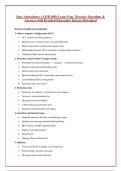
EXAM COVERAGE SUMMARY
1. Order Composer Configuration (OCC)
OCC contexts and their purposes
Display items, summary items, and controlled items
Referral procedures and dynamic display items
Relationship between OCC, procedures, and procedure categories
Additional Order Details functionality
2. Procedure and Procedure Category Setup
Procedure hierarchy (Procedure → Category → System Definitions)
Buttons configuration and display rules
Default order class and status
Question linking (LQL) at procedure and category levels
Lab and Result Entry configuration
Specimen types and sources
3. Preference Lists
Preference List Editor vs. Preference List Composer
System vs. user preference lists
Hierarchy levels and linking
CAM medication preference lists
Database tab functionality and hiding
4. SmartSets and SmartGroups
SmartSet structure (Sections, SmartGroups, Items)
Building and releasing SmartSets/SmartGroups
BPA Criteria and BPA SmartSet Base
Express Lane functionality
Order Panels
Therapy Plans and Protocols
5. InBasket
Classes and Pools (Category Lists, Registries)
Pool messages and class messages
Message routing and assignment
, Pool member management
InBasket class setup and EMP 450
6. Flowsheets and Synopsis
Flowsheet row types (Data, Custom Formula, Group)
Value types and trending options
Synopsis View components (Grid, Graph, Timeline)
FSH, LPG, and LRP build processes
Profile configuration for synopsis
7. Order Transmittal
IF-THEN rules and directives (Do, Set, Send)
Rule hierarchy and nesting
Destination descriptors and resolution
Destination maps and OTGs
Error pools
8. Results Routing
Criteria evaluation and row logic
Routing hierarchy (Provider → Department → System Definitions)
Result routing schemes
In Basket recipients
9. Health Maintenance (HM)
HM Topics (Normal, Seasonal, Sequential)
Timing, frequency, and due calculations
HM Plans and patient criteria
Reporting and notifications
10. Immunizations
LIM records and linking to procedures
LQL questions for immunizations
Historical immunization documentation
State reporting integration
11. Navigators and Express Lanes
VCN configuration
Navigator template setup
Flowsheet integration
Express Lane SmartSets
,12. Medication Management
Medication hierarchy
Dispense vs. Administration vs. Order units
Clinic-administered medications
Exceptional medications
SECTION 1: (50 Questions)
1. A physician wants to hide the CLASS field in the order composer for a specific lab test to
prevent users from changing the default class. What is the correct approach?
A) Delete the CLASS field from the procedure record
B) Create an OCC record that does not include CLASS as a display item and link it to the procedure
C) Set CLASS as a controlled item with hard stop
D) Remove CLASS from the allowed order classes section
E) Set the procedure as non-orderable
Answer: B
Creating an OCC record without CLASS as a display item and linking it to the procedure prevents the
field from appearing, while allowing the default class to remain active. The other options either break
functionality or don't properly hide the field.
2. When users order an iron assay linked to a procedure category with two CLASS buttons,
four CLASS buttons display instead. What explains this behavior?
A) The iron assay procedure category has an override that multiplies buttons
B) The system searches using procedure hierarchy and finds four buttons defined in the iron assay
procedure record
C) The CLASS field is set to allow unlimited values
D) Users have personal preferences that override category settings
E) The buttons are duplicated due to a system bug
Answer: B
The system checks the procedure record first (most specific level) for button definitions. Since the iron
assay has its own CLASS buttons defined, those appear instead of the category-level buttons. This
demonstrates the procedure hierarchy precedence.
, 3. A diagnostic imaging procedure has a question "Is the patient pregnant?" that appears for all
patients, including males. What is the most likely setup error?
A) The question was linked at the wrong hierarchy level
B) The linked question record should have been limited to females of appropriate age
C) The question was configured as a hard stop instead of a prompt
D) The procedure category has incorrect default settings
E) The OCC record does not specify gender restrictions
Answer: B
Question records can be restricted by patient age and sex. If the pregnancy question appears for all
patients, the administrator failed to set appropriate gender restrictions (female only) and likely age
restrictions in the question record setup.
4. Which context is OCC used in for ambulatory settings?
A) Inpatient Only
B) Ambulatory Context
C) Emergency Department Context
D) Surgical Context
E) Both A and C
Answer: B
OCC records are specifically designed for the Ambulatory Context. While other contexts exist for
different settings, the ambulatory context is the primary one for outpatient order configuration.
5. What does the term "Controlled" refer to in the context of OCC records?
A) Items that are locked from editing
B) The specification of whether a field should be required or recommended
C) Items controlled by regulatory requirements
D) Fields controlled by the system automatically
E) Patient-controlled items
Answer: B
The Controlled designation in OCC records determines if a field is required (hard stop),
recommended (yield), or neither. This controls how the system enforces documentation of specific
display items.
1. Order Composer Configuration (OCC)
OCC contexts and their purposes
Display items, summary items, and controlled items
Referral procedures and dynamic display items
Relationship between OCC, procedures, and procedure categories
Additional Order Details functionality
2. Procedure and Procedure Category Setup
Procedure hierarchy (Procedure → Category → System Definitions)
Buttons configuration and display rules
Default order class and status
Question linking (LQL) at procedure and category levels
Lab and Result Entry configuration
Specimen types and sources
3. Preference Lists
Preference List Editor vs. Preference List Composer
System vs. user preference lists
Hierarchy levels and linking
CAM medication preference lists
Database tab functionality and hiding
4. SmartSets and SmartGroups
SmartSet structure (Sections, SmartGroups, Items)
Building and releasing SmartSets/SmartGroups
BPA Criteria and BPA SmartSet Base
Express Lane functionality
Order Panels
Therapy Plans and Protocols
5. InBasket
Classes and Pools (Category Lists, Registries)
Pool messages and class messages
Message routing and assignment
, Pool member management
InBasket class setup and EMP 450
6. Flowsheets and Synopsis
Flowsheet row types (Data, Custom Formula, Group)
Value types and trending options
Synopsis View components (Grid, Graph, Timeline)
FSH, LPG, and LRP build processes
Profile configuration for synopsis
7. Order Transmittal
IF-THEN rules and directives (Do, Set, Send)
Rule hierarchy and nesting
Destination descriptors and resolution
Destination maps and OTGs
Error pools
8. Results Routing
Criteria evaluation and row logic
Routing hierarchy (Provider → Department → System Definitions)
Result routing schemes
In Basket recipients
9. Health Maintenance (HM)
HM Topics (Normal, Seasonal, Sequential)
Timing, frequency, and due calculations
HM Plans and patient criteria
Reporting and notifications
10. Immunizations
LIM records and linking to procedures
LQL questions for immunizations
Historical immunization documentation
State reporting integration
11. Navigators and Express Lanes
VCN configuration
Navigator template setup
Flowsheet integration
Express Lane SmartSets
,12. Medication Management
Medication hierarchy
Dispense vs. Administration vs. Order units
Clinic-administered medications
Exceptional medications
SECTION 1: (50 Questions)
1. A physician wants to hide the CLASS field in the order composer for a specific lab test to
prevent users from changing the default class. What is the correct approach?
A) Delete the CLASS field from the procedure record
B) Create an OCC record that does not include CLASS as a display item and link it to the procedure
C) Set CLASS as a controlled item with hard stop
D) Remove CLASS from the allowed order classes section
E) Set the procedure as non-orderable
Answer: B
Creating an OCC record without CLASS as a display item and linking it to the procedure prevents the
field from appearing, while allowing the default class to remain active. The other options either break
functionality or don't properly hide the field.
2. When users order an iron assay linked to a procedure category with two CLASS buttons,
four CLASS buttons display instead. What explains this behavior?
A) The iron assay procedure category has an override that multiplies buttons
B) The system searches using procedure hierarchy and finds four buttons defined in the iron assay
procedure record
C) The CLASS field is set to allow unlimited values
D) Users have personal preferences that override category settings
E) The buttons are duplicated due to a system bug
Answer: B
The system checks the procedure record first (most specific level) for button definitions. Since the iron
assay has its own CLASS buttons defined, those appear instead of the category-level buttons. This
demonstrates the procedure hierarchy precedence.
, 3. A diagnostic imaging procedure has a question "Is the patient pregnant?" that appears for all
patients, including males. What is the most likely setup error?
A) The question was linked at the wrong hierarchy level
B) The linked question record should have been limited to females of appropriate age
C) The question was configured as a hard stop instead of a prompt
D) The procedure category has incorrect default settings
E) The OCC record does not specify gender restrictions
Answer: B
Question records can be restricted by patient age and sex. If the pregnancy question appears for all
patients, the administrator failed to set appropriate gender restrictions (female only) and likely age
restrictions in the question record setup.
4. Which context is OCC used in for ambulatory settings?
A) Inpatient Only
B) Ambulatory Context
C) Emergency Department Context
D) Surgical Context
E) Both A and C
Answer: B
OCC records are specifically designed for the Ambulatory Context. While other contexts exist for
different settings, the ambulatory context is the primary one for outpatient order configuration.
5. What does the term "Controlled" refer to in the context of OCC records?
A) Items that are locked from editing
B) The specification of whether a field should be required or recommended
C) Items controlled by regulatory requirements
D) Fields controlled by the system automatically
E) Patient-controlled items
Answer: B
The Controlled designation in OCC records determines if a field is required (hard stop),
recommended (yield), or neither. This controls how the system enforces documentation of specific
display items.


