
• Wrong document? Swap it for free
  • Written by students who passed
  • Immediately available after payment
  • Read online or as PDF
Sell
Where do you study
Your language
Start selling Create your account
Document preview thumbnail
Preview 2 out of 6 pages
Exam (elaborations)

DAD 220 Lab 3_2 – Complete Lab Assignment PDF | Database & Documentation Guide

Document preview thumbnail
Preview 2 out of 6 pages

Complete your DAD 220 Lab 3_2 efficiently with this comprehensive PDF guide. Perfect for students, instructors, and IT learners, this resource provides step-by-step instructions, practical exercises, and database documentation guidance to successfully finish lab assignments. Key benefits: Complete DAD 220 Lab 3_2 PDF with structured lab exercises Includes database design, ER diagrams, and project documentation guidance Ideal for assignment preparation, self-study, and reference Helps with database modeling, relational schema creation, and lab report completion Fully formatted PDF for easy reading, editing, and submission This guide helps students understand key database concepts, complete lab tasks accurately, and improve performance in DAD 220. Master DAD 220 Lab 3_2 with this verified PDF lab guide.

Content preview

@2027// Q&A | 100% Verified Start your exams prepared! solutions.


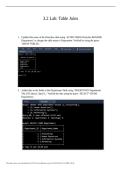
3.2 Lab: Table Joins


1. Updated the name of the Branches table using ‘ALTER TABLE Branches RENAME
Department;’ to change the table name to Department. Verified by using the query
‘SHOW TABLES;.’


2. Added data to the fields in the Department Table using ‘INSERT INTO Department
VALUES (data1,’data2’);.’ Verified the data using the query ‘SELECT* FROM
Department;.’


This study source was downloaded by 1827175 from cliffsnotes.com on 01-08-2026 20:33:32 GMT -06:00

1 09/01/2026
https://www.cliffsnotes.com//study-notes/3690030

, @2027// Q&A | 100% Verified Start your exams prepared! solutions.


3. Now, perform joins between the Department and Employee tables and show
results for how many employees work in each one of the four departments. This will
only provide information on the records that are already there.

a. Department 1 = Accounting

i. Command: SELECT First_Name, Last_Name,
Department.Department_Name FROM Employee INNER JOIN
Department ON Employee.Department_ID = Department.Department_ID
WHERE Employee.Department_ID = 1;
b. Using SELECT statements similar to the one above, perform joins to produce
results for the following tables:

i. Department 2 = Human Resources
ii. Department 3 = Information Systems
iii. Department 4 = Marketing
c. Capture the results of these joins and validate your work by providing a
screenshot. You should have the same number of records as you do employees.


This study source was downloaded by 1827175 from cliffsnotes.com on 01-08-2026 20:33:32 GMT -06:00

2 09/01/2026
https://www.cliffsnotes.com//study-notes/3690030

Document information

Uploaded on
January 11, 2026
Number of pages
6
Written in
2025/2026
Type
Exam (elaborations)
Contains
Questions & answers
£10.20

Wrong document? Swap it for free Within 14 days of purchase and before downloading, you can choose a different document. You can simply spend the amount again.
Written by students who passed
Immediately available after payment
Read online or as PDF

Seller avatar
Reputation scores are based on the amount of documents a seller has sold for a fee and the reviews they have received for those documents. There are three levels: Bronze, Silver and Gold. The better the reputation, the more your can rely on the quality of the sellers work.
AnswersCOM
3.6
(238)
Sold
1441
Followers
356
Items
27228
Last sold
6 days ago


Why students choose Stuvia

Created by fellow students, verified by reviews

Quality you can trust: written by students who passed their exams and reviewed by others who've used these revision notes.

Didn't get what you expected? Choose another document

No problem! You can straightaway pick a different document that better suits what you're after.

Pay as you like, start learning straight away

No subscription, no commitments. Pay the way you're used to via credit card and download your PDF document instantly.

Student with book image

“Bought, downloaded, and smashed it. It really can be that simple.”

Alisha Student

Working on your references?

Create accurate citations in APA, MLA and Harvard with our free citation generator.

Working on your references?

Frequently asked questions

