LU 2: The Machines Behind Computing
Computer Systems
A computer is any machine that:
Accepts data as input
Processes data using pre-written instructions
Provides information as output
Processing is done without human intervention
Instructions come from programs (source code) installed on the computer
Programs are written in specific programming languages
The choice of language depends on:
The problem to solve
The type of computer used
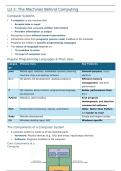
Popular Programming Languages & Their Uses
Langua Primary Uses Key Features
ge
Java Mobile apps, websites, embedded systems (washing General-purpose, cross-
machine chip) and desktop software platform
C++ 3D games, OS development, desktop programs Efficient memory
management, real-time
performance
C OS creation, device drivers, programming language Better performance than
development C++
Python Websites, data handling Fast program
development, not ideal for
commercial software
Perl Text/number processing, reports, automation Older, faster than Python,
but harder to read
Ruby Website development Simple and elegant syntax
C# Windows desktop apps, ASP. Windows-specific
The Components of a Computer System
A computer system is made up of two essential parts:
Hardware: Physical devices (e.g., CPU, disk drives, input/output devices)
Software: Programs installed on the computer
Core Components of a
Computer
Page 1 of 14
, Component Function
Input Devices Hardware device used to send data to the computer
(keyboard, mouse)
Main Memory (Primary Temporarily stores data and instructions
Memory)
CPU (Central Processing Processes data; the "brain" of the computer
Unit)
Output Devices Present results to the user (e.g., monitor, printer)
Secondary Storage Stores data long-term (e.g., hard drives, SSDs)
Inside the CPU
Arithmetic Logic Unit (ALU): Performs arithmetic operations and logic comparisons
Control Unit: Tells computer what to do, determines which device to read from or send output
to
Additional Hardware Components
Compone Function
nt
Disk Record, store and retrieve information
Drives
CPU Case Houses computer’s main components (aka chassis or tower)
Motherbo Main circuit board; holds CPU, BIOS, memory, storage, interfaces, ports, slots,
ard and controllers
System Performance Factors
Number and size of processors
More processors = improved processing power, thus, increased processing speed
(called multiprocessing) Dual-core: 2 cores
Processor Size: Quad-core: 4 cores
64-bit processors handle more data and are faster than 32-bit Hexa-core: 6 cores
Essential for tasks like gaming and data-heavy applications Octa-core: 8 cores
Bus Component
Link between devices connected to a computer
Enables data to be transferred from CPU to various hardware devices connected to the
computer
The more data carried by a bus = faster data transfer = improved performance
The Power of Computers
Computers are so powerful because they outperform humans in :speed, accuracy, and storage &
retrieval
Page 2 of 14
Computer Systems
A computer is any machine that:
Accepts data as input
Processes data using pre-written instructions
Provides information as output
Processing is done without human intervention
Instructions come from programs (source code) installed on the computer
Programs are written in specific programming languages
The choice of language depends on:
The problem to solve
The type of computer used
Popular Programming Languages & Their Uses
Langua Primary Uses Key Features
ge
Java Mobile apps, websites, embedded systems (washing General-purpose, cross-
machine chip) and desktop software platform
C++ 3D games, OS development, desktop programs Efficient memory
management, real-time
performance
C OS creation, device drivers, programming language Better performance than
development C++
Python Websites, data handling Fast program
development, not ideal for
commercial software
Perl Text/number processing, reports, automation Older, faster than Python,
but harder to read
Ruby Website development Simple and elegant syntax
C# Windows desktop apps, ASP. Windows-specific
The Components of a Computer System
A computer system is made up of two essential parts:
Hardware: Physical devices (e.g., CPU, disk drives, input/output devices)
Software: Programs installed on the computer
Core Components of a
Computer
Page 1 of 14
, Component Function
Input Devices Hardware device used to send data to the computer
(keyboard, mouse)
Main Memory (Primary Temporarily stores data and instructions
Memory)
CPU (Central Processing Processes data; the "brain" of the computer
Unit)
Output Devices Present results to the user (e.g., monitor, printer)
Secondary Storage Stores data long-term (e.g., hard drives, SSDs)
Inside the CPU
Arithmetic Logic Unit (ALU): Performs arithmetic operations and logic comparisons
Control Unit: Tells computer what to do, determines which device to read from or send output
to
Additional Hardware Components
Compone Function
nt
Disk Record, store and retrieve information
Drives
CPU Case Houses computer’s main components (aka chassis or tower)
Motherbo Main circuit board; holds CPU, BIOS, memory, storage, interfaces, ports, slots,
ard and controllers
System Performance Factors
Number and size of processors
More processors = improved processing power, thus, increased processing speed
(called multiprocessing) Dual-core: 2 cores
Processor Size: Quad-core: 4 cores
64-bit processors handle more data and are faster than 32-bit Hexa-core: 6 cores
Essential for tasks like gaming and data-heavy applications Octa-core: 8 cores
Bus Component
Link between devices connected to a computer
Enables data to be transferred from CPU to various hardware devices connected to the
computer
The more data carried by a bus = faster data transfer = improved performance
The Power of Computers
Computers are so powerful because they outperform humans in :speed, accuracy, and storage &
retrieval
Page 2 of 14