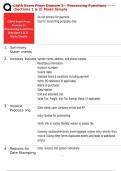
CAPA Exam Prep: Domain 2 – Processing Functions
(Sections 1 & 2) Made Simple
Do not process for payment
Use for reconciling purposes only
1. Summary
State- ments
2. Invoices Include Vendor name, address, and phone number
Remittance information
Invoice number
Invoice date
Standard terms & conditions, including payment
terms PO reference (if applicable)
Name of purchaser
Description
Unit and extended cost
Sales Tax, Freight, and Tax Exempt status (if applicable)
3. Invoice Date stamp upon company arrival and AP
Process- ing
entry Queue for processing
Verify info in master file/Add vendor to master file
Scanning solutions/electronic invoicing/paper system entry directly from
invoice. (Using other forms duplicates ettorts and leads to additional
errors)
4. Reasons for Enter invoices into system individually.
Date Stamping
, CAPA Exam Prep: Domain 2 – Processing Functions
(Sections 1 & 2) Made Simple
Solve where problems occur are not creating delay, then coordi- nate with procurement department
in the paying of invoices on to bring issue to vendor.
time
~ If arrives to firm in timely manner: Clearly lies within firm. Perform
~ AP need to make reviews or processing, gather necessary details to bring forth to relevant
certain internal operations parties and correct.
5. * Reduce processing errors, time eflciency & more accessibility to firm.
, CAPA Exam Prep: Domain 2 – Processing Functions
(Sections 1 & 2) Made Simple
Electronic pro-
cessing
6. Routing AP > Procurement Department Routing > Review &
Approval/Disapproval via "OK to Pay" Signature
7. Electronic/ *Cheaper, quicker
Web
*Streamline processes
Invoicing
*Audit trail
Vendors electronically submit invoices, automatically match to
purchasing/receiv- ing info > electronically routed to managers for
approval > system notifies vendors when approved > allows authorized
users to check status of invoice and scheduled payment date.
8. Imaging/ Imaging: Comprehensive Capture, storage, retrieval, and management of
Work- digitized paper documents and/or computer generated data files onto
flow/Archivin electronic medial.
g Solutions
>documents fed into scanner = digitize and index for retrieval > data
entry into imaging system = vendor name, PO, Account Number/Cost
Center, invoice date, invoice amount, and handling instructions
9. Reasons for *Eliminate reams of paper & physical storage necessary
Im- age *Incorporates document management, facsimile, forms processing, text
Document search & retrieval, indexing, archiving, and Optical Character
Archives Recognition.
*Improved accuracy
*Reduced damaged or lost document concerns
*Travel & entertainment expense reports and receipt
*P-card statements and receipts
*Check registers
*Batches by process date
(Sections 1 & 2) Made Simple
Do not process for payment
Use for reconciling purposes only
1. Summary
State- ments
2. Invoices Include Vendor name, address, and phone number
Remittance information
Invoice number
Invoice date
Standard terms & conditions, including payment
terms PO reference (if applicable)
Name of purchaser
Description
Unit and extended cost
Sales Tax, Freight, and Tax Exempt status (if applicable)
3. Invoice Date stamp upon company arrival and AP
Process- ing
entry Queue for processing
Verify info in master file/Add vendor to master file
Scanning solutions/electronic invoicing/paper system entry directly from
invoice. (Using other forms duplicates ettorts and leads to additional
errors)
4. Reasons for Enter invoices into system individually.
Date Stamping
, CAPA Exam Prep: Domain 2 – Processing Functions
(Sections 1 & 2) Made Simple
Solve where problems occur are not creating delay, then coordi- nate with procurement department
in the paying of invoices on to bring issue to vendor.
time
~ If arrives to firm in timely manner: Clearly lies within firm. Perform
~ AP need to make reviews or processing, gather necessary details to bring forth to relevant
certain internal operations parties and correct.
5. * Reduce processing errors, time eflciency & more accessibility to firm.
, CAPA Exam Prep: Domain 2 – Processing Functions
(Sections 1 & 2) Made Simple
Electronic pro-
cessing
6. Routing AP > Procurement Department Routing > Review &
Approval/Disapproval via "OK to Pay" Signature
7. Electronic/ *Cheaper, quicker
Web
*Streamline processes
Invoicing
*Audit trail
Vendors electronically submit invoices, automatically match to
purchasing/receiv- ing info > electronically routed to managers for
approval > system notifies vendors when approved > allows authorized
users to check status of invoice and scheduled payment date.
8. Imaging/ Imaging: Comprehensive Capture, storage, retrieval, and management of
Work- digitized paper documents and/or computer generated data files onto
flow/Archivin electronic medial.
g Solutions
>documents fed into scanner = digitize and index for retrieval > data
entry into imaging system = vendor name, PO, Account Number/Cost
Center, invoice date, invoice amount, and handling instructions
9. Reasons for *Eliminate reams of paper & physical storage necessary
Im- age *Incorporates document management, facsimile, forms processing, text
Document search & retrieval, indexing, archiving, and Optical Character
Archives Recognition.
*Improved accuracy
*Reduced damaged or lost document concerns
*Travel & entertainment expense reports and receipt
*P-card statements and receipts
*Check registers
*Batches by process date