
ELITE TUTORING
C++ Basic Input/Output
In this topic, we will learn to use the cin object to take input from the user, and
the cout object to display output to the user with the help of examples.
C++ Output
In C++, cout sends formatted output to standard output devices, such as the
screen. We use the cout object along with the << operator for displaying output.
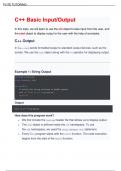
Example 1: String Output
#include <iostream>
using namespace std;
int main() {
// prints the string enclosed in double quotes
cout << "This is C++ Programming";
return 0;
}
Output
This is C++ Programming
How does this program work?
• We first include the iostream header file that allows us to display output.
• The cout object is defined inside the std namespace. To use
the std namespace, we used the using namespace std; statement.
• Every C++ program starts with the main() function. The code execution
begins from the start of the main() function.
, ELITE TUTORING
• cout is an object that prints the string inside quotation marks " ". It is
followed by the << operator.
• return 0; is the "exit status" of the main() function. The program ends with
this statement, however, this statement is not mandatory.
Note: If we don't include the using namespace std; statement, we need to
use std::cout instead of cout .
This is the preferred method as using the std namespace can create potential
problems.
However, we have used the std namespace in order to make the codes more
readable.
#include <iostream>
int main() {
// prints the string enclosed in double quotes
std::cout << "This is C++ Programming";
return 0;
}
Example 2: Numbers and Characters Output
To print the numbers and character variables, we use the same cout object but
without using quotation marks.
#include <iostream>
using namespace std;
int main() {
int num1 = 70;
double num2 = 256.783;
char ch = 'A';
cout << num1 << endl; // print integer
C++ Basic Input/Output
In this topic, we will learn to use the cin object to take input from the user, and
the cout object to display output to the user with the help of examples.
C++ Output
In C++, cout sends formatted output to standard output devices, such as the
screen. We use the cout object along with the << operator for displaying output.
Example 1: String Output
#include <iostream>
using namespace std;
int main() {
// prints the string enclosed in double quotes
cout << "This is C++ Programming";
return 0;
}
Output
This is C++ Programming
How does this program work?
• We first include the iostream header file that allows us to display output.
• The cout object is defined inside the std namespace. To use
the std namespace, we used the using namespace std; statement.
• Every C++ program starts with the main() function. The code execution
begins from the start of the main() function.
, ELITE TUTORING
• cout is an object that prints the string inside quotation marks " ". It is
followed by the << operator.
• return 0; is the "exit status" of the main() function. The program ends with
this statement, however, this statement is not mandatory.
Note: If we don't include the using namespace std; statement, we need to
use std::cout instead of cout .
This is the preferred method as using the std namespace can create potential
problems.
However, we have used the std namespace in order to make the codes more
readable.
#include <iostream>
int main() {
// prints the string enclosed in double quotes
std::cout << "This is C++ Programming";
return 0;
}
Example 2: Numbers and Characters Output
To print the numbers and character variables, we use the same cout object but
without using quotation marks.
#include <iostream>
using namespace std;
int main() {
int num1 = 70;
double num2 = 256.783;
char ch = 'A';
cout << num1 << endl; // print integer

