
Basic Network Commands WGU C172
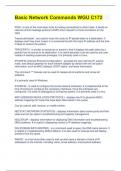
PING - is one of the most basic tools for testing connectivity to other hosts. It sends an internet control message protocol (ICMP) echo request to a host and listens for the reply Traceroute/tracert - are used to trace the route an IP packet takes to a destination. It displays each hop (next router) in a numerical list with the hop's IP address and the time it takes to receive the packet. TRACEPATH - is similar to traceroute or tracert in that it displays the path taken by a packet from its source to its destination. It is useful because it can be used by any user instead of needing superuser privileges. It is primarily used in Linux. IPCONFIG (Internet Protocol Configuration) - provides the user with the IP, subnet mask, and default gateway for each network adapter by default with the /all option information, such as MAC address, DHCP status, and lease information. The command ***/release can be used to release all connections and renew all adapters. It is primarily used in Windows. IFCONFIG - is used to configure the kernel network interfaces. It is implemented at the time of booting to configure the necessary interfaces. Once the interfaces are configured, it is used for debugging or tuning the system. It is primarily used in Linux. ARP (ADDRESS RESOLUTION PROTOCOL) - displays the IP to physical (MAC) address mappings for hosts that have been discovered in the cache. Can be used to add, remove, or modify entries. NETSTAT (NETWORK STATISTICS) - displays information about active ports and their state and can be useful in troubleshooting and capacity management NSLOOKUP - displays information for displaying DNS information and troubleshooting DNS problems. It is useful in displaying names to IP address mappings. DIG (DOMAIN INFO GROPER) - is a command used to query the DNS name servers. It is helpful in troubleshooting DNS problems. It is also used for lookups and will display answers from the query. WHOIS - is a tool most often used to look up who owns a domain or block of IP addresses on the internet, including name, email address, and physical address.
Información del documento
- Subido en
- 25 de diciembre de 2023
- Número de páginas
- 2
- Escrito en
- 2023/2024
- Tipo
- Examen
- Contiene
- Preguntas y respuestas

