
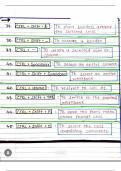
*6. Version Control:** - If you're using version control systems like Git: - **Ctrl + Shift + K / Cmd + Shift + K:** Commit changes. - **Ctrl + Alt + Z / Cmd + Alt + Z:** Revert changes.
Certainly! Programmers often use various keyboard shortcuts to increase their efficiency and speed when working with code and development tools. Below are some commonly used shortcut keys for programmers: **1. General Text Editing:** - **Ctrl + C / Cmd + C:** Copy selected text. - **Ctrl + X / Cmd + X:** Cut selected text. - **Ctrl + V / Cmd + V:** Paste copied or cut text. - **Ctrl + Z / Cmd + Z:** Undo the last action. - **Ctrl + Y / Cmd + Y:** Redo the last undone action. - **Ctrl + F / Cmd + F:** Find text in the document. - **Ctrl + S / Cmd + S:** Save the current file. **2. Navigation:** - **Ctrl + Home / Cmd + Up Arrow:** Move to the beginning of the document. - **Ctrl + End / Cmd + Down Arrow:** Move to the end of the document. - **Ctrl + Left Arrow / Cmd + Left Arrow:** Move to the beginning of a line. - **Ctrl + Right Arrow / Cmd + Right Arrow:** Move to the end of a line. **3. Code Editing:** - **Ctrl + Space:** Trigger code auto-completion. - **Ctrl + Shift + L / Cmd + Shift + L:** Split or join lines. - **Ctrl + / / Cmd + /:** Comment or uncomment selected lines. - **Ctrl + D / Cmd + D:** Duplicate the current line or selection. - **Ctrl + Shift + Up Arrow / Cmd + Shift + Up Arrow:** Move the current line or selection up. - **Ctrl + Shift + Down Arrow / Cmd + Shift + Down Arrow:** Move the current line or selection down. **4. Code Navigation:** - **Ctrl + Click / Cmd + Click:** Navigate to the definition of a variable or function. - **Ctrl + Alt + Left Arrow / Cmd + Option + Left Arrow:** Navigate back to the previous cursor location. - **Ctrl + Alt + Right Arrow / Cmd + Option + Right Arrow:** Navigate forward to the next cursor location. **5. Integrated Development Environment (IDE) Shortcuts:** - IDEs like Visual Studio Code, IntelliJ, and Eclipse have additional shortcuts specific to their features. For example, opening a terminal, running code, debugging, etc. * These shortcuts can vary depending on the programming environment and the specific tools you are using. It's beneficial to learn the shortcuts relevant to the programming language and IDE you are working with to enhance your productivity.
Información del documento
- Subido en
- 13 de diciembre de 2023
- Número de páginas
- 3
- Escrito en
- 2023/2024
- Tipo
- Notas de lectura
- Profesor(es)
- James
- Contiene
- Todas las clases

