

FORMATIVE ASSESSMENT: LESSON 1
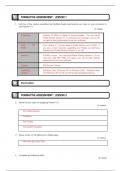
1. List four of the system properties that Softline Pastel recommends you have on your computer to
use Partner V11.
(4 marks)
Computer Pentium IV 2GHz or higher is recommended. You can install
Pastel Partner Version 11 on a Pentium III computer, but you will
not get the best performance from your software.
DVD / CD From version 11, all new sales of Pastel Partner are on DVD. If
ROM you are a cover customer upgrading your Pastel, you will have
received your Pastel Partner Version 11 on CD.
Memory 512MB or more. You can install Pastel Partner Version 11 if you
only have 256 MB RAM, but again, you will not get optimal
performance from your software.
Screen 256 Screen Colours
Operating Windows Vista, Windows XP or Windows 2000. Windows Vista
System and Windows XP are the recommended operating systems.
End of Lesson.
(4
MARKS)
FORMATIVE ASSESSMENT: LESSON 2
2. Name the four ways of navigating Partner V11.
(4 marks)
The Pastel Explorer
The Menu
The Toolbar
The System Navigator
3. Name a links on the Welcome to Pastel page.
(3 marks)
More info about iron Tree
4. Complete the following table:
(6 marks)
, Function Key Operation
F4 Price search facility
F2 Open the note facility
F9 Open the calculator
F1 Help
F5 Zoom for a record. This opens a Zoom screen from which you can perform
various record editing and enquiry functions.
F6 Add a record
5. What instruction would you use to see your registered serial number and the build version of your
Partner package?
(2 marks)
Click on Help…About. The serial number and version/build number are displayed on the
screen.
Press ALT + H, arrow down to About and Enter.
6. Mark the statements below as either True or False by ticking the correct box.
(5 marks)
Question True False
Only users with supervisor access levels are able to use the
T
change menu.
You can export the information in the Pastel Explorer to MS
T
Excel.
Pastel charges you to reregister your package annually. F
If you customise your Pastel Explorer, anyone who uses your
computer but logs in with their own username and password will T
see your customised screen.
There is no icon on the toolbar for processing a bank
F
reconciliation.
End of Lesson.
(20 marks)
FORMATIVE ASSESSMENT: LESSON 3
1. List four of the system properties that Softline Pastel recommends you have on your computer to
use Partner V11.
(4 marks)
Computer Pentium IV 2GHz or higher is recommended. You can install
Pastel Partner Version 11 on a Pentium III computer, but you will
not get the best performance from your software.
DVD / CD From version 11, all new sales of Pastel Partner are on DVD. If
ROM you are a cover customer upgrading your Pastel, you will have
received your Pastel Partner Version 11 on CD.
Memory 512MB or more. You can install Pastel Partner Version 11 if you
only have 256 MB RAM, but again, you will not get optimal
performance from your software.
Screen 256 Screen Colours
Operating Windows Vista, Windows XP or Windows 2000. Windows Vista
System and Windows XP are the recommended operating systems.
End of Lesson.
(4
MARKS)
FORMATIVE ASSESSMENT: LESSON 2
2. Name the four ways of navigating Partner V11.
(4 marks)
The Pastel Explorer
The Menu
The Toolbar
The System Navigator
3. Name a links on the Welcome to Pastel page.
(3 marks)
More info about iron Tree
4. Complete the following table:
(6 marks)
, Function Key Operation
F4 Price search facility
F2 Open the note facility
F9 Open the calculator
F1 Help
F5 Zoom for a record. This opens a Zoom screen from which you can perform
various record editing and enquiry functions.
F6 Add a record
5. What instruction would you use to see your registered serial number and the build version of your
Partner package?
(2 marks)
Click on Help…About. The serial number and version/build number are displayed on the
screen.
Press ALT + H, arrow down to About and Enter.
6. Mark the statements below as either True or False by ticking the correct box.
(5 marks)
Question True False
Only users with supervisor access levels are able to use the
T
change menu.
You can export the information in the Pastel Explorer to MS
T
Excel.
Pastel charges you to reregister your package annually. F
If you customise your Pastel Explorer, anyone who uses your
computer but logs in with their own username and password will T
see your customised screen.
There is no icon on the toolbar for processing a bank
F
reconciliation.
End of Lesson.
(20 marks)
FORMATIVE ASSESSMENT: LESSON 3

