

Ex : printf(“ hello “);-> hello
printf(“a”); -> a
printf(“%d”, a); -> a value
printf(“%d”); -> no display
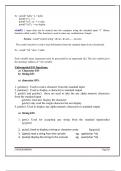
scanf() : input data can be entered into the computer using the standard input „C‟ library
function called scanf(). This function is used to enter any combination of input.
Syntax : scanf(“control string “,&var1, &var2,----, &varn);
The scanf() function is used to read information from the standard input device (keyboard).
Ex : scanf(“ %d “,&a);-> hello
Each variable name (argument) must be preceeded by an ampersand (&). The (&) symbol gives
the meaning “address of “ the variable.
Unformatted I/O functions:
a) Character I/O
b) String I/O
a) character I/O:
1. getchar(): Used to read a character from the standard input
2. putchar(): Used to display a character to standard output
3. getch() and getche(): these are used to take the any alpha numeric characters
from the standard input
getche() read and display the character
getch() only read the single character but not display
4. putch(): Used to display any alpha numeric characters to standard output
a) String I/O:
1. gets(): Used for accepting any string from the standard input(stdin)
eg:gets()
2. puts(): Used to display a string or character array Eg:puts()
3. Cgets():read a string from the console eg; cgets(char *st)
4. Cputs():display the string to the console eg; cputs(char *st)
C PROGRAMMING Page 30
,OPERATORS AND EXPRESSIONS:
Operators : An operator is a Symbol that performs an operation. An operators acts some
variables are called operands to get the desired result.
Ex : a+b;
Where a,b are operands and + is the operator.
Types of Operator :
1) Arithmetic Operators.
2) Relational Operators.
3) Logical Operators.
4) Assignment Operators.
5). Unary Operators.
6) Conditional Operators.
7) Special Operators.
8) Bitwise Operators.
9) Shift Operators.
Arithmetic Operators
An arithmetic operator performs mathematical operations such as addition, subtraction and
multiplication on numerical values (constants and variables).
C Program to demonstrate the working of arithmetic operators
#include <stdio.h>
void main()
{
int a = 9,b = 4, c;
c = a+b;
printf("a+b = %d \n",c);
c = a-b;
printf("a-b = %d \n",c);
c = a*b;
printf("a*b = %d \n",c);
c=a/b;
printf("a/b = %d \n",c);
c=a%b;
printf("Remainder when a divided by b = %d \n",c);
}
C PROGRAMMING Page 31
,Output
a+b = 13
a-b = 5
a*b = 36
a/b = 2
Remainder when a divided by b=1
Relational Operators. A relational operator checks the relationship between two operands.
If the relation is true, it returns 1; if the relation is false, it returns value 0.
Operands may be variables, constants or expressions.
Relational operators are used in decision making and loops.
Operator Meaning Example Return value
< is less than 2<9 1
<= is less than or equal to 2<=2 1
> is greater than 2>9 0
>= is greater than or equal to 3>=2 1
== is equal to 2==3 0
!= is not equal to 2!=2 0
// C Program to demonstrate the working of relational operators
#include <stdio.h>
int main()
{
int a = 5, b = 5, c = 10;
printf("%d == %d = %d \n", a, b, a == b); // true
printf("%d == %d = %d \n", a, c, a == c); // false
printf("%d > %d = %d \n", a, b, a > b); //false
printf("%d > %d = %d \n", a, c, a > c); //false
C PROGRAMMING Page 32
, printf("%d < %d = %d \n", a, b, a < b); //false
printf("%d < %d = %d \n", a, c, a < c); //true
printf("%d != %d = %d \n", a, b, a != b); //false
printf("%d != %d = %d \n", a, c, a != c); //true
printf("%d >= %d = %d \n", a, b, a >= b); //true
printf("%d >= %d = %d \n", a, c, a >= c); //false
printf("%d <= %d = %d \n", a, b, a <= b); //true
printf("%d <= %d = %d \n", a, c, a <= c); //true
return 0;
}
Output
5 == 5 = 1
5 == 10 = 0
5>5=0
5 > 10 = 0
5<5=0
5 < 10 = 1
5 != 5 = 0
5 != 10 = 1
5 >= 5 = 1
5 >= 10 = 0
C PROGRAMMING Page 33
printf(“a”); -> a
printf(“%d”, a); -> a value
printf(“%d”); -> no display
scanf() : input data can be entered into the computer using the standard input „C‟ library
function called scanf(). This function is used to enter any combination of input.
Syntax : scanf(“control string “,&var1, &var2,----, &varn);
The scanf() function is used to read information from the standard input device (keyboard).
Ex : scanf(“ %d “,&a);-> hello
Each variable name (argument) must be preceeded by an ampersand (&). The (&) symbol gives
the meaning “address of “ the variable.
Unformatted I/O functions:
a) Character I/O
b) String I/O
a) character I/O:
1. getchar(): Used to read a character from the standard input
2. putchar(): Used to display a character to standard output
3. getch() and getche(): these are used to take the any alpha numeric characters
from the standard input
getche() read and display the character
getch() only read the single character but not display
4. putch(): Used to display any alpha numeric characters to standard output
a) String I/O:
1. gets(): Used for accepting any string from the standard input(stdin)
eg:gets()
2. puts(): Used to display a string or character array Eg:puts()
3. Cgets():read a string from the console eg; cgets(char *st)
4. Cputs():display the string to the console eg; cputs(char *st)
C PROGRAMMING Page 30
,OPERATORS AND EXPRESSIONS:
Operators : An operator is a Symbol that performs an operation. An operators acts some
variables are called operands to get the desired result.
Ex : a+b;
Where a,b are operands and + is the operator.
Types of Operator :
1) Arithmetic Operators.
2) Relational Operators.
3) Logical Operators.
4) Assignment Operators.
5). Unary Operators.
6) Conditional Operators.
7) Special Operators.
8) Bitwise Operators.
9) Shift Operators.
Arithmetic Operators
An arithmetic operator performs mathematical operations such as addition, subtraction and
multiplication on numerical values (constants and variables).
C Program to demonstrate the working of arithmetic operators
#include <stdio.h>
void main()
{
int a = 9,b = 4, c;
c = a+b;
printf("a+b = %d \n",c);
c = a-b;
printf("a-b = %d \n",c);
c = a*b;
printf("a*b = %d \n",c);
c=a/b;
printf("a/b = %d \n",c);
c=a%b;
printf("Remainder when a divided by b = %d \n",c);
}
C PROGRAMMING Page 31
,Output
a+b = 13
a-b = 5
a*b = 36
a/b = 2
Remainder when a divided by b=1
Relational Operators. A relational operator checks the relationship between two operands.
If the relation is true, it returns 1; if the relation is false, it returns value 0.
Operands may be variables, constants or expressions.
Relational operators are used in decision making and loops.
Operator Meaning Example Return value
< is less than 2<9 1
<= is less than or equal to 2<=2 1
> is greater than 2>9 0
>= is greater than or equal to 3>=2 1
== is equal to 2==3 0
!= is not equal to 2!=2 0
// C Program to demonstrate the working of relational operators
#include <stdio.h>
int main()
{
int a = 5, b = 5, c = 10;
printf("%d == %d = %d \n", a, b, a == b); // true
printf("%d == %d = %d \n", a, c, a == c); // false
printf("%d > %d = %d \n", a, b, a > b); //false
printf("%d > %d = %d \n", a, c, a > c); //false
C PROGRAMMING Page 32
, printf("%d < %d = %d \n", a, b, a < b); //false
printf("%d < %d = %d \n", a, c, a < c); //true
printf("%d != %d = %d \n", a, b, a != b); //false
printf("%d != %d = %d \n", a, c, a != c); //true
printf("%d >= %d = %d \n", a, b, a >= b); //true
printf("%d >= %d = %d \n", a, c, a >= c); //false
printf("%d <= %d = %d \n", a, b, a <= b); //true
printf("%d <= %d = %d \n", a, c, a <= c); //true
return 0;
}
Output
5 == 5 = 1
5 == 10 = 0
5>5=0
5 > 10 = 0
5<5=0
5 < 10 = 1
5 != 5 = 0
5 != 10 = 1
5 >= 5 = 1
5 >= 10 = 0
C PROGRAMMING Page 33

