

ECET 375 Week 6
Lab
Network & Router Basic Configurations and Routing
Objective:
This lab is to allow students to setup Cisco Routing network, and gain experience to configure
Cisco routers such as setting up passwords, configuring interfaces and RIPv2 routing. IOS
commands will be introduced, and the CLI operating environment will be explored.
Step 1 Network Setup
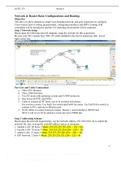
Based upon the following network diagram, setup the network for this experiment
Be sure your 2811 routers have WIC-2T cards installed to the correct expansion slots. Lower
right corner slot.
Part List and Cable Connections
a. Three 2811 Routers
b. Three 2960 Switches
c. Two PC hosts with operating system and TCP/IP protocols
d. One Server (HTTP, and DNS )
e. Cable to connect all PC hosts, server to switches and routers
For switch to router: Use Fa0/1 for switch and Fa0/0 for router. Use Fa0/24 for switch to
connect to PCs, and server Ethernet port.
f. WAN cables to connect between routers. Router 1 serial interfaces (S0/0/0 and
S0/0/1) will act as DCEs and have clock rate set to 64000 bps.
Step 2 Addressing Scheme
Based upon the network requirements, use the network address 192.168.100.0 /24 to subnet the
network. Be sure, to keep the wasteful address spaces at minimum.
1. Student LAN: 60 hosts Mask: 255.255.255.192 (256 – 192 = 64)
2. Faculty LAN: 28 hosts Mask: 255.255.255.224 (256 – 224 = 32)
3. Admin LAN: 12 hosts Mask: 255.255.255.240 (256 – 240 = 16)
4. P2P Network: 2 hosts Mask: 255.255.255.252 (256 – 252 = 4)
1
This study source was downloaded by 100000861168648 from CourseHero.com on 03-11-2023 03:42:54 GMT -
https://www.coursehero.com/file/8838352/Week-6-Lab-Network-
, General rules: PCs, and server will use the last available host address, router Fast Ethernet
interfaces will use the first available host address. Complete the following table for the address
assignment. Be sure selects the correct addresses for PCs, server, and router interfaces. Check
with your professor before proceeding to configure the routers.
Network Network Mask
Name/Interface Address
Student LAN 192.168.100.0 255.255.255.192
PC0 192.168.100.62 255.255.255.192
Router 0 (Fa0/0) 192.168.100.1 255.255.255.192
Router 0 (S0/0/0) 192.168.100.11 255.255.255.252
3
Faculty LAN 192.168.100.64 255.255.255.224
PC 1 192.168.100.94 255.255.255.224
Router 1 (Fa0/0) 192.168.100.65 255.255.255.224
Router 1 (S0/0/0) 192.168.100.11 255.255.255.252
4
Router 1 (s0/0/1) 192.168.100.11 255.255.255.252
7
Admin LAN 192.168.100.96 255.255.255.240
Server 192.168.100.11 255.255.255.240
0
Router 2 (Fa0/0) 192.168.100.97 255.255.255.240
Router 2 (S0/0/1) 192.168.100.11 255.255.255.252
9
P2P WAN Link 1 192.168.100.11 255.255.255.252
2
PSP WAN Link 2 192.168.100.11 255.255.255.252
6
Step 3 Configuring Routers
Use Console connection to get access to router to configure the router passwords, interfaces and
routing protocol.
A. Router 0
When ask: Continue with configuration dialog? [yes/no]
Type n and hit Enter to configure router line by
line. Router>enable
Router#config terminal
Router(config)#enable secret cisco
Router(config)#line console 0
Router(config-line)#password cisco
Router(config-line)#login
Router(config-line)#line vty 0 4
Router(config-line)#password cisco
Router(config-line)#login
Router(config-line)#exit
Router(config)#banner motd " Authorized Access Only!"
This study source was downloaded by 100000861168648 from CourseHero.com on 03-11-2023 03:42:54 GMT -
https://www.coursehero.com/file/8838352/Week-6-Lab-Network-
Lab
Network & Router Basic Configurations and Routing
Objective:
This lab is to allow students to setup Cisco Routing network, and gain experience to configure
Cisco routers such as setting up passwords, configuring interfaces and RIPv2 routing. IOS
commands will be introduced, and the CLI operating environment will be explored.
Step 1 Network Setup
Based upon the following network diagram, setup the network for this experiment
Be sure your 2811 routers have WIC-2T cards installed to the correct expansion slots. Lower
right corner slot.
Part List and Cable Connections
a. Three 2811 Routers
b. Three 2960 Switches
c. Two PC hosts with operating system and TCP/IP protocols
d. One Server (HTTP, and DNS )
e. Cable to connect all PC hosts, server to switches and routers
For switch to router: Use Fa0/1 for switch and Fa0/0 for router. Use Fa0/24 for switch to
connect to PCs, and server Ethernet port.
f. WAN cables to connect between routers. Router 1 serial interfaces (S0/0/0 and
S0/0/1) will act as DCEs and have clock rate set to 64000 bps.
Step 2 Addressing Scheme
Based upon the network requirements, use the network address 192.168.100.0 /24 to subnet the
network. Be sure, to keep the wasteful address spaces at minimum.
1. Student LAN: 60 hosts Mask: 255.255.255.192 (256 – 192 = 64)
2. Faculty LAN: 28 hosts Mask: 255.255.255.224 (256 – 224 = 32)
3. Admin LAN: 12 hosts Mask: 255.255.255.240 (256 – 240 = 16)
4. P2P Network: 2 hosts Mask: 255.255.255.252 (256 – 252 = 4)
1
This study source was downloaded by 100000861168648 from CourseHero.com on 03-11-2023 03:42:54 GMT -
https://www.coursehero.com/file/8838352/Week-6-Lab-Network-
, General rules: PCs, and server will use the last available host address, router Fast Ethernet
interfaces will use the first available host address. Complete the following table for the address
assignment. Be sure selects the correct addresses for PCs, server, and router interfaces. Check
with your professor before proceeding to configure the routers.
Network Network Mask
Name/Interface Address
Student LAN 192.168.100.0 255.255.255.192
PC0 192.168.100.62 255.255.255.192
Router 0 (Fa0/0) 192.168.100.1 255.255.255.192
Router 0 (S0/0/0) 192.168.100.11 255.255.255.252
3
Faculty LAN 192.168.100.64 255.255.255.224
PC 1 192.168.100.94 255.255.255.224
Router 1 (Fa0/0) 192.168.100.65 255.255.255.224
Router 1 (S0/0/0) 192.168.100.11 255.255.255.252
4
Router 1 (s0/0/1) 192.168.100.11 255.255.255.252
7
Admin LAN 192.168.100.96 255.255.255.240
Server 192.168.100.11 255.255.255.240
0
Router 2 (Fa0/0) 192.168.100.97 255.255.255.240
Router 2 (S0/0/1) 192.168.100.11 255.255.255.252
9
P2P WAN Link 1 192.168.100.11 255.255.255.252
2
PSP WAN Link 2 192.168.100.11 255.255.255.252
6
Step 3 Configuring Routers
Use Console connection to get access to router to configure the router passwords, interfaces and
routing protocol.
A. Router 0
When ask: Continue with configuration dialog? [yes/no]
Type n and hit Enter to configure router line by
line. Router>enable
Router#config terminal
Router(config)#enable secret cisco
Router(config)#line console 0
Router(config-line)#password cisco
Router(config-line)#login
Router(config-line)#line vty 0 4
Router(config-line)#password cisco
Router(config-line)#login
Router(config-line)#exit
Router(config)#banner motd " Authorized Access Only!"
This study source was downloaded by 100000861168648 from CourseHero.com on 03-11-2023 03:42:54 GMT -
https://www.coursehero.com/file/8838352/Week-6-Lab-Network-

