
Task 1: Computer Hardware
Task: below are some of the terms and devices you will need to understand. You might be asked to
discuss benefits and drawbacks, too. Complete each table and give clear descriptions.
Input devices
Device Image Purpose
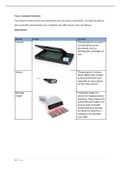
Scanner The purpose of a scanner is
an input device scans
documents such as
photographs and pages of
text.
Sensor The purpose of a sensor
that it detects the change
in the environment and
responds to some output
on the other system.
Barcode A barcode reader is a
reader device for reading printed
barcodes. The purpose of it
is that barcode reader is to
scan or read a barcode
symbol and then provide
an electrical output to a
computer via a decoder
and cable.
1|Page
, Output devices
The touch screen is an example of a single device that can both receive and display data and
information. The technologies used to enable the position of a finger or pointer on the
screen are listed below. Research into each and write an explanation for each.
Device Purpose
Plotter The purpose of the
plotter is a computer
software much like a
printer vector
graphics. Plotters
works by making line
drawings with vectors
and pointers for high
quality drawings.
Braille terminal The purpose of braille
terminal is a system of
writing and printing
for people that are
blind or visually
impaired, in which
varied arrangements
of dos representing
letters and numerals
are identified by
touch.
Speakers The purpose of a
speaker is that it
produces computer
output as a sound.
They are also common
devices in a computer
Input and output devices
The touch screen is an example of a single device that can both receive and display data and
information. The technologies used to enable the position of a finger or pointer on the
screen are listed below. Research into each and write an explanation for each.
2|Page
Task: below are some of the terms and devices you will need to understand. You might be asked to
discuss benefits and drawbacks, too. Complete each table and give clear descriptions.
Input devices
Device Image Purpose
Scanner The purpose of a scanner is
an input device scans
documents such as
photographs and pages of
text.
Sensor The purpose of a sensor
that it detects the change
in the environment and
responds to some output
on the other system.
Barcode A barcode reader is a
reader device for reading printed
barcodes. The purpose of it
is that barcode reader is to
scan or read a barcode
symbol and then provide
an electrical output to a
computer via a decoder
and cable.
1|Page
, Output devices
The touch screen is an example of a single device that can both receive and display data and
information. The technologies used to enable the position of a finger or pointer on the
screen are listed below. Research into each and write an explanation for each.
Device Purpose
Plotter The purpose of the
plotter is a computer
software much like a
printer vector
graphics. Plotters
works by making line
drawings with vectors
and pointers for high
quality drawings.
Braille terminal The purpose of braille
terminal is a system of
writing and printing
for people that are
blind or visually
impaired, in which
varied arrangements
of dos representing
letters and numerals
are identified by
touch.
Speakers The purpose of a
speaker is that it
produces computer
output as a sound.
They are also common
devices in a computer
Input and output devices
The touch screen is an example of a single device that can both receive and display data and
information. The technologies used to enable the position of a finger or pointer on the
screen are listed below. Research into each and write an explanation for each.
2|Page

