D599: Full Revised Data Profiling and Cleaning Report
A1a. General Characteristics
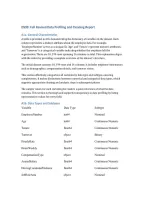
A table is provided in A1b demonstrating the dictionary of variables in the dataset. Each
column represents a distinct attribute about the employee data. For example,
'EmployeeNumber' serves as a unique ID, 'Age' and 'Tenure' represent numeric attributes,
and 'Turnover' is a categorical variable indicating whether the employee left the
organization. There are 10, 199 rows spanning 16 columns in total. This explanation aligns
with the rubric by providing a complete overview of the dataset's structure.
The initial dataset contains 10, 199 rows and 16 columns. It includes employee information
such as demographics, compensation details, and turnover status.
This section effectively categorizes all variables by data type and subtype, ensuring
completeness. It makes distinctions between numerical and categorical data types, which
supports appropriate cleaning and analysis steps in subsequent phases.
The sample values for each variable give readers a quick reference of what the data
contains. This section is thorough and supports transparency in data profiling by listing
representative values for every field.
A1b. Data Types and Subtypes
Variable Data Type Subtype
EmployeeNumber int64 Nominal
Age int64 Continuous Numeric
Tenure float64 Continuous Numeric
Turnover object Binary
HourlyRate float64 Continuous Numeric
HoursWeekly float64 Continuous Numeric
CompensationType object Nominal
AnnualSalary float64 Continuous Numeric
DrivingCommuterDistance float64 Continuous Numeric
JobRoleArea object Nominal
,Gender object Nominal
MaritalStatus object Nominal
NumCompaniesPreviouslyWorked float64 Discrete Numeric
AnnualProfessionalDevHrs float64 Continuous Numeric
PaycheckMethod object Nominal
TextMessageOptIn object Binary
A1c. Sample Observable Values
EmployeeNumber: [1, 2, 3, 4, 5]
Age: [28, 33, 22, 23, 40]
Tenure: [6, 2, 1, 16, 9]
Turnover: ['Yes', 'No']
HourlyRate: ['$24. 37 ', '$22. 52 ', '$88. 77 ', '$28. 43 ', '$21. 87 ']
HoursWeekly: [40]
CompensationType: ['Salary']
AnnualSalary: [50689. 6, 46841. 6, 284641. 6, 59134. 4, 45489. 6]
DrivingCommuterDistance: [89, 35, 12, 0, 76]
JobRoleArea: ['Research', 'Information_Technology', 'Sales', 'Human_Resources',
'Laboratory']
Gender: ['Female', 'Prefer Not to Answer', 'Male']
MaritalStatus: ['Married', 'Single', 'Divorced']
NumCompaniesPreviouslyWorked: [3. 0, 6. 0, 1. 0, 7. 0, 2. 0]
AnnualProfessionalDevHrs: [7. 0, 8. 0, 19. 0, 23. 0, 25. 0]
PaycheckMethod: ['Mail Check', 'Mailed Check', 'Direct_Deposit', 'DirectDeposit', 'Direct
Deposit']
TextMessageOptIn: ['Yes', 'No']
, B1. Dataset Quality Inspection
Screenshot 2: Output of (df.select_dtypes(include=['number']) < 0).sum() showing count of
inappropriate negative values.
Negative Values:
EmployeeNumber: 0
Age: 0
Tenure: 0
HourlyRate: 0
HoursWeekly: 0
AnnualSalary: 0
DrivingCommuterDistance: 0
NumCompaniesPreviouslyWorked: 0
AnnualProfessionalDevHrs: 0
Duplicate Rows Found: 99
Screenshot 1: Output of df.duplicated().sum() showing 99 duplicate rows.
Missing Values:
AnnualSalary: 57
DrivingCommuterDistance: 1351
NumCompaniesPreviouslyWorked: 665
AnnualProfessionalDevHrs 1969
TextMessageOptIn: 2266
To inspect for data quality issues, I first checked for duplicate rows using
`df.duplicated().sum()`, which returned 99 duplicates. Next, I identified missing values using
`df.isnull().sum()`, particularly in the `AnnualProfessionalDevHrs` column. For formatting
errors in `HourlyRate`, I used `.str.replace()` and `.astype(float)` to clean dollar signs and
convert to numeric. Inconsistencies in `PaycheckMethod` were discovered using
`.value_counts()` and corrected by standardizing to 'Mail Check'. Outliers in `AnnualSalary`
were flagged using the IQR method. To detect inappropriate negative values, I used
`(df.select_dtypes(include=['number']) < 0).sum()` to locate values below zero in columns
such as `HourlyRate` and `AnnualSalary`, which are logically invalid.
A1a. General Characteristics
A table is provided in A1b demonstrating the dictionary of variables in the dataset. Each
column represents a distinct attribute about the employee data. For example,
'EmployeeNumber' serves as a unique ID, 'Age' and 'Tenure' represent numeric attributes,
and 'Turnover' is a categorical variable indicating whether the employee left the
organization. There are 10, 199 rows spanning 16 columns in total. This explanation aligns
with the rubric by providing a complete overview of the dataset's structure.
The initial dataset contains 10, 199 rows and 16 columns. It includes employee information
such as demographics, compensation details, and turnover status.
This section effectively categorizes all variables by data type and subtype, ensuring
completeness. It makes distinctions between numerical and categorical data types, which
supports appropriate cleaning and analysis steps in subsequent phases.
The sample values for each variable give readers a quick reference of what the data
contains. This section is thorough and supports transparency in data profiling by listing
representative values for every field.
A1b. Data Types and Subtypes
Variable Data Type Subtype
EmployeeNumber int64 Nominal
Age int64 Continuous Numeric
Tenure float64 Continuous Numeric
Turnover object Binary
HourlyRate float64 Continuous Numeric
HoursWeekly float64 Continuous Numeric
CompensationType object Nominal
AnnualSalary float64 Continuous Numeric
DrivingCommuterDistance float64 Continuous Numeric
JobRoleArea object Nominal
,Gender object Nominal
MaritalStatus object Nominal
NumCompaniesPreviouslyWorked float64 Discrete Numeric
AnnualProfessionalDevHrs float64 Continuous Numeric
PaycheckMethod object Nominal
TextMessageOptIn object Binary
A1c. Sample Observable Values
EmployeeNumber: [1, 2, 3, 4, 5]
Age: [28, 33, 22, 23, 40]
Tenure: [6, 2, 1, 16, 9]
Turnover: ['Yes', 'No']
HourlyRate: ['$24. 37 ', '$22. 52 ', '$88. 77 ', '$28. 43 ', '$21. 87 ']
HoursWeekly: [40]
CompensationType: ['Salary']
AnnualSalary: [50689. 6, 46841. 6, 284641. 6, 59134. 4, 45489. 6]
DrivingCommuterDistance: [89, 35, 12, 0, 76]
JobRoleArea: ['Research', 'Information_Technology', 'Sales', 'Human_Resources',
'Laboratory']
Gender: ['Female', 'Prefer Not to Answer', 'Male']
MaritalStatus: ['Married', 'Single', 'Divorced']
NumCompaniesPreviouslyWorked: [3. 0, 6. 0, 1. 0, 7. 0, 2. 0]
AnnualProfessionalDevHrs: [7. 0, 8. 0, 19. 0, 23. 0, 25. 0]
PaycheckMethod: ['Mail Check', 'Mailed Check', 'Direct_Deposit', 'DirectDeposit', 'Direct
Deposit']
TextMessageOptIn: ['Yes', 'No']
, B1. Dataset Quality Inspection
Screenshot 2: Output of (df.select_dtypes(include=['number']) < 0).sum() showing count of
inappropriate negative values.
Negative Values:
EmployeeNumber: 0
Age: 0
Tenure: 0
HourlyRate: 0
HoursWeekly: 0
AnnualSalary: 0
DrivingCommuterDistance: 0
NumCompaniesPreviouslyWorked: 0
AnnualProfessionalDevHrs: 0
Duplicate Rows Found: 99
Screenshot 1: Output of df.duplicated().sum() showing 99 duplicate rows.
Missing Values:
AnnualSalary: 57
DrivingCommuterDistance: 1351
NumCompaniesPreviouslyWorked: 665
AnnualProfessionalDevHrs 1969
TextMessageOptIn: 2266
To inspect for data quality issues, I first checked for duplicate rows using
`df.duplicated().sum()`, which returned 99 duplicates. Next, I identified missing values using
`df.isnull().sum()`, particularly in the `AnnualProfessionalDevHrs` column. For formatting
errors in `HourlyRate`, I used `.str.replace()` and `.astype(float)` to clean dollar signs and
convert to numeric. Inconsistencies in `PaycheckMethod` were discovered using
`.value_counts()` and corrected by standardizing to 'Mail Check'. Outliers in `AnnualSalary`
were flagged using the IQR method. To detect inappropriate negative values, I used
`(df.select_dtypes(include=['number']) < 0).sum()` to locate values below zero in columns
such as `HourlyRate` and `AnnualSalary`, which are logically invalid.