
lOMoAR cPSD| 70487227
lOMoAR cPSD| 70487227
Data-8 Solutions on Functions and Visualizations in
Python
Functions and Visualizations
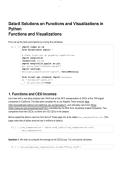
First, set up the tests and imports by running the cell below.
In [ ]: import numpy as np
from datascience import *
# These lines set up graphing capabilities.
import matplotlib
%matplotlib inline
import matplotlib.pyplot as plt
plt.style.use('fivethirtyeight')
import warnings
warnings.simplefilter('ignore', FutureWarning)
from client.api.notebook import Notebook
ok = Notebook('lab04.ok')
_ = ok.auth(inline=True)
1. Functions and CEO Incomes
Let's start with a real data analysis task. We'll look at the 2015 compensation of CEOs at the 100 largest
companies in California. The data were compiled for a Los Angeles Times analysis here
(http://spreadsheets.latimes.com/california-ceo-compensation/), and ultimately came from filings
(https://www.sec.gov/answers/proxyhtf.htm) mandated by the SEC from all publicly-traded companies. Two
companies have two CEOs, so there are 102 CEOs in the dataset.
We've copied the data in raw form from the LA Times page into a file called raw_compensation.csv. (The
page notes that all dollar amounts are in millions of dollars.)
In [ ]: raw_compensation = Table.read_table('raw_compensation.csv')
raw_compensation
Question 1. We want to compute the average of the CEOs' pay. Try running the cell below.
In [ ]: np.average(raw_compensation.column("Total Pay"))
, lOMoAR cPSD| 70487227
You should see an error. Let's examine why this error occured by looking at the values in the "Total Pay"
column. Use the type function and set total_pay_type to the type of the first value in the "Total Pay"
column.
In [ ]: total_pay_type = type(raw_compensation.column("Total Pay").item(0)) #SOL
UTION
total_pay_type
In [ ]: _ = ok.grade('q1_1')
Question 2. You should have found that the values in "Total Pay" column are strings (text). It doesn't make
sense to take the average of the text values, so we need to convert them to numbers if we want to do this.
Extract the first value in the "Total Pay" column. It's Mark Hurd's pay in 2015, in millions of dollars. Call it
mark_hurd_pay_string.
In [ ]: mark_hurd_pay_string = raw_compensation.column("Total Pay").item(0) #SOL
UTION
mark_hurd_pay_string
In [ ]: _ = ok.grade('q1_2')
Question 3. Convert mark_hurd_pay_string to a number of dollars. The string method strip will be useful
for removing the dollar sign; it removes a specified character from the start or end of a string. For example, the
value of "100%".strip("%") is the string "100". You'll also need the function float, which converts a string
that looks like a number to an actual number. Last, remember that the answer should be in dollars, not millions
of dollars.
In [ ]: mark_hurd_pay = 10**6 * float(mark_hurd_pay_string.strip("$")) #SOLUTION
mark_hurd_pay
In [ ]: _ = ok.grade('q1_3')
To compute the average pay, we need to do this for every CEO. But that looks like it would involve copying this
code 102 times.
This is where functions come in. First, we'll define a new function, giving a name to the expression that converts
"total pay" strings to numeric values. Later in this lab we'll see the payoff: we can call that function on every pay
string in the dataset at once.
Question 4. Copy the expression you used to compute mark_hurd_pay as the return expression of the
function below, but replace the specific mark_hurd_pay_string with the generic pay_string name
specified in the first line of the def statement.
lOMoAR cPSD| 70487227
Data-8 Solutions on Functions and Visualizations in
Python
Functions and Visualizations
First, set up the tests and imports by running the cell below.
In [ ]: import numpy as np
from datascience import *
# These lines set up graphing capabilities.
import matplotlib
%matplotlib inline
import matplotlib.pyplot as plt
plt.style.use('fivethirtyeight')
import warnings
warnings.simplefilter('ignore', FutureWarning)
from client.api.notebook import Notebook
ok = Notebook('lab04.ok')
_ = ok.auth(inline=True)
1. Functions and CEO Incomes
Let's start with a real data analysis task. We'll look at the 2015 compensation of CEOs at the 100 largest
companies in California. The data were compiled for a Los Angeles Times analysis here
(http://spreadsheets.latimes.com/california-ceo-compensation/), and ultimately came from filings
(https://www.sec.gov/answers/proxyhtf.htm) mandated by the SEC from all publicly-traded companies. Two
companies have two CEOs, so there are 102 CEOs in the dataset.
We've copied the data in raw form from the LA Times page into a file called raw_compensation.csv. (The
page notes that all dollar amounts are in millions of dollars.)
In [ ]: raw_compensation = Table.read_table('raw_compensation.csv')
raw_compensation
Question 1. We want to compute the average of the CEOs' pay. Try running the cell below.
In [ ]: np.average(raw_compensation.column("Total Pay"))
, lOMoAR cPSD| 70487227
You should see an error. Let's examine why this error occured by looking at the values in the "Total Pay"
column. Use the type function and set total_pay_type to the type of the first value in the "Total Pay"
column.
In [ ]: total_pay_type = type(raw_compensation.column("Total Pay").item(0)) #SOL
UTION
total_pay_type
In [ ]: _ = ok.grade('q1_1')
Question 2. You should have found that the values in "Total Pay" column are strings (text). It doesn't make
sense to take the average of the text values, so we need to convert them to numbers if we want to do this.
Extract the first value in the "Total Pay" column. It's Mark Hurd's pay in 2015, in millions of dollars. Call it
mark_hurd_pay_string.
In [ ]: mark_hurd_pay_string = raw_compensation.column("Total Pay").item(0) #SOL
UTION
mark_hurd_pay_string
In [ ]: _ = ok.grade('q1_2')
Question 3. Convert mark_hurd_pay_string to a number of dollars. The string method strip will be useful
for removing the dollar sign; it removes a specified character from the start or end of a string. For example, the
value of "100%".strip("%") is the string "100". You'll also need the function float, which converts a string
that looks like a number to an actual number. Last, remember that the answer should be in dollars, not millions
of dollars.
In [ ]: mark_hurd_pay = 10**6 * float(mark_hurd_pay_string.strip("$")) #SOLUTION
mark_hurd_pay
In [ ]: _ = ok.grade('q1_3')
To compute the average pay, we need to do this for every CEO. But that looks like it would involve copying this
code 102 times.
This is where functions come in. First, we'll define a new function, giving a name to the expression that converts
"total pay" strings to numeric values. Later in this lab we'll see the payoff: we can call that function on every pay
string in the dataset at once.
Question 4. Copy the expression you used to compute mark_hurd_pay as the return expression of the
function below, but replace the specific mark_hurd_pay_string with the generic pay_string name
specified in the first line of the def statement.

