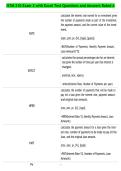
ISTM 210 Exam 2 with Excel Test Questions and Answers Rated A
calculates the interest rate earned for an investment given
the number of payments made as part of the investment,
the payment amount, and the current value of the invest-
ment.
RATE
(nper, pmt, pv, [fv], [type], [guess])
=RATE(Number of Payments, Monthly Payment Amount,
Loan Amount)*12
calculates the annual percentage rate for an interest
rate given the number of times per year that interest is
charged.
EFFECT
(nominal_rate, npery)
=ettect(Interest Rate, Number of Payments per year)
calculates the number of payments that will be made to
pay ott a loan given the interest rate, payment amount,
and original loan amount.
NPER
(rate, pmt, pv, [fv], [type])
=NPER(Interest Rate/12, Monthly Payment Amount, Loan
Amount)
calculates the payment amount for a loan given the inter-
est rate, number of payments to be made to pay ott the
loan, and the original loan amount.
PMT
(rate, nper, pv, [fv], [type])
=PMT(Interest Rate/12, Number of Payments, Loan
Amount)
PV
,calculates the current value (accounting for compounding
interest) of an investment given the interest rate, number
of payments to be made, and the amount of the payment.
(rate, nper, pmt, [fv], [type])
=PV(Interest Rate/12, Number of Months, Monthly Pay-
ment Amount)
calculates the future value of an investment given the
interest rate, number of payments to be made, and the
amount of the payment.
FV
(rate, nper, pmt, [pv], [type])
=FV(Interest Rate, Savings per Month, Number of Months)
COUNT =COUNT(range)
COUNTIF =COUNTIF(range, criteria)
SUMIF =SUMIF(range, criteria, [sum_range])
AVERAGEIF =AVERAGEIF(range, criteria, [average_range])
=VLOOKUP(lookup_value, table_array, col_index_num,
VLOOKUP
[range_lookup])
=HLOOKUP(lookup_value, table_array, row_index_num-
HLOOKUP
ber, [range_lookup])
TODAY () returns the current date
NOW () returns the current time
returns the day portion of a date (a number between 1
DAY (serial_number)
and 31)
returns the month portion of a date (a number between 1
MONTH (serial_number)
and 12)
, returns the year portion of a date (a number between
YEAR (serial_number)
1900 and 9999)
WEEKDAY (serial_number, [return_type]) returns the day of the week for a date
WEEKNUM (serial_number, [return_type]) returns the week of the year for a date
returns the hour portion of a time as a number from 0 to
HOUR (serial_number)
23
returns the minute portion of a time as a number from 0
MINUTE (serial_number)
to 59
returns the second portion of a time as a number from 0
SECOND (serial_number)
to 59
returns the length, in number of characters, of a block of
LEN (text)
text
returns the position of a specific character, word, or phrase
SEARCH (find_text,within_text, [start_num])
within a block of text
returns a specified number of characters starting from the
LEFT (text,[num_chars])
beginning of a block of text
returns a specified number of character from the middle
MID(text,start_num,num_chars)
of a block of text
returns a specified number of characters starting from the
RIGHT(text,[num_chars])
end of a block of text
UPPER (text) converts a block of text to all upper-case characters
LOWER (text) converts a block of text to all lower-case characters
converts a block of text to title-case (the first letter of each
PROPER (text)
new word is capitalized)
CONCATENATE (text1,[text2],...) combines blocks of text
replaces specified characters, words, or phrases within a
SUBSTITUTE (text,old_text,new_text,[instance_num])
block of text with new characters, words, or phrases
calculates the interest rate earned for an investment given
the number of payments made as part of the investment,
the payment amount, and the current value of the invest-
ment.
RATE
(nper, pmt, pv, [fv], [type], [guess])
=RATE(Number of Payments, Monthly Payment Amount,
Loan Amount)*12
calculates the annual percentage rate for an interest
rate given the number of times per year that interest is
charged.
EFFECT
(nominal_rate, npery)
=ettect(Interest Rate, Number of Payments per year)
calculates the number of payments that will be made to
pay ott a loan given the interest rate, payment amount,
and original loan amount.
NPER
(rate, pmt, pv, [fv], [type])
=NPER(Interest Rate/12, Monthly Payment Amount, Loan
Amount)
calculates the payment amount for a loan given the inter-
est rate, number of payments to be made to pay ott the
loan, and the original loan amount.
PMT
(rate, nper, pv, [fv], [type])
=PMT(Interest Rate/12, Number of Payments, Loan
Amount)
PV
,calculates the current value (accounting for compounding
interest) of an investment given the interest rate, number
of payments to be made, and the amount of the payment.
(rate, nper, pmt, [fv], [type])
=PV(Interest Rate/12, Number of Months, Monthly Pay-
ment Amount)
calculates the future value of an investment given the
interest rate, number of payments to be made, and the
amount of the payment.
FV
(rate, nper, pmt, [pv], [type])
=FV(Interest Rate, Savings per Month, Number of Months)
COUNT =COUNT(range)
COUNTIF =COUNTIF(range, criteria)
SUMIF =SUMIF(range, criteria, [sum_range])
AVERAGEIF =AVERAGEIF(range, criteria, [average_range])
=VLOOKUP(lookup_value, table_array, col_index_num,
VLOOKUP
[range_lookup])
=HLOOKUP(lookup_value, table_array, row_index_num-
HLOOKUP
ber, [range_lookup])
TODAY () returns the current date
NOW () returns the current time
returns the day portion of a date (a number between 1
DAY (serial_number)
and 31)
returns the month portion of a date (a number between 1
MONTH (serial_number)
and 12)
, returns the year portion of a date (a number between
YEAR (serial_number)
1900 and 9999)
WEEKDAY (serial_number, [return_type]) returns the day of the week for a date
WEEKNUM (serial_number, [return_type]) returns the week of the year for a date
returns the hour portion of a time as a number from 0 to
HOUR (serial_number)
23
returns the minute portion of a time as a number from 0
MINUTE (serial_number)
to 59
returns the second portion of a time as a number from 0
SECOND (serial_number)
to 59
returns the length, in number of characters, of a block of
LEN (text)
text
returns the position of a specific character, word, or phrase
SEARCH (find_text,within_text, [start_num])
within a block of text
returns a specified number of characters starting from the
LEFT (text,[num_chars])
beginning of a block of text
returns a specified number of character from the middle
MID(text,start_num,num_chars)
of a block of text
returns a specified number of characters starting from the
RIGHT(text,[num_chars])
end of a block of text
UPPER (text) converts a block of text to all upper-case characters
LOWER (text) converts a block of text to all lower-case characters
converts a block of text to title-case (the first letter of each
PROPER (text)
new word is capitalized)
CONCATENATE (text1,[text2],...) combines blocks of text
replaces specified characters, words, or phrases within a
SUBSTITUTE (text,old_text,new_text,[instance_num])
block of text with new characters, words, or phrases