
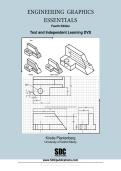
Fourth Edition
Text and Independent Learning DVD
Kirstie Plantenberg
University of Detroit Mercy
SDC
PUBLICATIONS
www.SDCpublications.com
Schroff Development Corporation
, Chapter 1: Orthographic Projection
ORTHOGRAPHIC PROJECTION
In Chapter 1 you will learn the importance of engineering graphics and how
to create an orthographic projection. An orthographic projection describes the
shape of an object. It is a two dimensional representation of a three dimensional
object. Different line types are used to indicate visible, hidden and symmetry
lines. By the end of this chapter, you will be able to create a technically correct
orthographic projection using proper projection techniques.
1.1) INTRODUCTION TO ENGINEERING GRAPHICS
Engineering graphics is a set of rules and guidelines that help you create an
engineering drawing. An engineering drawing is a drawing or a set of drawings that
communicates an idea, design, schematic, or model. Engineering drawings come in
many forms. Each engineering field has its own type of engineering drawings. For
example, electrical engineers draw circuit schematics and circuit board layouts. Civil
engineers draw plans for bridges and road layouts. Mechanical engineers draw parts
and assemblies that need to be manufactured. This book focuses on the latter. This is
not to say that only students in a mechanical engineering curriculum will benefit from
learning engineering graphics. It benefits everyone from the weekend carpenter who
wants to draw plans for his/her new bookshelf to the electrical engineer who wants to
analyze electrical component cooling using a CAE program. Engineering graphics
teaches you how to visualize and see all sides of an object in your mind. Being able to
visualize in your mind will help you in several aspects of critical thinking.
1.2) ORTHOGRAPHIC PROJECTION INTRODUCTION
An orthographic projection enables us to represent a 3-D object in 2-D (see Figure
1-1). An orthographic projection is a system of drawings that represent different sides of
an object. These drawings are formed by projecting the edges of the object
perpendicular to the desired planes of projection. Orthographic projections allow us to
represent the shape of an object using 2 or more views. These views together with
dimensions and notes are sufficient to manufacture the part.
1-1
,Chapter 1: Orthographic Projection
Figure 1-1: Orthographic projection.
1.2.1) The Six Principle Views
The 6 principle views of an orthographic projection are shown in Figure 1-2. Each
principle view is created by looking at the object in the directions indicated in Figure 1-2
and drawing what is seen as well as what is hidden from view.
Figure 1-2: The six principle views.
1-2
, Chapter 1: Orthographic Projection
1.3) THE GLASS BOX METHOD
To obtain an orthographic projection, an object is placed in an imaginary glass box
as shown in Figure 1-3. The sides of the glass box represent the six principle planes.
Images of the object are projected onto the sides of the box to create the six principle
views. The box is then unfolded to lie flat, showing all views in a 2-D plane. Figure 1-4
shows the glass box being unfolded to create the orthographic projection of the object.
Figure 1-3: Object in a glass box.
1-3
Text and Independent Learning DVD
Kirstie Plantenberg
University of Detroit Mercy
SDC
PUBLICATIONS
www.SDCpublications.com
Schroff Development Corporation
, Chapter 1: Orthographic Projection
ORTHOGRAPHIC PROJECTION
In Chapter 1 you will learn the importance of engineering graphics and how
to create an orthographic projection. An orthographic projection describes the
shape of an object. It is a two dimensional representation of a three dimensional
object. Different line types are used to indicate visible, hidden and symmetry
lines. By the end of this chapter, you will be able to create a technically correct
orthographic projection using proper projection techniques.
1.1) INTRODUCTION TO ENGINEERING GRAPHICS
Engineering graphics is a set of rules and guidelines that help you create an
engineering drawing. An engineering drawing is a drawing or a set of drawings that
communicates an idea, design, schematic, or model. Engineering drawings come in
many forms. Each engineering field has its own type of engineering drawings. For
example, electrical engineers draw circuit schematics and circuit board layouts. Civil
engineers draw plans for bridges and road layouts. Mechanical engineers draw parts
and assemblies that need to be manufactured. This book focuses on the latter. This is
not to say that only students in a mechanical engineering curriculum will benefit from
learning engineering graphics. It benefits everyone from the weekend carpenter who
wants to draw plans for his/her new bookshelf to the electrical engineer who wants to
analyze electrical component cooling using a CAE program. Engineering graphics
teaches you how to visualize and see all sides of an object in your mind. Being able to
visualize in your mind will help you in several aspects of critical thinking.
1.2) ORTHOGRAPHIC PROJECTION INTRODUCTION
An orthographic projection enables us to represent a 3-D object in 2-D (see Figure
1-1). An orthographic projection is a system of drawings that represent different sides of
an object. These drawings are formed by projecting the edges of the object
perpendicular to the desired planes of projection. Orthographic projections allow us to
represent the shape of an object using 2 or more views. These views together with
dimensions and notes are sufficient to manufacture the part.
1-1
,Chapter 1: Orthographic Projection
Figure 1-1: Orthographic projection.
1.2.1) The Six Principle Views
The 6 principle views of an orthographic projection are shown in Figure 1-2. Each
principle view is created by looking at the object in the directions indicated in Figure 1-2
and drawing what is seen as well as what is hidden from view.
Figure 1-2: The six principle views.
1-2
, Chapter 1: Orthographic Projection
1.3) THE GLASS BOX METHOD
To obtain an orthographic projection, an object is placed in an imaginary glass box
as shown in Figure 1-3. The sides of the glass box represent the six principle planes.
Images of the object are projected onto the sides of the box to create the six principle
views. The box is then unfolded to lie flat, showing all views in a 2-D plane. Figure 1-4
shows the glass box being unfolded to create the orthographic projection of the object.
Figure 1-3: Object in a glass box.
1-3

