🐳
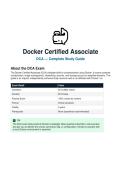
Docker Certified Associate
DCA — Complete Study Guide
About the DCA Exam
The Docker Certified Associate (DCA) validates skills in containerisation using Docker. It covers container
orchestration, image management, networking, security, and storage across six weighted domains. This
guide is an original, independently authored study resource and is not affiliated with Docker, Inc.
Exam Detail Value
Questions 55 multiple choice
Duration 90 minutes
Passing Score ~65% (varies by version)
Format Online proctored
Validity 2 years
Prerequisite None (experience recommended)
✅ TIP
The DCA exam tests practical Docker knowledge. Most questions describe a real scenario
and ask you to identify the correct command, flag, or configuration. Hands-on practice with
a local Docker environment is essential.
,Domain 1: Orchestration
The largest domain. Covers Docker Swarm mode, service management, stacks, and secrets. Kubernetes
knowledge is a bonus but Swarm is the primary focus for DCA.
1.1 Docker Swarm Overview
Docker Swarm is Docker's native clustering and orchestration solution. It turns a pool of Docker hosts
into a single virtual host, enabling high availability and scaling.
Concept Description
Manager Node Controls the swarm. Handles scheduling, state management, and
cluster API. Uses Raft consensus to maintain cluster state. Odd
number recommended (1, 3, 5, 7).
Worker Node Executes tasks (containers) assigned by the manager. Does not
participate in Raft or scheduling decisions.
Raft Consensus Algorithm managers use to agree on cluster state. Requires a
quorum: majority of managers must be reachable. With 3
managers, tolerates 1 failure. With 5, tolerates 2.
Task The atomic unit of scheduling in Swarm — a container running as
part of a service.
Service The definition of the desired state for a set of tasks (image, replicas,
ports, networks, volumes).
1.2 Initialising and Managing a Swarm
# Initialise a new swarm on the manager node
docker swarm init --advertise-addr <MANAGER-IP>
# Get the join token for workers
docker swarm join-token worker
# Get the join token for additional managers
docker swarm join-token manager
# Join a swarm as a worker (run on the worker node)
docker swarm join --token <TOKEN> <MANAGER-IP>:2377
# List all nodes in the swarm
docker node ls
# Promote a worker to manager
docker node promote <NODE-NAME>
# Demote a manager to worker
, docker node demote <NODE-NAME>
# Remove a node from the swarm
docker node rm <NODE-NAME>
⚠ EXAM TIP
Swarm manager communication uses port 2377 (TCP). Node communication uses port
7946 (TCP/UDP). Overlay network traffic uses port 4789 (UDP). Ensure these are open in
your firewall.
1.3 Services — Create, Scale, Update
# Create a replicated service
docker service create --name web --replicas 3 --publish 80:80
nginx:latest
# List all services
docker service ls
# Inspect a service (full details)
docker service inspect web --pretty
# List tasks (containers) for a service
docker service ps web
# Scale a service up or down
docker service scale web=5
# Rolling update — change image version
docker service update --image nginx:1.25 web
# Rolling update with controlled parallelism
docker service update \
--image nginx:1.25 \
--update-parallelism 2 \
--update-delay 10s \
web
# Roll back a service to the previous version
docker service rollback web
# Remove a service
docker service rm web
1.4 Global vs Replicated Services
Docker Certified Associate
DCA — Complete Study Guide
About the DCA Exam
The Docker Certified Associate (DCA) validates skills in containerisation using Docker. It covers container
orchestration, image management, networking, security, and storage across six weighted domains. This
guide is an original, independently authored study resource and is not affiliated with Docker, Inc.
Exam Detail Value
Questions 55 multiple choice
Duration 90 minutes
Passing Score ~65% (varies by version)
Format Online proctored
Validity 2 years
Prerequisite None (experience recommended)
✅ TIP
The DCA exam tests practical Docker knowledge. Most questions describe a real scenario
and ask you to identify the correct command, flag, or configuration. Hands-on practice with
a local Docker environment is essential.
,Domain 1: Orchestration
The largest domain. Covers Docker Swarm mode, service management, stacks, and secrets. Kubernetes
knowledge is a bonus but Swarm is the primary focus for DCA.
1.1 Docker Swarm Overview
Docker Swarm is Docker's native clustering and orchestration solution. It turns a pool of Docker hosts
into a single virtual host, enabling high availability and scaling.
Concept Description
Manager Node Controls the swarm. Handles scheduling, state management, and
cluster API. Uses Raft consensus to maintain cluster state. Odd
number recommended (1, 3, 5, 7).
Worker Node Executes tasks (containers) assigned by the manager. Does not
participate in Raft or scheduling decisions.
Raft Consensus Algorithm managers use to agree on cluster state. Requires a
quorum: majority of managers must be reachable. With 3
managers, tolerates 1 failure. With 5, tolerates 2.
Task The atomic unit of scheduling in Swarm — a container running as
part of a service.
Service The definition of the desired state for a set of tasks (image, replicas,
ports, networks, volumes).
1.2 Initialising and Managing a Swarm
# Initialise a new swarm on the manager node
docker swarm init --advertise-addr <MANAGER-IP>
# Get the join token for workers
docker swarm join-token worker
# Get the join token for additional managers
docker swarm join-token manager
# Join a swarm as a worker (run on the worker node)
docker swarm join --token <TOKEN> <MANAGER-IP>:2377
# List all nodes in the swarm
docker node ls
# Promote a worker to manager
docker node promote <NODE-NAME>
# Demote a manager to worker
, docker node demote <NODE-NAME>
# Remove a node from the swarm
docker node rm <NODE-NAME>
⚠ EXAM TIP
Swarm manager communication uses port 2377 (TCP). Node communication uses port
7946 (TCP/UDP). Overlay network traffic uses port 4789 (UDP). Ensure these are open in
your firewall.
1.3 Services — Create, Scale, Update
# Create a replicated service
docker service create --name web --replicas 3 --publish 80:80
nginx:latest
# List all services
docker service ls
# Inspect a service (full details)
docker service inspect web --pretty
# List tasks (containers) for a service
docker service ps web
# Scale a service up or down
docker service scale web=5
# Rolling update — change image version
docker service update --image nginx:1.25 web
# Rolling update with controlled parallelism
docker service update \
--image nginx:1.25 \
--update-parallelism 2 \
--update-delay 10s \
web
# Roll back a service to the previous version
docker service rollback web
# Remove a service
docker service rm web
1.4 Global vs Replicated Services