CAT module 1.2 Hardware devices:
Input devices:
Keyboard:
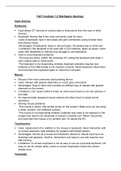
Input allows ICT devices to receive data or instructions from the user or other
devices.
Keyboard: Device that is the most commonly used for input:
-uses of keyboard: type in text (data) and give commands (using function keys
and shortcut keys).
-Advantages of keyboards: Easy to use and learn, the fastest way to enter text.
-Limitations: Not designed to be used with a GUI interface, takes up space, some
users with disabilities or arthritis may struggle to use keyboards.
How to solve keyboard problems:
-The keys are sticky: switch the computer off, unplug the keyboard and clean it
with a damp cloth or small brush.
-The keyboard is not responding: wireless keyboard probably requires new
batteries or the USB dongle is not inserted correctly. Wired keyboard: disconnect
and reconnect the keyboard again or reboot the computer.
Mouse:
Mouse is the most commonly used pointing device.
Uses: Interact with graphic elements on a GUI, give commands.
Advantages: Easy to learn and provides an efficient way to interact with graphic
elements on the screen.
Limitations: Can cause clutter if wired, an entry level mouse is not very precise or
accurate.
An ergonomically designed mouse reduces the likely hood of carpal tunnel
syndrome.
Solving mouse problems:
-The mouse is ‘sticky’ (the pointer jumps on the screen). Make sure you are using
a clean, smooth, non-reflective surface.
-The mouse is not responding wireless: batteries may need to be replaced or the
dongle may need to be reinserted or placed in another port. Wired: disconnect
and reconnect the mouse or try another port. Or reboot the PC.
Touchscreen:
Uses: replacement of or addition to the mouse or keyboard, direct interaction with
on screen elements, best interface for systems with limited options.
Advantages: Serves as a mouse and keyboard, allows for natural input such as
drawings and gestures, intuitive, interactions and easy to use and requires very
little training.
Limitations: on-screen keyboard is not as easy to use as a physical keyboard, not
easy to use for certain tasks, some on-screen keyboards reduce the screen
display area.
Touchpad:
Input devices:
Keyboard:
Input allows ICT devices to receive data or instructions from the user or other
devices.
Keyboard: Device that is the most commonly used for input:
-uses of keyboard: type in text (data) and give commands (using function keys
and shortcut keys).
-Advantages of keyboards: Easy to use and learn, the fastest way to enter text.
-Limitations: Not designed to be used with a GUI interface, takes up space, some
users with disabilities or arthritis may struggle to use keyboards.
How to solve keyboard problems:
-The keys are sticky: switch the computer off, unplug the keyboard and clean it
with a damp cloth or small brush.
-The keyboard is not responding: wireless keyboard probably requires new
batteries or the USB dongle is not inserted correctly. Wired keyboard: disconnect
and reconnect the keyboard again or reboot the computer.
Mouse:
Mouse is the most commonly used pointing device.
Uses: Interact with graphic elements on a GUI, give commands.
Advantages: Easy to learn and provides an efficient way to interact with graphic
elements on the screen.
Limitations: Can cause clutter if wired, an entry level mouse is not very precise or
accurate.
An ergonomically designed mouse reduces the likely hood of carpal tunnel
syndrome.
Solving mouse problems:
-The mouse is ‘sticky’ (the pointer jumps on the screen). Make sure you are using
a clean, smooth, non-reflective surface.
-The mouse is not responding wireless: batteries may need to be replaced or the
dongle may need to be reinserted or placed in another port. Wired: disconnect
and reconnect the mouse or try another port. Or reboot the PC.
Touchscreen:
Uses: replacement of or addition to the mouse or keyboard, direct interaction with
on screen elements, best interface for systems with limited options.
Advantages: Serves as a mouse and keyboard, allows for natural input such as
drawings and gestures, intuitive, interactions and easy to use and requires very
little training.
Limitations: on-screen keyboard is not as easy to use as a physical keyboard, not
easy to use for certain tasks, some on-screen keyboards reduce the screen
display area.
Touchpad: