

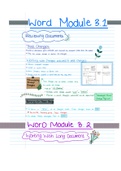
Word Module 3.1
Reviewingomments
Track Changes
wwhena documentgetscheckedandreviewedbysomeoneotherthantheauthor
Theycaneitheraccept ordeclinethechanges
Working with Changesindicated it track changes
w Reviewproposed changes
wacceptor rejectthem
wwork changes group onReview tab
beacceptedordeniedotherwisetheystaythere
Changesmust
Manipulating
Tracked TrackChangescanbehidden mannerthey
Changes areviewedcanchange
Seeall AllMarkup
Tochoosewhere changesindicated inline or balloons
MannerinwhichChanges indicatedcanbespecified AdvancedTrack
ChangeOptions
TurningOnTrackChange
Toleave a TRAIL of all changes made Track changesmustbe ON
20Review
Tab Trackinggroup Track Changes
WTo StopTrackChangesTurn it Off
Word Module 3 2
WorkingwithlongDocumenty
, Bookmarks
Areused to mark places or specific sections of text
in a documentenabling you navigate tothese places quickly
are easily
Cursorpositionbookmarkadded
InsertTab Linksgroup Bookmark
Typename letterdigitsunderscore
ClickAdd
WGoto Ctrl cGe
your bookmark Goto or Fs or
Hyperlinks
Hyperlinks
jumptoanyheadingin adocument heading beenformatted built instyles Ifyouwant
tojumpto anotherplacein a doc usebookmark
Selecttextmusthyperlink
Inserttablinksgroup Link cCtrl cke interthyperlinkdialog
Cross reference
Whenrelatedinto on topicoccurs elsewhereinthesamedocument
youcan cross reference to it
Winfoaboutreference isautomaticallyincluded positionofcursor
Ahyperlink tothe referenced itemiscreatedbydefault
Clickpositionorselect text
inserttablinks groupcrossreference
insert andclose
Manipulating Line
WidowOrphanControl
Prevents
a singlelineof aparagraphfromappearingon apageotherthanthatrestparagraphislocated
single danglinglinecalled widowor orphan
ensure atleasttwolines of paragraphappear
topor bottomofpage
Reviewingomments
Track Changes
wwhena documentgetscheckedandreviewedbysomeoneotherthantheauthor
Theycaneitheraccept ordeclinethechanges
Working with Changesindicated it track changes
w Reviewproposed changes
wacceptor rejectthem
wwork changes group onReview tab
beacceptedordeniedotherwisetheystaythere
Changesmust
Manipulating
Tracked TrackChangescanbehidden mannerthey
Changes areviewedcanchange
Seeall AllMarkup
Tochoosewhere changesindicated inline or balloons
MannerinwhichChanges indicatedcanbespecified AdvancedTrack
ChangeOptions
TurningOnTrackChange
Toleave a TRAIL of all changes made Track changesmustbe ON
20Review
Tab Trackinggroup Track Changes
WTo StopTrackChangesTurn it Off
Word Module 3 2
WorkingwithlongDocumenty
, Bookmarks
Areused to mark places or specific sections of text
in a documentenabling you navigate tothese places quickly
are easily
Cursorpositionbookmarkadded
InsertTab Linksgroup Bookmark
Typename letterdigitsunderscore
ClickAdd
WGoto Ctrl cGe
your bookmark Goto or Fs or
Hyperlinks
Hyperlinks
jumptoanyheadingin adocument heading beenformatted built instyles Ifyouwant
tojumpto anotherplacein a doc usebookmark
Selecttextmusthyperlink
Inserttablinksgroup Link cCtrl cke interthyperlinkdialog
Cross reference
Whenrelatedinto on topicoccurs elsewhereinthesamedocument
youcan cross reference to it
Winfoaboutreference isautomaticallyincluded positionofcursor
Ahyperlink tothe referenced itemiscreatedbydefault
Clickpositionorselect text
inserttablinks groupcrossreference
insert andclose
Manipulating Line
WidowOrphanControl
Prevents
a singlelineof aparagraphfromappearingon apageotherthanthatrestparagraphislocated
single danglinglinecalled widowor orphan
ensure atleasttwolines of paragraphappear
topor bottomofpage




