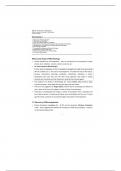
Cheatsheet
Reviewed
General
just type to write in code or begin line with # for comments
print(””) to display a string/phrase, use commas between to print several
variables
= to assign variable, == to check if true/false, ! = not equals
Variable types
Boolean = true/false or 0/1
String = text (“…”)
Int = integer (number)
Float = decimal number, be aware of floating point error eg. 1.2-1 gives
0.19999
List = […, …]
Tuple = (…, …)
Dictionary = {…, …}
to update a variable: eg. a=a+3 or a+=3, computer looks at right hand side of
equation first then assigns to left hand side
identify variable type with type(variablename)
word.isnumber() = checks if string can be converted to number, true/false
output eg. word.isnumber(’three’) would give true
If statements
Cheatsheet 1
, If… = checks if statement is true/false ie boolean
Elif… = comes after if, this second statement is only checked if first if is false
else… = final statement, carries out only if all previous are false
conditional statements: and (executes if both statements are true), or (if one
or both are true) not (switches true/false so executes if statement is not…)
Nested if statements:
if…
if…
inner if loop only runs if outer if statement is true
For loops
When to use: when you want to run a programme for a specified number of
times/in a specific range eg. printing the numbers of all the adenine bases in a
DNA sequence of set known length
How to construct a for loop:
for i in range():
command…
Using all three range arguments: range(start, stop+1, step) eg. range(2,11,2)
will give 2,4,6,8,10 use range(length(variable)) as stop value for words as
indexing already starts from 0
to loop backwards through a string/list: list = reversed(list) to update variable
to reversed version or newlist = list[::-1] or for i in range((length-1), -1, -1)
to break out of a loop (end it): break
Nested for loops eg.
Cheatsheet 2
Reviewed
General
just type to write in code or begin line with # for comments
print(””) to display a string/phrase, use commas between to print several
variables
= to assign variable, == to check if true/false, ! = not equals
Variable types
Boolean = true/false or 0/1
String = text (“…”)
Int = integer (number)
Float = decimal number, be aware of floating point error eg. 1.2-1 gives
0.19999
List = […, …]
Tuple = (…, …)
Dictionary = {…, …}
to update a variable: eg. a=a+3 or a+=3, computer looks at right hand side of
equation first then assigns to left hand side
identify variable type with type(variablename)
word.isnumber() = checks if string can be converted to number, true/false
output eg. word.isnumber(’three’) would give true
If statements
Cheatsheet 1
, If… = checks if statement is true/false ie boolean
Elif… = comes after if, this second statement is only checked if first if is false
else… = final statement, carries out only if all previous are false
conditional statements: and (executes if both statements are true), or (if one
or both are true) not (switches true/false so executes if statement is not…)
Nested if statements:
if…
if…
inner if loop only runs if outer if statement is true
For loops
When to use: when you want to run a programme for a specified number of
times/in a specific range eg. printing the numbers of all the adenine bases in a
DNA sequence of set known length
How to construct a for loop:
for i in range():
command…
Using all three range arguments: range(start, stop+1, step) eg. range(2,11,2)
will give 2,4,6,8,10 use range(length(variable)) as stop value for words as
indexing already starts from 0
to loop backwards through a string/list: list = reversed(list) to update variable
to reversed version or newlist = list[::-1] or for i in range((length-1), -1, -1)
to break out of a loop (end it): break
Nested for loops eg.
Cheatsheet 2