100% satisfaction guarantee Immediately available after payment Both online and in PDF No strings attached 4.2 TrustPilot
logo-home
Exam (elaborations)

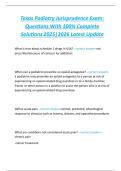
Epic Training Terms Exam Questions and Correct Answers Latest Update ( 100% Pass)

Rating
-
Sold
-
Pages
4
Grade
A+
Uploaded on
02-11-2024
Written in
2024/2025

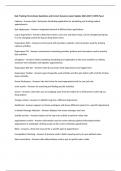
Epic Training Terms Exam Questions and Correct Answers Latest Update ( 100% Pass) Cadence - Answers Epic's Enterprise Scheduling application for scheduling and tracking patient appointments Epic Hyperspace - Answers integrated network of different Epic applications Log In department - Answers determines what a user sees and does in Epic. Can be changed during log in or by changing context for log out drop-down menu Hyperspace ACE1 - Answers environment with providers, patients, and encounters used for training cadence activities Hyperspace PLY - Answers environment containing provides, patients and encounters used to practice Epic activities. schegistrar - Answers Model combining scheduling and registration in the same workflow or defines someone who schedules and registers appointments. Hyperspace title bar - Answers How do you know what department your logged into? Hyperspace Toolbar - Answers gives frequently used activities and the epic button with a full list of drop down activities Home Workspace - Answers tabs that show the most appropriate task for your job role. chart search - Answers for searching and finding specific activities secure - Answers used when you are stepping away from the station for a brief period, under log out drop options. change context - Answers to QUICKLY log into a different department dashboard - Answers appears on home workspace and shows different reports for a specific department in basket Message Indicator - Answers displays how many messages you have activity tool bar - Answers buttons at the top of an activity to perform relate task appointment review - Answers information used to review relevant patient information before appointment is scheduled, clicking accept on this screen schedules appointment. Block - Answers a time slot reserved for a specific type of appointment Competition Matching - Answers A shortcut used in fields requiring entry of a pre-defined value. date conventions - Answers date abbreviations used in epic to quickly enter a date Form Navigator - Answers series of forms and folders navigated through to collect registration information interactive face sheet - Answers first form in the standard registration window, has summary information and links to other forms Medical Record Number (MRN) - Answers uniques numeric patient identifier that stays with the patient for life. Patient Workspace - Answers Tabs containing activities specific to patient Primary Care Physician (PCP) - Answers added on registration form in PCP button in activity toolbar or patient contacts. Recommended Solution - Answers when using the Auto Scheduler to schedule an appointment, this is the window displaying the next available appointment. Takes into account provider availability, provider scheduling restrictions, and users scheduling security. resource - Answers equipment, room, or non-specific representation of staff used in place of a provider. schedule scanner - Answers allows users to quickly assess how full a provides schedule is in the next seven days. storyboard - Answers Tells the patients story allowing you to see who they are, what you should know about them, and other useful information. if they tell you or for NHS, if they refer after a rescreen or have risk factors. - Answers How do you know when a patient need an appointment? Patient record, Guarantar record, Coverage Record, Hospital Account Record - Answers What are the records within patient registration Housing Account Record (red) - Answers Housing information about the guarantor, coverage and any payments or charges that are associated with a single encounter. Coverage record (purple) - Answers Housing Information about the patients insurance Guarantor record (Green) - Answers Housing Information about who is responsible for hospital of clinic billing patient record (Blue) - Answers also known as demographics - Housing info. about the patients such as address, phone number, employer Where-department; Why-appt. notes; What?-visit type; Who?-provider; When?-when is the appt. -

Show more Read less
Institution
Epic Training Terms
Module
Epic Training Terms


Whoops! We can’t load your doc right now. Try again or contact support.

Written for

Institution
Epic Training Terms
Module
Epic Training Terms

Document information

Uploaded on
November 2, 2024
Number of pages
4
Written in
2024/2025
Type
Exam (elaborations)
Contains
Questions & answers

Subjects

Content preview

Epic Training Terms Exam Questions and Correct Answers Latest Update 2024-2025 ( 100% Pass)

Cadence - Answers Epic's Enterprise Scheduling application for scheduling and tracking patient
appointments

Epic Hyperspace - Answers integrated network of different Epic applications

Log In department - Answers determines what a user sees and does in Epic. Can be changed during log
in or by changing context for log out drop-down menu

Hyperspace ACE1 - Answers environment with providers, patients, and encounters used for training
cadence activities

Hyperspace PLY - Answers environment containing provides, patients and encounters used to practice
Epic activities.

schegistrar - Answers Model combining scheduling and registration in the same workflow or defines
someone who schedules and registers appointments.

Hyperspace title bar - Answers How do you know what department your logged into?

Hyperspace Toolbar - Answers gives frequently used activities and the epic button with a full list of drop
down activities

Home Workspace - Answers tabs that show the most appropriate task for your job role.

chart search - Answers for searching and finding specific activities

secure - Answers used when you are stepping away from the station for a brief period, under log out
drop options.

change context - Answers to QUICKLY log into a different department

dashboard - Answers appears on home workspace and shows different reports for a specific department

in basket Message Indicator - Answers displays how many messages you have

activity tool bar - Answers buttons at the top of an activity to perform relate task

appointment review - Answers information used to review relevant patient information before
appointment is scheduled, clicking accept on this screen schedules appointment.

Block - Answers a time slot reserved for a specific type of appointment

Competition Matching - Answers A shortcut used in fields requiring entry of a pre-defined value.

date conventions - Answers date abbreviations used in epic to quickly enter a date
£6.09
Get access to the full document:

100% satisfaction guarantee
Immediately available after payment
Both online and in PDF
No strings attached


Also available in package deal

Get to know the seller

Seller avatar
Reputation scores are based on the amount of documents a seller has sold for a fee and the reviews they have received for those documents. There are three levels: Bronze, Silver and Gold. The better the reputation, the more your can rely on the quality of the sellers work.
TutorJosh Chamberlain College Of Nursing
Follow You need to be logged in order to follow users or courses
Sold
345
Member since
1 year
Number of followers
16
Documents
28827
Last sold
22 hours ago
Tutor Joshua

Here You will find all Documents and Package Deals Offered By Tutor Joshua.

3.6

54 reviews

5
18
4
14
3
12
2
0
1
10

Recently viewed by you

Why students choose Stuvia

Created by fellow students, verified by reviews

Quality you can trust: written by students who passed their exams and reviewed by others who've used these revision notes.

Didn't get what you expected? Choose another document

No problem! You can straightaway pick a different document that better suits what you're after.

Pay as you like, start learning straight away

No subscription, no commitments. Pay the way you're used to via credit card and download your PDF document instantly.

Student with book image

“Bought, downloaded, and smashed it. It really can be that simple.”

Alisha Student

Frequently asked questions