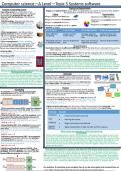
Computer science—A Level—Topic 5 Systems software
Paging and Segmentation
Purpose of operating system
Paging and Segmentation occur when an application can not fit in memory, they divide it
Operating system is a collection of sys- the application so that it can fit into memory.
tems software that manages the computer Paging Segmentation
& provides an interface for the user to •Pages divided into fixed size.
interact with the hardware. The features •Segments are different sizes.
of the OS: •Pages are made to fit sections of RAM. •Segments are complete sections of
1)Multi-tasking—having more than one program
program run simultaneously (technically •Pages are physical divisions.
not as the CPU allocates time slices to •Programs are split up to fit in a given •Segments are logical divisions.
each process and cycles through them all amount of pages.
so fast that it seemingly looks simultane-
ous). Adv of Paging D-Adv of Paging Adv of Segmentation D-Adv of segmentation
2)File management—the OS provides a
logical structure of files in folder allow- More efficient Longer memory Average segment Costly memory man-
ing user to rename, move, copy files. File swapping. access times. size>> average page agement algorithms.
extensions tell the OS what application size.
to open the file in.
3)User management—allows multiple Allocating memory Internal fragmenta- May save memory if External fragmentation.
users to log into the same computer. The is cheap and easy. tion. segments are small.
OS will retain settings for each user and
give them certain permissions. A client Virtual memory
server may impose the following for users: Used when there's insufficient RAM space. Part of the disk drive is allocated to be used as
main memory. (This is slow and the software will try to use memory if possible).
•Fixed profile: All users have same settings
when logging in. If instructions in the hard disk are need then it will be swapped with an instruction in
memory not being used, however if more time is spent swapping than processing then
•Roaming profile: allow users to custom- this causes the computer to be very slow (Thrashing).
ize their settings and them being followed
to any computer in the client server. How does a computer handle running out of memory and why does it slow down?
When a computer runs out of memory (After applications have been divided into pages/
4)User interface— GUI (Graphics user segments) , the only solution is to use Virtual memory which allocates part of the disk
interface): Windows, icons, menus, drive to be used as main memory, instructions stored in the hard disk that are in need will
pointers. It is visual and optimised for be swapped with an instruction in memory not being used however if more time is spent
touch and mouse inputs. swapping pages/segments than processing then this causes the computer to slow down
Why do computers need an operating system like (Thrash).
Windows/Linux/MacOS?
Computers need an operating system to provide an inter- Interrupts
face for the user for them to communicate with the hard- If any other devices/application require the processor's
ware, the OS aids in multi-tasking, provides a logical struc- attention then a signal is sent to the processor to deal
ture of files in folders and allows multiple users to log into with these devices/applications that need the attention.
the same computer with their settings and permissions,
these are just some of the things that the OS is capable of The code for the interrupt is known as the interrupt ser- Before we fetch, we check for interrupts
doing, the others being: Managing the processor, Utility
programs, networking, security and handling external pe- vice routine (ISR) - PC contents will need to be changed
ripherals. to the address for the first instruction of the interrupt.
Process
Scheduling I. When interrupt is received: current values stored in regis-
A scheduler manages which processes get ters are copied into a data structure in memory called the
executed next and the length of time the stack. The values are pushed onto the stack frame, saving
next process executes for. them for later retrieval.
II.Interrupt is executed, once complete, we pop the frame off
the top of the stack allowing us to retrieve Prev values origi-
nal program -> load them back into the registers -> carry on
executing like normal.
Higher priority interrupts can also occur during the execution of an interrupt—the
1)First come first serve (FCFS—non Pre-emptive): process is the same as above except more values are stored in the stack frame.
Processes are executed in the order they arrive.
If process takes long, then others needs to wait. Interrupt Example
OoE: A -> B—> C
2)Shortest job first (SJF—non Pre-emptive): Picks Hardware • Power/reset button pressed.
the process that takes the shortest amount of
time and runs them until finished. The scheduler User • Moving the mouse.
needs to know how long each process takes.
OoE: B -> A—> C Software • Illegal instruction encountered.
3)Round Robin (RR—Pre-emptive): Each process
is allocated a fixed amount of time (quantum/ Inp/out • Signal competition of data transfer to/from a device.
time slice). If process is not completed by end of devices
time slice then it will move onto the next process What causes an interrupt to a CPU and how it can
in queue. be handled?
OoE: B -> A—> C When a device/application requires the processor’s attention then a signal is sent to the
4)Shortest remaining time (SRT—Pre-emptive): processor to deal with these devices/applications that need the attention, this is known
will execute the process that has the shortest as an interrupt. The ISR handles the interrupt, first all values stored in the registers of the
remaining time to execute. If another higher- current process are copied into the stack frame for later retrieval, the interrupt can now
priority process enters the process ready queue be executed and once complete, we pop the frame off the top of the stack which re-
then it will be executed first. trieves the previous values and load them back into the register ready to carry on from
OoE: B -> A—> C where we last left of.
5)Multi-level feedback queues (MLFQ—Pre-
emptive): different queues can have different From all open programs in memory, how does the CPU decide which process to execute?
priorities and the scheduler can move jobs be- A Scheduler aids the CPU in which process to execute first as it manages which processes
tween different queues as needed. get executed next and the length of time the next process executes for, it does this using 5
different scheduling algorithms: SJF, FCFS, RR, SRT and MLFQ. The best option that modern
CPUs go for is probably MLFQ as this features multiple queues with different prioritisations
and the scheduler can move these processes into different priority queues, the MLFQ is like
a mix of the other scheduling algorithms as one queue could be SRT or another be RR
Pre-emptive: if something is pre-emptive then it can be interrupted and resumed later on.
OoE: Order of Execution (with the process ready queue example above)
Paging and Segmentation
Purpose of operating system
Paging and Segmentation occur when an application can not fit in memory, they divide it
Operating system is a collection of sys- the application so that it can fit into memory.
tems software that manages the computer Paging Segmentation
& provides an interface for the user to •Pages divided into fixed size.
interact with the hardware. The features •Segments are different sizes.
of the OS: •Pages are made to fit sections of RAM. •Segments are complete sections of
1)Multi-tasking—having more than one program
program run simultaneously (technically •Pages are physical divisions.
not as the CPU allocates time slices to •Programs are split up to fit in a given •Segments are logical divisions.
each process and cycles through them all amount of pages.
so fast that it seemingly looks simultane-
ous). Adv of Paging D-Adv of Paging Adv of Segmentation D-Adv of segmentation
2)File management—the OS provides a
logical structure of files in folder allow- More efficient Longer memory Average segment Costly memory man-
ing user to rename, move, copy files. File swapping. access times. size>> average page agement algorithms.
extensions tell the OS what application size.
to open the file in.
3)User management—allows multiple Allocating memory Internal fragmenta- May save memory if External fragmentation.
users to log into the same computer. The is cheap and easy. tion. segments are small.
OS will retain settings for each user and
give them certain permissions. A client Virtual memory
server may impose the following for users: Used when there's insufficient RAM space. Part of the disk drive is allocated to be used as
main memory. (This is slow and the software will try to use memory if possible).
•Fixed profile: All users have same settings
when logging in. If instructions in the hard disk are need then it will be swapped with an instruction in
memory not being used, however if more time is spent swapping than processing then
•Roaming profile: allow users to custom- this causes the computer to be very slow (Thrashing).
ize their settings and them being followed
to any computer in the client server. How does a computer handle running out of memory and why does it slow down?
When a computer runs out of memory (After applications have been divided into pages/
4)User interface— GUI (Graphics user segments) , the only solution is to use Virtual memory which allocates part of the disk
interface): Windows, icons, menus, drive to be used as main memory, instructions stored in the hard disk that are in need will
pointers. It is visual and optimised for be swapped with an instruction in memory not being used however if more time is spent
touch and mouse inputs. swapping pages/segments than processing then this causes the computer to slow down
Why do computers need an operating system like (Thrash).
Windows/Linux/MacOS?
Computers need an operating system to provide an inter- Interrupts
face for the user for them to communicate with the hard- If any other devices/application require the processor's
ware, the OS aids in multi-tasking, provides a logical struc- attention then a signal is sent to the processor to deal
ture of files in folders and allows multiple users to log into with these devices/applications that need the attention.
the same computer with their settings and permissions,
these are just some of the things that the OS is capable of The code for the interrupt is known as the interrupt ser- Before we fetch, we check for interrupts
doing, the others being: Managing the processor, Utility
programs, networking, security and handling external pe- vice routine (ISR) - PC contents will need to be changed
ripherals. to the address for the first instruction of the interrupt.
Process
Scheduling I. When interrupt is received: current values stored in regis-
A scheduler manages which processes get ters are copied into a data structure in memory called the
executed next and the length of time the stack. The values are pushed onto the stack frame, saving
next process executes for. them for later retrieval.
II.Interrupt is executed, once complete, we pop the frame off
the top of the stack allowing us to retrieve Prev values origi-
nal program -> load them back into the registers -> carry on
executing like normal.
Higher priority interrupts can also occur during the execution of an interrupt—the
1)First come first serve (FCFS—non Pre-emptive): process is the same as above except more values are stored in the stack frame.
Processes are executed in the order they arrive.
If process takes long, then others needs to wait. Interrupt Example
OoE: A -> B—> C
2)Shortest job first (SJF—non Pre-emptive): Picks Hardware • Power/reset button pressed.
the process that takes the shortest amount of
time and runs them until finished. The scheduler User • Moving the mouse.
needs to know how long each process takes.
OoE: B -> A—> C Software • Illegal instruction encountered.
3)Round Robin (RR—Pre-emptive): Each process
is allocated a fixed amount of time (quantum/ Inp/out • Signal competition of data transfer to/from a device.
time slice). If process is not completed by end of devices
time slice then it will move onto the next process What causes an interrupt to a CPU and how it can
in queue. be handled?
OoE: B -> A—> C When a device/application requires the processor’s attention then a signal is sent to the
4)Shortest remaining time (SRT—Pre-emptive): processor to deal with these devices/applications that need the attention, this is known
will execute the process that has the shortest as an interrupt. The ISR handles the interrupt, first all values stored in the registers of the
remaining time to execute. If another higher- current process are copied into the stack frame for later retrieval, the interrupt can now
priority process enters the process ready queue be executed and once complete, we pop the frame off the top of the stack which re-
then it will be executed first. trieves the previous values and load them back into the register ready to carry on from
OoE: B -> A—> C where we last left of.
5)Multi-level feedback queues (MLFQ—Pre-
emptive): different queues can have different From all open programs in memory, how does the CPU decide which process to execute?
priorities and the scheduler can move jobs be- A Scheduler aids the CPU in which process to execute first as it manages which processes
tween different queues as needed. get executed next and the length of time the next process executes for, it does this using 5
different scheduling algorithms: SJF, FCFS, RR, SRT and MLFQ. The best option that modern
CPUs go for is probably MLFQ as this features multiple queues with different prioritisations
and the scheduler can move these processes into different priority queues, the MLFQ is like
a mix of the other scheduling algorithms as one queue could be SRT or another be RR
Pre-emptive: if something is pre-emptive then it can be interrupted and resumed later on.
OoE: Order of Execution (with the process ready queue example above)