100% satisfaction guarantee Immediately available after payment Both online and in PDF No strings attached 4.2 TrustPilot
logo-home
Exam (elaborations)

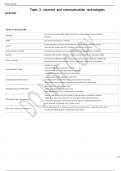
Topic 2: internet and communication technologies Terms in this set (240) Network two or more devices called nodes connected by some type of communications channel Node any device connected to a network server a node designed to act as a central netw

Rating
-
Sold
-
Pages
9
Grade
A+
Uploaded on
03-08-2024
Written in
2024/2025

Topic 2: internet and communication technologies Terms in this set (240) Network two or more devices called nodes connected by some type of communications channel Node any device connected to a network server a node designed to act as a central network, a computer that provides various resources like network security; hardware, disk and printer access communications channel the connection between source and destination nodes(transmission medium) Switch Hardware that connects Nodes in a network using bounded or unbounded media cloud computing The delivery of different services through the Internet. These resources include tools and applications like data storage, servers, databases, networking, and software communication media consists of 3 parts -hardware that acts as a source or sender -hardware that acts as the destination or receiver -connection between the source and destination Unshielded Twisted Pair (UTP) -most common media cabling in small LANs -several pairs of twisted wires in an outer protective platic layer -twisting the wires eliminates interference from other wires and devices Shielded Twisted Pair(STP) RJ45 -More expensive bulkier type cable -Twiste pairs enclosed in protective foil -Less affected than UTP nu interference and crosstalk Fibre Optiv Cable, SC connector -Central glass/plastic core surrounded by several layers of protective material -Cladding is used to surround the core and reflects light back into the core -it transmits light pulses rather than electronic signals, eliminating interference. -Light bounces off cladding even if cable is bent Fibre optic cabling as a backbone When LAN segments in seperate locations are connected by a single fibre optic cable this because lightning does not affect fibre optic cables Advanatges of bounded media UTP: -inexepensive -fast transmission rates -widely used -can be used in many different types of networkks STP: -Same as UTP however is less affected by interferance Fibre optic cables: -more secure -very faster transmissions -transmits over long distances -immune to electromagnetic interference -immune to lightning and electrical surges disadvantages of bounded media Copper cables: -Attenuation +signal loses strength over a distance -Electromagnetic interfernece +signals from other sources ca corrupt the signals travelling in them -Eavesdropping +can be intercepted by outsiders -Crosstalk +signals in adjacent wires can interfere with one another Fibre optic cables: -very expensive -complex to install Wireless networks use the air to transmsit radio signals such as Bluetooth, infrated beams, microwaves , satelites or lasers each type of wireless signal uses a different frequency Microwave Transmissions long distance, can be landbased or satelite Terrestrial Microwave Use the Line of sight method for transmitting data between two attennas and can transmit over ranges of 50km Satelite transmissions use satelites to receive and pass on communications -(GEO) Geostationary- in a fixed position above the earths surface and they rotate at the same speed as the earth, for TV brodcasts -(LEO) Low-earth orbit- are much closer to the earths surface.They rotate around the earth every few hours. better for interactive communications, less delay Transponder Device which receives signals and converts them into a different frequency, boosts signals and then sends them to a station on the ground below which must be in the line of site of a satelite Radio waves short distances can travel through walls at a low frequency distance depends on frequency PAN Personal Area Network Low powered, short distance wireless/wired network Synchronised data between personal devices eg:bluetooth or usb Topic 2: internet and communication technologies LAN Local Area Network more than one computer connected to a network fast transmission of large data amounts,enable conveniant information exchange eg:WIFI OR Ethernet(wired) WAN Wide Area Network extends across large geographical areas, unlimited access connects consumers to the internet eg: ATM, Internet GAN Global Area Network Use fibre optic infastructure and international undersea cables or satelite transmissions Global interconnected systems of any type Home Network An internet connected home network consists of a variety of hardware and software components router a small electronic device that joins computer networks together using wireless/wired connections Fibre in the home -as a backbone it can connect to a local distribution node -ONT(Optical Network Terminal) the device that connects fibre optic to your router -Copper cables run wired or wirelessly to devices Firewall A system designed to prevent unauthorised access to or from a private network, can be either software or hardware Role of the server a computer which shares resources with other computers in a network. The computers that connect to the server are called client computers because they sue the server File server large disk capacity which stores many files which can be accessed by network users Print server high speed printers are attached, ehich can be shared by computers on the network web server a combination of hardware and software which accepts requests for web pages and sends pages Email server stores incoming mail for distribution to users on the netwrok and sends outgoing messages proxy server a server theough which all web content passes. it intercepts and checks all traffic maintaining security by allowing access to certain users. it also stores web docs, in a process called caching, in order to speed up download time advantages of using a computer networks -communication -file sharing -printer and resource sharing -centralisation -data transfer -productivity disadvantages of using a computer network -security issues -spread of computer viruses -cost -dependency on the central server internet a worldwide collection of computer networks that can be connected for the purposes of sharing resouces or communicating-a global network cloud storage advantages: -no extra equipment needed -no managment and maintenance of expensive storage devices -accessibility to cloud -autobackup -only pay for storage you are using disadvantages: -internet connection required -No control over security -company could close email Sent via the internet to any recipient who has an email address website A collection of many web pages linked together under 1 domain (URL) IP address protocols required for commputers to talk to one another -TCP +Transmission Control Protocol. Responsible for making sure that the transmission gets from sender to host -IP +Internet Protocol. Identifies the different computers connected to the internet. Allows direct access to the internet and enables communication between deifferent computers -DNS +Domain Name System. An addressing system that assigns a unique address and a hostname to identify each user connected to the internet what is needed to access the internet computer, network interface card, Internet service provider, browser World Wide Web mass of linked pages which can be accesed via the internet and viewed with a web browser web page a single document on the internet URL depends on website web site a collection of many web pages linked together under 1 domain independant URL URL Uniform Resource Locator, a unique web address. web browser a program used to locate and view web pages. primary function is to process HTML code search engine A program that searches documents in the web for specific keywords and returns a list of relevent documents with hyper links Local area networks -connected computing devices called nodes -nodes are connected using a communication channel/transmission medium -used to share hardware and software resouces Network Interface Card A card installed in a computer that allows you to connect to a network (can be Ethernet, telephone, or wireless) Bluetooth short wavelegnth radio transmissions inexpensive and automatic Near Field Communication (NFC) provides a wireless connection between two deives within close proximint of one another two way communication both devices able to send and receive info found in contactless payment systems Topic 2: internet and communication technologies broadcast communication channel thatis shared by all devices in a network sender sends a signal which is heard by all parties Point-to-poitn directly connects two nodes of a network-telephone call only heard by two people topology physical set up of a network- the way in which devices are connected star topology -cable connected to the NIC in each computer and central device(switch) -switch boost each signal comig throuugh it -advantages +easy to set up and maintain connected devices +a problem with onw compupter will not affect others +adding/remiving nodes does not upset network +most common -Disadvantages +large amount of cabling +switch is expensive +if switch fails so does the whole network Bus topology -all nodes are connetced to hang off a single cable -cable has a terminator at each end to stop signals boucing out -advantages +easy installation +fewer cables +low cost +easy to manage -disadvantages +backbone performance critical +easily congested +data can only travel in one direction Ring topology -nodes connected in a closed loop -each computer boosts the signal -advantages +low incidents and collisions +low cost -disadvantages +one faultnode will bring down entire network +lots of monitering required +performences declines with each node +reorganising requires fullsystem shut down hybrid topology -a combonation of 2 or more different netwrok topologies -advantages +reliable +effective +very flexible +adaptable -disadvantages +complex +expensive +requires professional managment Ethernet connects nodes in a LANnand enables them to communicate with one another. ethernet protocol +indicates how network devices can format,size and transmit data so other network devices in the same area network segment can receive,process and recognixe the data IP Addres A numerical label assigned to each device connected to a computer network so that it can communicate on the internet. ipv4-32 bit binary 4 numbers seperated by dots ipv6-128 bits represented with hex MAC address A Media Access Control address. Harware identification number that uniquely identifies each device on a network. Built into every network card, cannot be changed and is required for a computer to be part of an Ethernet LAN 48-bit (6 2 digit hex numbers automatically generated Internet protocols Define how data is transmitted between computing devices and over networks determines how data is compressed how errors will be controlled and how receiving and sending devices will confirm with one another Adress Resolution Protocol (ARP) [Application layer] ARP table stores MAC address and links it to the IP address it also stores the MAC address of other devices on the network to confirm which device sent it DHCP (Dynamic Host Configuration Protocol)[Application layer] A service on the network that assigns devices within the same network unused ip addresses Tracks which addresses are used and available and which have been assigned to the various devices Static ip manually configured by device and unlikely to change Dynamic IP changes over time for security DNS (Domain Name System)[Application layer] translates domain names to IP addreses domain names are easier to find and use TCP/IP (Transmission Control Protocol/Internet Protocol)[Transport layer] Communication protocol for the internet-defines the rules a computer must follow in order to communicate over the internet Defines hoe data must be formatted,addressed,transmitted, routed and received as its destination UDP User Datagram Protocol connectionless no garuntee on delivery No garuntee on the oder the information arrives may be corruption while transferring a message Transmission Control Protocol(TCP) Connection orientated lost packets are retrieved no corruption while transferring delivered in order Network Interface Card (NIC) Acts as a physical connection between the computer and network cable A network cable is attached to the cards port to make the actual physical connection between the computer and the rest of the network Repeater connects segments over long distances because the signal stregnth weakens and needs to be boosted stregnthens all signals and sends them on without looking at their destination address Does not elminate traffic Bridge Connects segments, stregthens the signals as they pass through it and looks at the MAC address of the signals, only forwarding data packets to a different segment if the mac address is not in the same segment switch connects nodes in a star topology messages are sent to the switch in the form of a frame boosts incoming signals and then sends the message to the intended node Router Connects different networks that use the same protocols boosts signals and uses IP address to determine best route for packets to travel analyse the entire frame and change how it is packaged OSI MODEL -network communication involves sending messages from one device to another -networking software follows a strict set of instructions governed by protocols when carrying out each task compatability between networks is difficult due to many protocols and technologies that have been developed Layer 7-application layer(gateway:web/https) Layer 6-Presentation(encryption) Layer 5-Session(encryption) Layer 4-Transport(TCP) Layer 3-Network(router:IP) Layer 2-Data link(Bridge:ethernet) Layer 1-Physical(Repeater:STP) OSI model solution -7 layers through which networked transmissions pass -Different hardware and software us used in each layer to implement specific network functions according to the protocols in that layer -Data from the sending application on one machine is passed down vertically through the layers -Data is sent along the cable to another machine which passes the data up the layers to the receiving application -As data passes through wach layer, info is added on the sending side and removed on the receiving side layer 7 Application layer -sends data to the presentation layer sends picture via the FTP(File Transfer Protocol) Presentation layer Topic 2: internet and communication technologies Layer 5 Session Layer -Dtermines which packets belong to which file and thier destination -Establishes,maintains and ends communication between devices layer 4 Transport Layer(segment+header) -Segments data with logical addressing -Data segments have a source+destination port+ a sequence number -Port number ensures that data segments arrive in correct order -controls the amount of data transmitted -Peforms error checking-will retransmit data segment if data is missing -uses tcp or udp Layer 3 Network Layer(Header+packets) -Transmits data between networks in the form of packets -Assigns source ans destination IPs to the segments -Determines the best path for delivery -uses a switch or router Layer 2 Data link layer(Header mac addres and frame) -allows the upper network layers to access media and controls how data is placed and received from media. -Physical Addressing by adding sender and receiver mac addreses to the data packet to form a data unit called a frame -enables frames to be transported via local media -Embedded as sofware on NIC -uses a bridge or switch Layer 1 Physical layer(actuall bits and removes haeders) -Hardware converts the binary from the upper layers into signals and transmits them over local media -can be electrical, light or radio signals -signals are decapsulated or translated back into binary and then into application data to be viewed on the receiving screen -uses a repeater packet Created at layer 3 and allows information to be exchanged between different LANs Header:Conatains instructions about the data carried by the packet -Packet legnth:some networks have fixed-length packets, while others obtain the length of the packet from the header -synchronisation:a few bits that help the packet match up to the network -packet number:which packet this is in a sequence of packets -protocol:on networks that carry many types of information, the protocol defines the type of packet that is being tranmited: email, webpage, video -source address:ip address of sending computer -Destination address:where the packet is going Payload: -body of the packet -the actual data that the packet is delivering to the destination -if a packet is fixed length, then the payload may be padded with blank information to make the right size Trailor: -Contains a couple of bits that tell the receiving device that the end of the packet is reached -may have some type of error checkimh Topic 2: internet and communication technologies how packets are used -routers in the network will compare the destination address in the header to their loookup table to find out where to send the packet -Receiving computer will strip the header and trailor off each packet and resemble the email based on the numbered sequence of the packet -The network layer packets allow the routers to send and receive data across the internet using IP-addresses that identify the network -once inside the network, data forwarding is handles in the datalink layer where the MAC address is read and forwarded to the destination device Frame -Created by the Data link by encapsulating the packet as the frames payload -the ethernet frame adds the mac adddresses to deliver the payload between two loactions on the same network -a lookup table then tells the switch which physical port is associated with the device whose MAC address matches the destination address of the frame Frame check sequence -used to detect if errors have occured in the data transmission -these are extra bits or characters added to the end of frames which are checked at destination Cyclic Redundancy Check (CRC) -works by taking the sum of all the 1s in the paylaod -result is stored as a hexidecimal value in the trailor -the receiving device adds up the 1s andcompares them VLAN -a subnetwork which can group together collections of devices in a LAN to create a new virtual lan -makes it easier to divide lans into logical lans which are groups similiar devices -helps improve perfromance of a lan by grouping devices which communicate most frequently -helps with security vlan tag -inverted to allow LAN switches to distinguish between physical groups of LAN ports and logical lans -LAN switch uses tags to understand which nodes belong in which group WLAN Wireless Local Area Network A local area network that links electronic devices via electromagnetic airwaves, rather than by wire or cable, usually providing connection to an Internet service provider through an access point (router). - Wireless Access Point (WAP) enables devices to connect to a wireless network to communicate with each other hotspots site offers internet access over a wlan, with the use of a roter connected to a link to a ISP wireless bridge esay way to link network segmants without using cables provides data path between two netwoks WiFi router Allows multiple computers to join the same network and provides access to the Internet can be wireless or wired(switch) Wireless Mesh Network many spread out wireless nodes, with acces points which talk to one another to share network connection only one node is connected to a switch creates a cloud of connectivity WAN A network that is not confined to one area Nodes can be spread around the world External communication links are used to connect the parts of the WAN Gateways Device that provides connectivity between two or more network segments operates at the network layer in the form of protocol converters provides connectivity between networks which use different protocols

Show more Read less
Institution
ABC - Accredited Business Communicator
Module
ABC - Accredited Business Communicator


Whoops! We can’t load your doc right now. Try again or contact support.

Written for

Institution
ABC - Accredited Business Communicator
Module
ABC - Accredited Business Communicator

Document information

Uploaded on
August 3, 2024
Number of pages
9
Written in
2024/2025
Type
Exam (elaborations)
Contains
Questions & answers

Subjects

Content preview

8/3/24, 2:26 AM


Topic 2: internet and communication technologies
Jeremiah


Terms in this set (240)

two or more devices called nodes connected by some type of communications
Network
channel

Node any device connected to a network

a node designed to act as a central network, a computer that provides various
server
resources like network security; hardware, disk and printer access

communications channel the connection between source and destination nodes(transmission medium)

Switch Hardware that connects Nodes in a network using bounded or unbounded media

The delivery of different services through the Internet. These resources include tools
cloud computing
and applications like data storage, servers, databases, networking, and software

consists of 3 parts
-hardware that acts as a source or sender
communication media
-hardware that acts as the destination or receiver
-connection between the source and destination

-most common media cabling in small LANs
Unshielded Twisted Pair (UTP) -several pairs of twisted wires in an outer protective platic layer
-twisting the wires eliminates interference from other wires and devices

-More expensive bulkier type cable
Shielded Twisted Pair(STP) RJ45 -Twiste pairs enclosed in protective foil
-Less affected than UTP nu interference and crosstalk

-Central glass/plastic core surrounded by several layers of protective material
-Cladding is used to surround the core and reflects light back into the core
Fibre Optiv Cable, SC connector
-it transmits light pulses rather than electronic signals, eliminating interference.
-Light bounces off cladding even if cable is bent

When LAN segments in seperate locations are connected by a single fibre optic cable
Fibre optic cabling as a backbone
this because lightning does not affect fibre optic cables


1/9

, 8/3/24, 2:26 AM
UTP:
-inexepensive
-fast transmission rates
-widely used
-can be used in many different types of networkks


STP:
Advanatges of bounded media -Same as UTP however is less affected by interferance


Fibre optic cables:
-more secure
-very faster transmissions
-transmits over long distances
-immune to electromagnetic interference
-immune to lightning and electrical surges

Copper cables:
-Attenuation
+signal loses strength over a distance
-Electromagnetic interfernece
+signals from other sources ca corrupt the signals travelling in them
-Eavesdropping
disadvantages of bounded media +can be intercepted by outsiders
-Crosstalk
+signals in adjacent wires can interfere with one another


Fibre optic cables:
-very expensive
-complex to install

use the air to transmsit radio signals such as Bluetooth, infrated beams, microwaves ,
Wireless networks satelites or lasers
each type of wireless signal uses a different frequency

Microwave Transmissions long distance, can be landbased or satelite

Use the Line of sight method for transmitting data between two attennas and can
Terrestrial Microwave
transmit over ranges of 50km

use satelites to receive and pass on communications
-(GEO) Geostationary- in a fixed position above the earths surface and they rotate at
the same speed as the earth, for TV brodcasts
Satelite transmissions

-(LEO) Low-earth orbit- are much closer to the earths surface.They rotate around the
earth every few hours. better for interactive communications, less delay

Device which receives signals and converts them into a different frequency, boosts
Transponder signals and then sends them to a station on the ground below which must be in the line
of site of a satelite

short distances
Radio waves can travel through walls at a low frequency
distance depends on frequency

Personal Area Network
Low powered, short distance wireless/wired network
PAN
Synchronised data between personal devices
eg:bluetooth or usb


Topic 2: internet and communication technologies
https://quizlet.com/za/929930082/topic-2-internet-and-communication-technologies-flash-cards/ 2/9
£6.53
Get access to the full document:

100% satisfaction guarantee
Immediately available after payment
Both online and in PDF
No strings attached


Also available in package deal

Get to know the seller

Seller avatar
Reputation scores are based on the amount of documents a seller has sold for a fee and the reviews they have received for those documents. There are three levels: Bronze, Silver and Gold. The better the reputation, the more your can rely on the quality of the sellers work.
Denyss Teachme2-tutor
Follow You need to be logged in order to follow users or courses
Sold
24
Member since
1 year
Number of followers
3
Documents
6308
Last sold
2 days ago
Classic Writers

I am a professional writer/tutor. I help students with online class management, exams, essays, assignments and dissertations. Improve your grades by buying my study guides, notes and exams or test banks that are 100% graded

5.0

2 reviews

5
2
4
0
3
0
2
0
1
0

Recently viewed by you

Why students choose Stuvia

Created by fellow students, verified by reviews

Quality you can trust: written by students who passed their exams and reviewed by others who've used these revision notes.

Didn't get what you expected? Choose another document

No problem! You can straightaway pick a different document that better suits what you're after.

Pay as you like, start learning straight away

No subscription, no commitments. Pay the way you're used to via credit card and download your PDF document instantly.

Student with book image

“Bought, downloaded, and smashed it. It really can be that simple.”

Alisha Student

Frequently asked questions