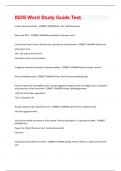
ISDS Word Study Guide Test.
ISDS Word Study Guide Test. create a blank document - CORRECT ANSWER file, new, blank document Start word 2019 - CORRECT ANSWER start button (4 square), word uses the text insert chart in tell me box to get help on inserting chart - CORRECT ANSWER tell me box write insert chart click "Get help on insert chart" click add a chart to you document change the documents margins to Normal settings - CORRECT ANSWER layout, margins, normal Show formatting marks - CORRECT ANSWER home, (its the comma looking thing) Perform a grammar and spelling check. Accept suggested change for the first flagged word, and ignore all occurrences of the next word - CORRECT ANSWER review, spelling&grammar -click the word under suggestions -Then, click ignore all Accept changes of the underlined word - CORRECT ANSWER right click the underline word click the suggested word Save the new blank document as a file named "Service Descriptions" in documents folder - CORRECT ANSWER Save Type in the "Enter file name here" (under documents), Click Save Change document theme to berlin - CORRECT ANSWER Design, Theme, (Berlin or which ever they tell you) Center the heading "Project Plan" - CORRECT ANSWER click the paragraph click Align center (under mailing) select the word information in the inside address - CORRECT ANSWER highlight it with mouse Change the font of the heading - CORRECT ANSWER highlight it with mouse select new font highlight the word "Tech" in yellow - CORRECT ANSWER highlight text with mouse click the yellow marker without deleting the text, capitalize each word - CORRECT ANSWER highlight text Home: click the "Aa" click Capitalize each word Apply the fill: blue; shadow text effects - CORRECT ANSWER highlight the text click the blue capital "A" (to the left of the highlighter marker) apply the small caps font effect to the text - CORRECT ANSWER highlight text in the font group, click the dialogue box (tab in the right corner) click small caps Apply the blue shading to the paragraphs - CORRECT ANSWER highlight text paint bucket select all text in the document - CORRECT ANSWER in the editing group, click the select button click select all Select the paragraph after "project Plan" heading - CORRECT ANSWER click in the left margin of the paragraph double click
Written for
- Institution
- ISDS.
- Module
- ISDS.
Document information
- Uploaded on
- July 30, 2024
- Number of pages
- 18
- Written in
- 2023/2024
- Type
- Exam (elaborations)
- Contains
- Questions & answers
Subjects
-
isds
-
isds word study guide test

Also available in package deal