CIE IGCSE COMPUTER SCIENCE
Practical problem-solving and programming
Chapter 9 – Problem-solving and design
9.1 Introduction
In order to build a computer system that performs a specific task or solves a given problem, the task or
problem has to be clearly defined, showing what is going to be computed and how it is going to be computed.
9.1.1 What is a computer system?
A computer system is made up of software, data, hardware, communications and people; each computer
system can be divided up into a set of sub-systems. Each sub-system can be further divided into sub-systems
and so on until each sub-system just performs a single action.
Computer systems can be very large or very small or any size in between; most people interact with many
different computer systems during their daily life without realising it. For example, using an app on the phone
as an alarm, or checking the weather forecast on the computer system before heading to work. The alarm
program is a very small computer system; when checking the weather forecast the information is obtained from
one of the largest computer systems in the world.
9.1.2 Tools and techniques
In order to understand how a computer system is built up and how it works, it is often divided up into sub-
systems. This can be shown using top-down design to produce structure diagrams that demonstrate the
modular construction of the system. Each sub-system can be developed by a programmer as sub-routine or an
existing library routine may be already available for use. How each sub-routine works can be shown by using
flowcharts or pseudocode.
Top-down design
TOP-DOWN DESIGN is the breaking down of a computer system into a set of sub-systems, then breaking
each sub-system down into a set of smaller sub-systems, until each sub-system just performs a single action.
This is an effective way of designing a computer system to provide a solution to a problem, since each part of
the problem is broken down into smaller more manageable problems. The process of breaking down into
smaller sub-systems is called ‘stepwise refinement’.
This structured approach works for the development of both large and small computer systems. When large
computer systems are being developed this means that several programmers can work independently to
develop and test different sub-systems at the same time. This reduces the development and testing time.
Structure diagrams
In order to show top-down design in a diagrammatic form, structure diagrams can be used. The STRUCTURE
DIAGRAM shows the design of a computer system in a hierarchical way, with each level giving a more detailed
breakdown of the system into sub-systems.
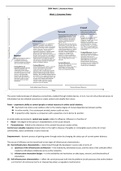
Alarm app for a smart phone
Consider the alarm app computer system for a smart phone. This could be divided into three sub-systems,
setting the alarm, checking for the alarm time, sounding the alarm. These sub-systems could then be further
sub-divided; the structure diagram makes the process clearer.
1
,Above is the structure diagram for alarm app
Flowcharts
A FLOWCHART shows diagrammatically the steps required for a task (sub-system) and the order that they are
to be performed. These steps together with the order are called an ALGORITHM. Flowcharts are an effective
way to communicate the algorithm that shows how a system or sub-system works.
Below is the flowchart for the checking-for-the-alarm-time sub-system.
2
, Pseudocode
PSEUDOCODE is a simple method of showing an algorithm, using English-like words and mathematical
operators that are set out to look like a program.
The pseudocode for the checking-for-the-alarm-time algorithm is given below.
Library routines
A LIBRARY ROUTINE is a set of programming instructions for a given task that is already available for use. It
is pre-tested and usually performs a task that is frequently required. For example, the task ‘get time’ in the
checking-for-the-alarm-time algorithm would probably be readily available as a library routine.
Sub-routines
A SUB-ROUTINE is a set of programming instructions for a given task that forms a sub-system, not the whole
system. Sub-routines written in high-level programming languages are called ‘procedures’ or ‘functions’
depending on how they are used.
9.2 Algorithms
An ALGORITHM sets out the steps to complete a given task. This is usually shown as a flowchart or
pseudocode. Anyone who studies the flowchart or algorithm should be able to work out the purpose of the task.
Activity 9.1
Have a look at the flowchart and pseudocode below. What is the purpose of the algorithm that they both
represent?
What would be output if the numbers 7 and 18 were input?
3
Practical problem-solving and programming
Chapter 9 – Problem-solving and design
9.1 Introduction
In order to build a computer system that performs a specific task or solves a given problem, the task or
problem has to be clearly defined, showing what is going to be computed and how it is going to be computed.
9.1.1 What is a computer system?
A computer system is made up of software, data, hardware, communications and people; each computer
system can be divided up into a set of sub-systems. Each sub-system can be further divided into sub-systems
and so on until each sub-system just performs a single action.
Computer systems can be very large or very small or any size in between; most people interact with many
different computer systems during their daily life without realising it. For example, using an app on the phone
as an alarm, or checking the weather forecast on the computer system before heading to work. The alarm
program is a very small computer system; when checking the weather forecast the information is obtained from
one of the largest computer systems in the world.
9.1.2 Tools and techniques
In order to understand how a computer system is built up and how it works, it is often divided up into sub-
systems. This can be shown using top-down design to produce structure diagrams that demonstrate the
modular construction of the system. Each sub-system can be developed by a programmer as sub-routine or an
existing library routine may be already available for use. How each sub-routine works can be shown by using
flowcharts or pseudocode.
Top-down design
TOP-DOWN DESIGN is the breaking down of a computer system into a set of sub-systems, then breaking
each sub-system down into a set of smaller sub-systems, until each sub-system just performs a single action.
This is an effective way of designing a computer system to provide a solution to a problem, since each part of
the problem is broken down into smaller more manageable problems. The process of breaking down into
smaller sub-systems is called ‘stepwise refinement’.
This structured approach works for the development of both large and small computer systems. When large
computer systems are being developed this means that several programmers can work independently to
develop and test different sub-systems at the same time. This reduces the development and testing time.
Structure diagrams
In order to show top-down design in a diagrammatic form, structure diagrams can be used. The STRUCTURE
DIAGRAM shows the design of a computer system in a hierarchical way, with each level giving a more detailed
breakdown of the system into sub-systems.
Alarm app for a smart phone
Consider the alarm app computer system for a smart phone. This could be divided into three sub-systems,
setting the alarm, checking for the alarm time, sounding the alarm. These sub-systems could then be further
sub-divided; the structure diagram makes the process clearer.
1
,Above is the structure diagram for alarm app
Flowcharts
A FLOWCHART shows diagrammatically the steps required for a task (sub-system) and the order that they are
to be performed. These steps together with the order are called an ALGORITHM. Flowcharts are an effective
way to communicate the algorithm that shows how a system or sub-system works.
Below is the flowchart for the checking-for-the-alarm-time sub-system.
2
, Pseudocode
PSEUDOCODE is a simple method of showing an algorithm, using English-like words and mathematical
operators that are set out to look like a program.
The pseudocode for the checking-for-the-alarm-time algorithm is given below.
Library routines
A LIBRARY ROUTINE is a set of programming instructions for a given task that is already available for use. It
is pre-tested and usually performs a task that is frequently required. For example, the task ‘get time’ in the
checking-for-the-alarm-time algorithm would probably be readily available as a library routine.
Sub-routines
A SUB-ROUTINE is a set of programming instructions for a given task that forms a sub-system, not the whole
system. Sub-routines written in high-level programming languages are called ‘procedures’ or ‘functions’
depending on how they are used.
9.2 Algorithms
An ALGORITHM sets out the steps to complete a given task. This is usually shown as a flowchart or
pseudocode. Anyone who studies the flowchart or algorithm should be able to work out the purpose of the task.
Activity 9.1
Have a look at the flowchart and pseudocode below. What is the purpose of the algorithm that they both
represent?
What would be output if the numbers 7 and 18 were input?
3