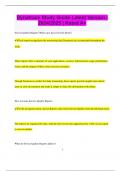
Dynatrace Study Guide Latest Version | 2024/2025 | Rated A+
Dynatrace Study Guide Latest Version | 2024/2025 | Rated A+ Service Quality Reports (What can I discover from them?) Each report encapsulates the monitoring data Dynatrace has accumulated throughout the week. These reports offer a summary of your applications, services, infrastructure usage, performance issues, and the impact of these issues on your customers. Though Dynatrace is perfect for daily monitoring, these reports provide insights into critical areas in your environment and make it simple to share this information with others. How to locate Service Quality Reports In the navigation menu, choose Reports, then select Service Quality from the left-hand menu. The reports are organized by date, with the most recent ones appearing first. Click on any report to view its details. What do Service Quality Reports address? 2 They evaluate the quality throughout the entire environment, necessitating access to the entire environment for viewing. It is not feasible to analyze and store the necessary aggregated data per Management zone. Overall Dynatrace Score This score is an average derived from the scores of applications, services, and infrastructure within your environment. Application Score Determined by application Apdex ratings. It reflects the average Apdex value of your applications and the percentage of user actions that are unaffected by problems. Services Score Indicates the percentage of service calls that are successful and free from issues. Infrastructure Score Shows the percentage of host uptime without encountering any problems. Frequency of Service Quality Reports 3 Reports are generated weekly, every Sunday at midnight, so you have a new report ready when you begin your workweek on Monday morning. How to subscribe to Service Quality Reports Navigate to Reports from the menu > open a Service Quality report > click the browse button (...) > select Subscribe. Contents of Service Quality Reports Overall Dynatrace Score Application Score
Written for
- Institution
- Dynatrace Study
- Module
- Dynatrace Study
Document information
- Uploaded on
- July 27, 2024
- Number of pages
- 21
- Written in
- 2023/2024
- Type
- Exam (elaborations)
- Contains
- Questions & answers
Subjects
-
dynatrace study guide latest version

Also available in package deal