BEN FROST
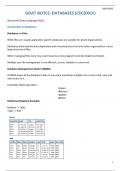
GOAT NOTES: DATABASES (CSC2001F)
Structured Query Language (SQL):
Introduction to Databases:
Databases vs Files:
While files are usually application specific databases are suitable for whole organisations.
Databases eliminate the data duplication and inconsistencies that arise when organisations rely on
large amounts of files.
When managing files every new need requires a new program to be developed and tested.
Multiple user file management is not efficient, secure, reliable or concurrent.
Database Management System (DBMS):
A DBMS keeps all the database’s data in one place and allows multiple users concurrent, easy and
safe access to it.
Facilitates CRUD operations:
Create
Retrieve
Update
Delete
Relational Database Example:
Relation -> Table
Tuple -> Row
1
, BEN FROST
SQL Query Guide:
* SEE SQL CHEAT SHEET FOR MORE *
Create:
Insert:
INSERT INTO <TableName>
VALUES (<Col1Value>, <Col2Value>, ... , <ColnValue>);
Insert (Nested): Data Types:
INSERT INTO <TableName> INTEGER, FLOAT,
VALUES (<SelectQuery>); ENUM(v,v,v,v,v), DOUBLE, REAL,
NUMERIC, BIT, VARCHAR, DATE
Table Creation: etc. (see slides)
CREATE TABLE <NewTableName> Null Handling:
NULL -> Allows Null Values
(<Col1Name> <DataType> <NullHandling>,
NOT NULL -> No Null Values
<Col2Name> <DataType> <NullHandling>,
...
<ColnName> <DataType> <NullHandling>,
PRIMARY KEY (<ColiName>, ... ,<ColjName>),
CHECK (<ColiName> IN (<SelectQueryOnPKeyOrigin>))
CHECK (<ColjName> IN (<SelectQueryOnPKeyOrigin>))
);
Retrieve:
Select Specific Columns of Row:
SELECT <Col1Name>, ... ,<ColnName>
FROM <TableName>;
Select All Columns of Row:
SELECT *
FROM <TableName>;
Select Ordered (Ascending):
SELECT <ColiName>
FROM <TableName>
ORDER BY <Col1Name>, ... ,<ColnName>;
Select Ordered (Descending):
SELECT <ColiName>
FROM <TableName>
ORDER BY <Col1Name>, ... ,<ColnName> DESC;
Select By Logical Condition:
SELECT <ColiName>
2
, BEN FROST
FROM <TableName>
WHERE <LogicalCondition>;
Logical Condition Configurations:
Standard Comparison:
WHERE <ColiName> = | <= | >= | < | > <Value>;
Starts With:
WHERE <ColiName> LIKE “<Value>%”;
Ends With: _ -> One Char Wildcard
WHERE <ColiName> LIKE “%<Value>”;
Contains:
WHERE <ColiName> LIKE “%<Value>%”;
&&:
WHERE <Logical1Condition> AND <Logical2Condition>;
||:
WHERE <Logical1Condition> OR <Logical2Condition>;
!:
WHERE NOT <LogicalCondition>;
Between:
WHERE <ColiName> BETWEEN <LowerBound> AND <UpperBound>;
Null/Not Null:
WHERE <ColiName> IS NULL; | WHERE <ColiName> IS NOT NULL;
Select Distinct Row:
SELECT DISTINCT <Col1Name>, ... ,<ColnName>
FROM <TableName>;
Select Top n Ordered Rows:
SELECT TOP <Value> <Col1Name>, ... ,<ColnName>
FROM <TableName>
ORDER BY <Col1Name>, ... ,<ColnName>;
Operations:
Mathematical:
Brackets:
()
Exponentiate:
POWER(<Value>, <Exponent>)
Division:
/
Multiplication:
*
Addition:
+
Subtraction:
3
, BEN FROST
-
Set Theory:
Union:
<SelectedSet> UNION <SelectedSet> Set functions all retain
Intersect: duplicates. Selected
<SelectedSet> INTERSECT <SelectedSet> relations’ structures must
match.
Except:
<SelectedSet> EXCEPT <SelectedSet>
Number Functions:
Sum:
SUM(<ColiName>)
Round:
ROUND(<Value>, <numberOfDecimalPlaces>)
Count:
COUNT(<ColiName>)
Minimum:
MIN(<ColiName>)
COUNT(*) includes NULL Values
Maximum:
MAX(<ColiName>) Everything else ignores them.
Average:
AVG(<ColiName>)
Floor:
INT(<Value>)
Generate Random Number:
RND(<ColiNameAsSeed>) * (<Range>) + <lowerLim>
Modular Division (%):
<Value1> MOD <Value2>
Integer Division:
<Value1> \ <Value2>
String Functions:
Substring From Left:
LEFT(<String>,<NumberOfChars>)
Substring From Right:
RIGHT(<String>,<NumberOfChars>)
Substring From Middle (to Right):
MID(<String>, <StartPosition> ,<NumberOfChars>)
COALESCE Function: COALESCE takes the first non-NULL
COALESCE(<Col1Name>, ... ,<ColnName>) value of the specified columns. (in order)
Deriving Functions As New Output Columns:
SELECT <FunctionOnTable> AS <NewColumnName>
FROM <TableName>;
4
GOAT NOTES: DATABASES (CSC2001F)
Structured Query Language (SQL):
Introduction to Databases:
Databases vs Files:
While files are usually application specific databases are suitable for whole organisations.
Databases eliminate the data duplication and inconsistencies that arise when organisations rely on
large amounts of files.
When managing files every new need requires a new program to be developed and tested.
Multiple user file management is not efficient, secure, reliable or concurrent.
Database Management System (DBMS):
A DBMS keeps all the database’s data in one place and allows multiple users concurrent, easy and
safe access to it.
Facilitates CRUD operations:
Create
Retrieve
Update
Delete
Relational Database Example:
Relation -> Table
Tuple -> Row
1
, BEN FROST
SQL Query Guide:
* SEE SQL CHEAT SHEET FOR MORE *
Create:
Insert:
INSERT INTO <TableName>
VALUES (<Col1Value>, <Col2Value>, ... , <ColnValue>);
Insert (Nested): Data Types:
INSERT INTO <TableName> INTEGER, FLOAT,
VALUES (<SelectQuery>); ENUM(v,v,v,v,v), DOUBLE, REAL,
NUMERIC, BIT, VARCHAR, DATE
Table Creation: etc. (see slides)
CREATE TABLE <NewTableName> Null Handling:
NULL -> Allows Null Values
(<Col1Name> <DataType> <NullHandling>,
NOT NULL -> No Null Values
<Col2Name> <DataType> <NullHandling>,
...
<ColnName> <DataType> <NullHandling>,
PRIMARY KEY (<ColiName>, ... ,<ColjName>),
CHECK (<ColiName> IN (<SelectQueryOnPKeyOrigin>))
CHECK (<ColjName> IN (<SelectQueryOnPKeyOrigin>))
);
Retrieve:
Select Specific Columns of Row:
SELECT <Col1Name>, ... ,<ColnName>
FROM <TableName>;
Select All Columns of Row:
SELECT *
FROM <TableName>;
Select Ordered (Ascending):
SELECT <ColiName>
FROM <TableName>
ORDER BY <Col1Name>, ... ,<ColnName>;
Select Ordered (Descending):
SELECT <ColiName>
FROM <TableName>
ORDER BY <Col1Name>, ... ,<ColnName> DESC;
Select By Logical Condition:
SELECT <ColiName>
2
, BEN FROST
FROM <TableName>
WHERE <LogicalCondition>;
Logical Condition Configurations:
Standard Comparison:
WHERE <ColiName> = | <= | >= | < | > <Value>;
Starts With:
WHERE <ColiName> LIKE “<Value>%”;
Ends With: _ -> One Char Wildcard
WHERE <ColiName> LIKE “%<Value>”;
Contains:
WHERE <ColiName> LIKE “%<Value>%”;
&&:
WHERE <Logical1Condition> AND <Logical2Condition>;
||:
WHERE <Logical1Condition> OR <Logical2Condition>;
!:
WHERE NOT <LogicalCondition>;
Between:
WHERE <ColiName> BETWEEN <LowerBound> AND <UpperBound>;
Null/Not Null:
WHERE <ColiName> IS NULL; | WHERE <ColiName> IS NOT NULL;
Select Distinct Row:
SELECT DISTINCT <Col1Name>, ... ,<ColnName>
FROM <TableName>;
Select Top n Ordered Rows:
SELECT TOP <Value> <Col1Name>, ... ,<ColnName>
FROM <TableName>
ORDER BY <Col1Name>, ... ,<ColnName>;
Operations:
Mathematical:
Brackets:
()
Exponentiate:
POWER(<Value>, <Exponent>)
Division:
/
Multiplication:
*
Addition:
+
Subtraction:
3
, BEN FROST
-
Set Theory:
Union:
<SelectedSet> UNION <SelectedSet> Set functions all retain
Intersect: duplicates. Selected
<SelectedSet> INTERSECT <SelectedSet> relations’ structures must
match.
Except:
<SelectedSet> EXCEPT <SelectedSet>
Number Functions:
Sum:
SUM(<ColiName>)
Round:
ROUND(<Value>, <numberOfDecimalPlaces>)
Count:
COUNT(<ColiName>)
Minimum:
MIN(<ColiName>)
COUNT(*) includes NULL Values
Maximum:
MAX(<ColiName>) Everything else ignores them.
Average:
AVG(<ColiName>)
Floor:
INT(<Value>)
Generate Random Number:
RND(<ColiNameAsSeed>) * (<Range>) + <lowerLim>
Modular Division (%):
<Value1> MOD <Value2>
Integer Division:
<Value1> \ <Value2>
String Functions:
Substring From Left:
LEFT(<String>,<NumberOfChars>)
Substring From Right:
RIGHT(<String>,<NumberOfChars>)
Substring From Middle (to Right):
MID(<String>, <StartPosition> ,<NumberOfChars>)
COALESCE Function: COALESCE takes the first non-NULL
COALESCE(<Col1Name>, ... ,<ColnName>) value of the specified columns. (in order)
Deriving Functions As New Output Columns:
SELECT <FunctionOnTable> AS <NewColumnName>
FROM <TableName>;
4