Adobe After Effects ACA Exam Prep 100% ACCURATE GRADE A+ GURANTEED
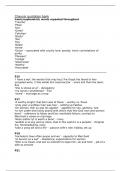
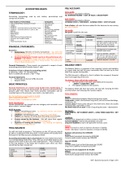
Squash and stretch This principle of animation shows the flexibility of an object when it compressed as it hits the ground and then extends as it bounces up again. Frame rate (fps) the number of frames per second at which an animation or video is intended to be viewed Transparency button Toggles transparency Zoom Tool magnifies and reduces the view of an image Composition Panel A panel in After Effects that represents layers spatially, and where compositions are displayed at the location of the CTI on the Timeline panel Basic Creative Commons icon Anticipation technique for preparing the audience for an action. For example, bending the knees before a character jumps Attribution CC icon Aspect Ratio The relationship of width to height in a picture or shape. Typically 16:9 or 4:3 Shy Switch Hides the current layer when the Hide Shy Layers composition switch is selected. Text Tool place text in the composition Graph Editor An editor that graphically represents the various animated attributes in your scene Resolution button Adjust resolution to improve playback while reducing quality Character Panel Helps you manually or automatically control type properties such as kerning, tracking, and leading. Shape Tool Create shapes and masks safe area The inner 90 percent of the video frame. Since the outer 10 percent of a broadcast picture is typically cut off by over-scanning, this area is considered safe for most subject matter Share Alike icon Staging The lighting, camera angle and other techniques that direct the audiences attention Quality and Sampling Button Toggles between Best and Draft options for layer quality for rendering, including rendering to the screen for previews. Selection Tool Select and transform objects in the composition Layer Panel Isolates a layer from your composition. Used to trim footage and rotobrush Resolution Size of video frame measured in pixels. 1920 x 1080 is standard HD video. NoDerivs CC by-ND icon Straight Ahead Action and Pose to Pose Two difference approaches: frame by frame or letting the computer fill in the "inbetween" frames Follow Through and Overlapping Action Two techniques for making motion look more realistic. One is about having parts of your animation continue to move after the character stops, like hair. The other concept is that a moving person usually have more than one part moving. NonCommercial icon Video Codec video compressor-decompressor Roto Brush Tool Use this tool to create the initial matte to separate an object from its background. Effects and Presets Quick place to access all the effects and presets. puppet tool creates animations by a series of pins and key frames. Project Panel The panel that organizes all the assets for a project PixelCONTINUED....
Written for
- Institution
- Adobe After Effects ACA Exm Prep
- Module
- Adobe After Effects ACA Exm Prep
Document information
- Uploaded on
- November 26, 2023
- Number of pages
- 5
- Written in
- 2023/2024
- Type
- Exam (elaborations)
- Contains
- Questions & answers
Subjects
-
squash and stretch
-
frame rate fps
-
transparency button
-
zoom tool
-
composition panel